dials
17 TopicsUnleash the Legend!
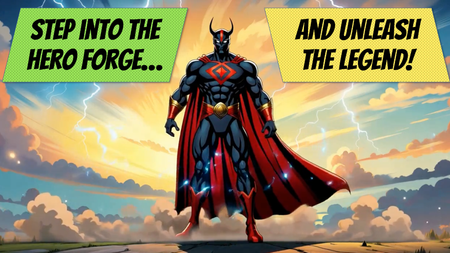
This challenge gave me the chance to try something a little different. I’ve always enjoyed comics and superheroes, so I built an interaction where learners could select a power and a background using two dials to reveal a matching hero. I put together a quick prototype in Storyline to prove out the idea, then brought the idea into ChatGPT to help me shape the content. I worked through the hero grid, tightened up the descriptions, added flavor text, and refined the overall look and feel. About halfway through, I had the idea to present each hero like a Magic: The Gathering–style card, which gave the whole thing a more collectible feel. From there, it was all about polish: adjusting the instructions, finding the right button label (Unleash the Legend), and even adding some sound effects to give the interaction more punch. This was a fun back-and-forth with ChatGPT — starting simple, then layering on details until it started to feel complete. You can see the final version here: Unleash the LegendVictorian Alphabet Project
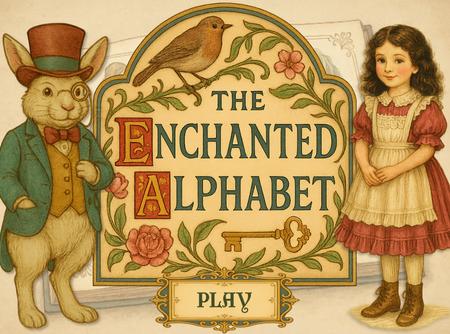
A Most Curious Diversion: The Victorian Alphabet Dial Though I am tardy in submitting this humble creation, I felt compelled to share my vision nonetheless. Ever enchanted by the elegance and refinement of the Victorian aesthetic, I have embarked upon a whimsical endeavour: an interactive alphabet dial. With a gentle spin, the player shall unveil a letter accompanied by a charming illustration and a verse, each rendered in the ornate style of the age. It is my sincere hope that this modest project shall delight and amuse, and perhaps even transport you—if only for a moment—into a bygone era of beauty and imagination. Enchanted AlphabetThe best weigh to make an espresso
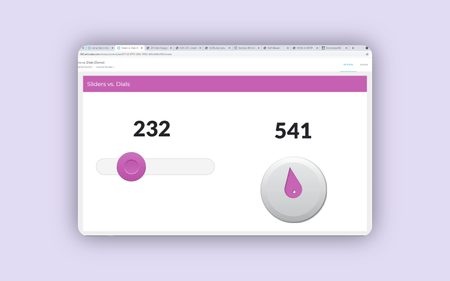
Hello! I like to mimic real-life machinery, dials, switches, and buttons in eLearning where it's appropriate. Sometimes learning by doing can be very literal. But these features can also impact #accessibility. In this week's coffee-themed demo, I have ensured the drag and drop, slider and dial interactions are also accessible from the keyboard. All of the vectors in this week's demo were 'handmade' in PowerPoint and Storyline using the 'merge shapes' feature. Most of my time was spent making sure the interactions perform as intended when the keyboard is used instead of a mouse. But I'm pretty pleased with the overall effect. What do you think? PLAY HERE
E-learning Alchemy
Thought I'd use a circular menu to create a kind of portfolio. For this, created two dials (in the form of test tube) for the user to pick an e-learning format and a topic to "create" a course. With four formats and four topics, there are sixteen possible portfolio combinations. Launch E-learning AlchemyCoin Operated
Hey you guys! I Never Say Die when it comes to these demos, and following last week's Merge Shapes challenge, I thought it'd be interesting to work with a dial that has holes in it. There are actually two 'coins' in this Goonies-inspired interaction. It's the same image, initially housed in a slider, then formatted as a dial. This creates an 'on rails' drag-and-drop, that is fully accessible from the keyboard. (Because when you change the underlying variable of a slider or dial, this also changes its position without the learner having to touch it.) But it's certainly more fun to interact with the coin using a mouse or on a touchscreen. Give it a try here.
HEIST
Hello! When TomKuhlmann recently suggested his 'Production Workers' character pack could be 'safety-forward thieves dressed for an elaborate heist', the idea stuck... To build this demo, I brushed up on DavidAnderson's tutorial on adding Characters to Circles. As in previous weeks, I have used a 'Zoom Region' to move around the slide at key moments. I created the additional poses for the characters using NanoBanana in Pixlr. And the final activity is controlled by three dials. It can only be reached once you have read all three bios. Have a go for yourself here: HEIST If you have any questions, please ask!
Spookily Accruate
Hello! For this challenge, I reused a character I created way back in 2020, for Challenge #292 (Using Variables). In case you wondered, Zardoz is a cross between Sean Connery and the Zoltan machine from Big. I've upgraded Zardoz with a few tricks I've learned in the meantime, including live polling, a speech animation cycle, and some sneaky Javascript. If Zardoz doesn't successfully read your mind, he can still surprise you with what he does know about you. Does Zardoz know what you're thinking? TRY IT OUT HERE
- 2.6KViews4likes0Comments

Gamified Digital Dashboard / Meet the Squad 🎮💻
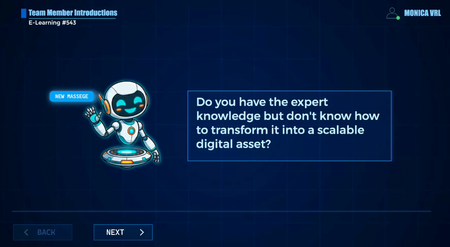
Hi everyone! 👋 Here is my entry for Challenge #543. I wanted to step away from the traditional corporate org chart and try something more gamified and dynamic. I designed a digital dashboard inspired by video games and sci-fi interfaces to introduce our elite squad. In this interaction, users are guided by "A.I.L.A." (our AI host), who helps them explore the profiles and stats of our core team: Emperatriz, Fernando, Christian, and myself. Behind the scenes (The Tech Stuff): To bring this cyberpunk/digital aesthetic to life, I combined motion graphics with custom code in Storyline: Holographic Videos: The character holograms were fully animated and rendered in After Effects to get that perfect sci-fi glow and smooth movement. Smooth UI Animations: I used Vanilla JavaScript and GSAP natively within Storyline to animate the interface panels. By manipulating coordinates and autoAlpha, the UI boxes smoothly slide in and float into place, giving the dashboard a very responsive and modern feel. You can check out the interactive demo here: 🔗 Gamified Digital Dashboard / Meet the Squad I really enjoyed mixing visual design, interactive storytelling, and a bit of code. I would love to hear your feedback! 🚀349Views2likes2Comments