graphics
65 TopicsHow are you handling certificate delivery?
Certificate delivery keeps coming up, so I wanted to share the approach I settled on after trying a few and hear how others are doing it. The recurring problem: a learner finishes a course, and you want them to get a certificate that (a) looks exactly like the slide you designed, (b) lands in their inbox automatically, and (c) is recorded somewhere you can look up later. Native print-to-PDF and LMS certificates got me part of the way, but not all three. What I ended up building: On the certificate slide, the Send button runs an Execute JavaScript trigger that posts the slide to a small backend endpoint. The backend renders that actual slide, so the PDF is pixel-perfect; no rebuilding the layout server-side and hoping the fonts match. It emails the PDF to the learner over SMTP, and logs every issue to a database with a simple admin dashboard (search, re-send, download). It runs on ordinary cPanel hosting - no monthly third-party service and no per-certificate fees - and one backend serves multiple courses. How's everyone else handling this native download, LMS-issued certs, Google Sheets/Zapier, a paid service? Curious what's working for you. I do this kind of Storyline-to-backend integration, so happy to go deeper on any of it if it's useful.1View0likes0CommentsReimagining Navigation Intros with 3D Motion
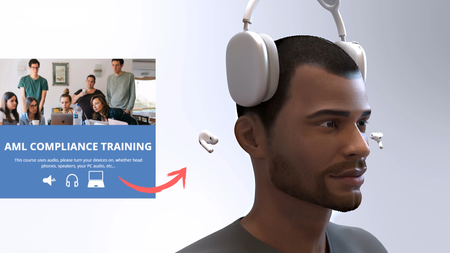
There’s more than one way to begin an eLearning course; and sometimes, sometimes the best way isn’t with text content, but with atmosphere. I’ve always been inspired by how airline safety videos set the tone before a flight begins. They take a routine moment and turn it into something memorable through motion, storytelling, and design. In this short navigation intro, I demo how to bring that same prelaunch energy into your course. With 3D motion and audio cues, you can instantly draw your learners in, before a single concept is even introduced. Navigation Intro: https://craftuxd.tech/Audio/story.html I designed this to spark engagement, proof that learning experience design gets fun when you experiment with 3D, soundscapes, animation, and visual storytelling. Here’s a quick tutorial: https://www.youtube.com/watch?v=62MRlM1iz0M149Views2likes2CommentsFont Stroke Effect Camtasia
Learn how to create a clean typography font outline stroke effect in Camtasia using built-in effects, no plugins needed. This quick tutorial covers two simple methods using Media Matte, Border, and Remove a Color to achieve that bold, stroked text look. Watch the full tutorial here: https://www.youtube.com/watch?v=2E8rqqC0FQs&t=50s Preview the intro animation here: https://craftuxd.tech/Camtypo.mp455Views0likes0CommentsAnimating Engaging Quiz Questions in Storyline
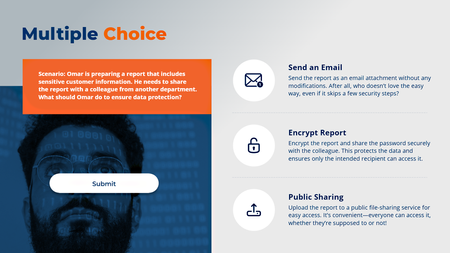
A cool way to turn your standard Storyline quizzes into interactive, engaging, and immersive learning experiences. Watch "how to" tutorial here: https://www.youtube.com/watch?v=4wB1_HWTZeU Preview slide here: https://craftuxd.tech/Submit/story.html Preview animations here: https://craftuxd.tech/Submit.gif143Views3likes0CommentsAvatarGrid (Unfolding UI) for Storyline
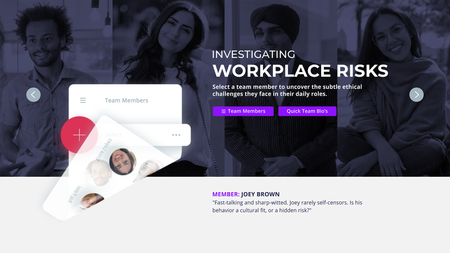
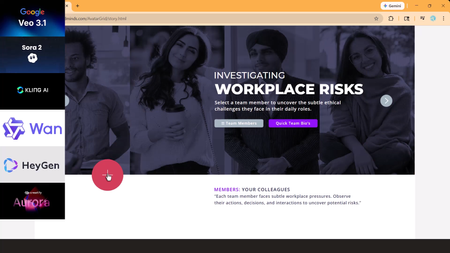
AI video is everywhere in learning design, but the experience hasn’t caught up. Too often, video is dropped onto a slide and left to do all the work. AvatarGrid challenges that approach. Built for Articulate Storyline, AvatarGrid is an unfolding UI system that uses purposeful motion and cinematic transitions to reveal content progressively. AI videos/images, created with Higgsfield AI, Nano Banana, and HeyGen AI, feel integrated, not pasted in, supported by layered vector UI. The result is an immersive, modern learning experience where motion has meaning. Every interaction supports the story. This is what video AI-first, motion-driven UXD looks like in practice. Watch the short tutorial: https://www.youtube.com/watch?v=iLXJ_-K4vXI131Views0likes0CommentsAI Talking Heads: Uncanny Valley Test
AI talking heads are everywhere, but most still fall straight into the Uncanny Valley. When lip-sync drifts or facial movements glitch, the learner stops focusing on the scenario and starts focusing on the AI mistake. I tested Veo 3.1, Kling 3.0, Creatify Aurora, Seedance 1.5, and HeyGen using the same image, script, and workplace scenario. One model clearly stood out as production-ready for realistic eLearning conversations. Watch the tutorial: https://www.youtube.com/watch?v=zroW6I7CGO0&t=317s Try the Storyline live demo: https://craftuxd.tech/AvatarGrid/story.html475Views0likes2CommentsCamtasia Can Do This? A Stunning Motion Graphics Template for eLearning
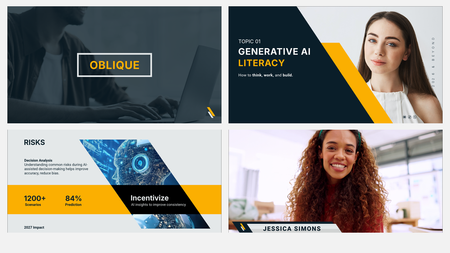
I’ll be honest, Camtasia continues to surprise me. Many people still think of Camtasia as a simple screen-recording tool, but when you start pushing its design and motion capabilities, it becomes much more than that. I recently built the Oblique Camtasia Template, a 24-slide corporate motion graphics template designed for eLearning, webinars, training videos, and polished business presentations. This template uses diagonal layouts, animated image treatments, lower thirds, title plates, infographics, matte effects, ease-in motion, and custom shape-based design, all built to show how far Camtasia can go when used creatively. Yes, tools like Adobe After Effects and Premiere are powerful. But Camtasia can absolutely hold its own for learning design, corporate video, and clean motion-based presentation work. The bigger point is this: don’t limit Camtasia to screen recording. Test it. Push it. Build with it. There is so much creative potential sitting inside the tool. Watch the short clip here: https://youtu.be/Cr4aVIbxfsE?si=9Am9z6XdrcfT-1xn Read the full under-the-hood blog here: https://www.craftuxd.com/post/camtasia-elearning-corporate-motion-design-template Watch the full template in action here: https://craftuxd.tech/ObliqueCamtasiaTemplate.mp4 #Camtasia #eLearning #MotionGraphics #LearningExperienceDesign #InstructionalDesign #CorporateTraining #VideoDesign #CraftUXD105Views1like2CommentsBadges for Competencies
We have some badges set up in our LMS for competencies but I'm wondering if anyone has any cool design templates to share for badges they've created. We are diving pretty heavily into a competency project and will be aligning courses in our LMS to that project in the coming months.64Views1like4CommentsModule Review
Hope you all had a great weekend! I recently completed an eLearning work sample and would love some honest feedback from fellow instructional designers and eLearning professionals. As a personal challenge, I took one of Tim Slade’s design challenges and transformed it into a fully interactive eLearning module. I’m especially interested in feedback on the overall design, user experience, content flow, interactions, and any areas that could be improved. Review link: TacoMazing Fire Safety Academy Thank you in advance for taking the time to review it. I truly appreciate any insights, suggestions, or constructive feedback you can share!80Views0likes3Comments