lms
21 Topics4 Reasons Your Learners Will Love Taking Training Hosted on Reach 360
There are so many reasons it’s worth investing in training, including boosting productivity, reducing turnover, and improving employee satisfaction. But getting access to that training hasn’t always been easy for learners. Live learning experiences like in-class training and webinars have cost, scheduling, and pacing barriers. And while e-learning lowers those barriers, sharing and tracking that training through a traditional LMS can add its own challenges—for example, limitations around who can be enrolled or interfaces that are clunky or don’t work well on mobile devices. It’s no surprise that all this can lead to frustrating learning experiences or, worse, exclude some people from training opportunities altogether. But now there’s a simple solution specifically designed to overcome these issues: Reach 360, Articulate’s frictionless LMS. Let’s take a look at four reasons learners are loving this modern, intuitive solution. 1. They Can Take Training Whenever They Want—at Their Own Pace Live training absolutely has its place for employees, contractors, and sometimes even customers. But learners can find it tricky to fit it into their schedules, since they have to be available at a specific time—and sometimes place as well. These instructor-led sessions require every attendee to keep up with the same pace, which leaves some feeling left behind and others eager to move through the content faster. And learners have to be up for committing a long block of time to the class all at once. But with Reach 360, people get a learning experience that’s flexible for their specific needs. Training content is available on-demand, so they can access it whenever works best for them. They can go through the content at whatever speed they find comfortable. They can break the course up into smaller chunks to make it easier to fit into their lives. And they can easily access a wide range of courses, not just the ones being offered in their location or time zone. 2. They Can Learn Wherever They Want—on Any Device As mentioned earlier, many LMS solutions are only optimized for computers, making mobile access awkward if not impossible. For learners who don’t have a desk job—such as people who work in retail, healthcare, manufacturing, and construction—this creates a frustrating barrier, requiring them to step away from their work when they’re assigned training or need to refer back to information in a course. And even people who regularly work at a computer might appreciate having multiple options for accessing it. With Reach 360, though, courses work beautifully on computers, mobile phones, or tablets. This device flexibility makes it easier for people to complete or revisit courses wherever works best for them, whether that’s at a desk, on a worksite or sales floor, or even on the go. And if they want to start a course on one device and then switch to another, that works too. With the entirety of your training content at their fingertips, your learners will feel supported and confident that they have access to everything they need to be successful. 3. The User Interface Is Intuitive, so It’s Easy To Find What They Need Some of the most common complaints with traditional LMSs revolve around ease of use. When learners find the experience clunky, hard to navigate, or needlessly complex, they’ll try and avoid it—and, unfortunately, your courses in it—at all costs. And if your course library is hard to explore, chances are people are missing out on valuable learning resources that they’d love to take advantage of if only they knew they existed. Ease of use is where Reach 360 shines. Thanks to an intuitive user interface, learners can quickly find all the courses they need with just a few clicks. Content they’ve been assigned is front and center on the home screen, so they never have to wonder what they’re required to take and when it’s due. And the course library can be customized for specific groups, so the content they see when they browse through it always fits their needs. So instead of wasting time trying to figure out how to find or take courses, they can focus on what’s important—learning. 4. It’s Easy To get Started—With or Without a Corporate Email Address If learners find it a hassle to create a new account on your LMS, chances are many of them will give up on training before they even begin. It’s not uncommon for people to find the account setup process in traditional LMSs awkward and time-consuming. And sometimes the hard parts are completely out of their hands, requiring them to wait for help from an LMS administrator to get everything settled. For those who don’t have a company email address, though, this experience is often even worse. Since some LMSs require users to have a company email address to access the system, that can leave contractors, customers, and employees without a corporate email completely locked out of training. With Rise 360, access is easy for everyone. Getting set up in the system takes just minutes. And learners can create an account with any email address—corporate or personal. Wrap-Up If you want a modern and flexible way to share training—and one that’s welcoming to everyone who needs your courses—Reach 360 is the solution. With Reach 360, your learners will appreciate being able to access training in an intuitive environment whenever they want, wherever they are, with any email address, and on any device. Want to learn more about Reach 360? Check out these handy resources: Announcing Reach 360: A Quick & Easy Way To Deliver Training How To Share & Track E-Learning With Reach 360 7 Ways To Enroll Learners in Online Training With Reach 360 5 Reasons To Share Your Course With Reach 360 If you’re already an Articulate 360 subscriber and want to try Reach 360 for yourself, ask your account admin to activate it for you. And if you’re new to both Articulate 360 and Reach 360 and are looking for an easy way to create and deliver training, start a free trial.581Views0likes0Comments5 Reasons to Share Your Courses With Reach 360
If you’ve heard of Reach 360—the frictionless LMS by Articulate—you might be wondering if it’s a good fit for your organization. In this article, we’ll walk you through five reasons our customers are loving it—and why you might too. 1. It’s Easy to Set Up Whether your organization is new to e-learning and needs to hit the ground running or you’re unhappy with your current LMS and looking for an alternative, hearing that 69% of learning management systems (LMSs) take three months or more to implement might take the wind out of your sails. But never fear! With Reach 360, you can get set up in a matter of minutes—so you can start sharing courses with learners right away. 2. You Can Share Courses Quickly The traditional workflow for uploading courses can take weeks. You publish it as a SCORM package, send it to your LMS admin, wait for them to upload it to the LMS, and then test it to make sure everything works. If it doesn’t, then you need to troubleshoot the course and do all those steps over and over again until it’s working as expected. It can be a long and painful process. If you need to quickly help people learn new skills, you can’t wait weeks to get your course out. And with Reach 360, you don’t have to! You can build and upload your courses seamlessly from the Articulate 360 dashboard—in just a few clicks! And because the apps you use to create and host your courses are all built by Articulate, you know your courses will work perfectly every time. There’s truly no easier way to train your employees! 3. You Only Pay for Active Learners For many organizations, training needs ebb and flow. At the start of the year, you might need to roll out compliance courses, and then nothing else for a few months. Or there could be a big hiring push and onboarding, followed by a freeze. Seasonal employees might need quick upskilling before busy periods. Unfortunately, most LMSs require you to purchase and manage a fixed number of seats. And because each seat is often expensive, organizations often don’t have budget to buy everyone a seat for the entire year. As a workaround, they buy fewer seats and shuffle them around to learners who need them, which can be complicated and time-consuming. Sound familiar? Good news: Reach 360 is different. Learner pricing and management are flexible—to match your variable training needs. Learners only count toward your costs when they take training. So if they take compliance courses in January and nothing else for the rest of the year, you’re not paying for all the time they weren't using the system—saving you tons of money! 4. It’s Easy to Manage Learners and Courses Traditional LMSs can be complex and cumbersome. The admins who manage them often have to take extensive training to learn the system’s ins and outs. And even after they understand how the LMS works, they can end up spending much of their time on tedious tasks and troubleshooting with little to no value add. With Reach 360’s user-friendly interface, admins can jump in and start managing learners and courses right away—no training required. They can enroll learners, build learning paths, view and generate reports, and more in just a few clicks. Reach 360 takes the pain out of training administration, so admins have more time for important tasks. 5.The Learner Experience Is Intuitive and Mobile-Friendly L&D pros often tell us that their learners struggle to figure out how to access their courses. And it’s no wonder! Many LMSs have outdated and clunky user interfaces that don’t behave the way modern websites and apps do—leaving learners feeling lost and confused. Not to mention that while today’s learners are mobile, many LMSs are clunky—or even inaccessible—on phones and tablets, which creates even more frustration. That’s why learners love Reach 360. It’s a modern web app specifically designed to work on all devices with a user interface they intuitively know how to use. Your learners will love experiencing the engaging, responsive courses you create with Rise 360 and Storyline 360 in an equally responsive and intuitive learning environment. And when training is easy to take, learners can focus on learning—the way it should be. Wrap-Up So if you’re looking to set up an LMS quickly, want to streamline the course distribution process, have variable training needs, or simply want to provide a better experience to admins and learners—check out Reach 360. It could be exactly what you need! Want to learn more about our frictionless solution for distributing training? Check out these handy resources: Reach 360: A Quick & Easy Way to Deliver Training How to Share & Track E-Learning With Reach 360 4 Reasons Your Learners Will Love Taking Training Hosted on Reach 360 7 Ways to Enroll Learners in Online Training With Reach 360 If you’re already an Articulate 360 subscriber and want to try Reach 360 for yourself, simply ask your account admin to activate it to access the starter plan for free. And if you’re new to both Articulate 360 and Reach 360 and are looking for an easy way to create and deliver training, start a free trial.743Views0likes0CommentsReach 360: A Quick and Easy Way to Deliver Training
Do you need a way to train contractors, partners, franchises, or other learners who can’t access your LMS? Or maybe your LMS doesn’t work well on mobile devices, and the people you need to train don’t have access to computers. Whatever the reason for needing another way to reach learners, Reach 360 can help. What is Reach 360, you ask? It’s our fast, flexible, frictionless LMS that allows you to: Publish and share your Storyline 360, Rise 360, or third-party training with learners in minutes. Track and analyze learner activity with easy-to-read, exportable reports. Manage variable training needs with flexible pricing based on the number of active learners. Watch this video to learn more: Want to dig even deeper? Check out these articles: How to Share & Track E-Learning with Reach 360 4 Times to Share Your Course with Reach 360 4 Reasons Your Learners Will Love Taking Training Hosted on Reach 360 7 Ways to Enroll Learners in Online Training with Reach 360 If you’re already an Articulate 360 subscriber and want to try Reach 360 for yourself, ask your account admin to activate it for you. And if you’re new to both Articulate 360 and Reach 360 and are looking for an easy way to create and deliver training, start a free trial.2.7KViews1like5CommentsHow To Share & Track E-Learning With Reach 360
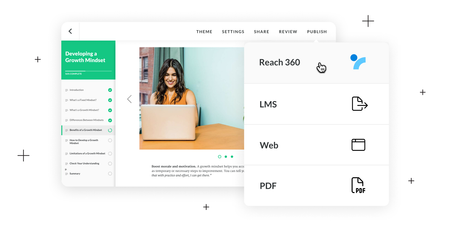
If you’re looking for a faster and easier way to share your e-learning courses with learners, look no further! With Reach 360—our frictionless LMS—you can share your online training courses with a wider audience in minutes, no matter which apps you’ve created them with. Let’s look at how easy it is to deliver content to learners and analyze the impact of your training using Reach 360. 1. Activate Reach 360 If you have an Articulate 360 subscription but haven’t tried Reach 360, start by asking your account admin to activate it for you. If you already have access, you can skip this step. 2. Submit Courses for Admin Approval As a course author, once you’ve finished building your course and want to share it with learners, you’ll submit it to Reach 360. To submit a course created in an Articulate app—Storyline 360 or Rise 360—open the project, select Publish, and choose Reach 360. Storyline 360 Rise 360 Choose the completion parameters and other settings—such as enabling a course completion certificate for learners to download. Storyline 360 Rise 360 Once you’re done making your selections, click Submit to complete the submission process. If you have admin access, you can review and publish it in Reach 360. If you don’t, your Articulate 360 Teams admin will take care of that. Either way, the native integration makes publishing courses easy and stress-free. If you have a course that wasn’t created in Articulate 360 apps—such as purchased content or legacy courses built with other platforms—no problem! Your admin can easily import third-party training into Reach 360 by following these easy steps. 3. Enroll Learners After the admin publishes the course, they can enroll learners individually, using groups, importing a CSV file, or by creating a sign-up link for individuals or for groups so learners can enroll themselves. Once a learner is enrolled, they’ll receive an email notification. If they’re logged into Reach 360, they can access the course via the link in their email or from the Learn dashboard wherever and whenever they need it. Email Learn Dashboard 4. Track Learner Activity Once learners start taking the course, admins can review and analyze their activity to see the impact of the training. They can view reports at the learner, group, and content level. And for even deeper analytics or to share the information with others, admins can easily export Reach 360 data. Wrap-Up Reach 360 makes it faster and easier to deliver e-learning courses to more learners and effortlessly track and analyze the impact of your training. Want to learn more about Reach 360? Check out these articles: Announcing Reach 360: A Quick & Easy Way to Deliver Training 4 Times to Share Your Course with Reach 360 4 Reasons Your Learners Will Love Taking Training Hosted on Reach 360 7 Ways to Enroll Learners in Online Training with Reach 360 Looking for an easy way to create and deliver training, but Reach 360 isn’t activated on your Articulate 360 subscription? Reach out to your admin and ask them to turn it on. And if you don’t have Articulate 360 or Reach 360, start a free 30-day trial. And remember to subscribe to our newsletter to get the latest product updates, e-learning examples, and expert advice sent directly to your inbox.2.8KViews0likes17Comments7 Ways to Enroll Learners in Online Training with Reach 360
Reach 360 is a premium add-on to Articulate 360 you can use to easily share training content with external and hard-to-reach learners. One of the nice things about it is that you’re not limited to one enrollment method. You can use what works best for you—including letting learners register themselves! Let’s walk through the different options together. 1. Share a Link and Let Learners Self-Register Self-registration is great for times when you want a large group of people to have access to your training content but don’t want to sign them up one by one. It’s super easy to do with Reach 360. You just need to enable self-registration and share the link with your learners. Once they’ve signed up, these learners have access to everything that you’ve published to your default library. Such a timesaver! 2. Automatically Add Self-Registered Users to Groups What if you like the idea of self-enrollment but want to assign specific content to learners? That’s where the group-level self-registration feature comes in. Say you have a group of new hires who have to take onboarding training like safety procedures and human resources (HR)-mandated training. Simply create a “New Hires” group, assign training to that group, and create a self-registration link. When learners self-register using that link, they’ll automatically be added to the New Hires group and enrolled in all the relevant training. They’ll also be able to view any other content you make available to them in your training library. 3. Enroll Learners and Groups Manually Self-registration is great for new learners. But if you want to enroll learners already in your organization, or members of your Articulate 360 team, you’ll have to do it manually. You have two options for manual enrollment: Enroll learners individually—This option makes the most sense when you only need to enroll a few people—or if you need to enroll people with vastly different training needs. Enroll groups of learners—This option is an excellent way to save time if you have multiple people who need to access the same training content. For example, if you have multiple learners who report to Maria in Sales, you can create a “Maria’s Team” group. Then, when you create training on the quarterly numbers for the southern region, you can easily enroll her whole team at once from the Groups tab. And if you add a new person to an existing group, they’ll automatically be enrolled in the relevant training as well. 4. Automatically Enroll New Learners in One or More Groups What if you need to add learners to multiple groups? Say you have Ahmed from Finance, who needs to take some New Hire training and Finance Team training, for example. Reach 360 makes that really easy, too. Simply invite a learner manually and select both groups from the drop-down menu. Then, when they accept the invitation, they’ll be automatically added to those groups and the training in which they’re enrolled. You can also add multiple new learners to the same group via CSV. Just add their information to a CSV spreadsheet, then import that file to the group. New learners will receive invitations while any pending users will be added to the group once they accept their invitation. You can even use the CSV method to remove old members from a group all at once. Perfect for refreshing a "New Employees" training group. 5. Bulk-Enroll Learners Looking for a quick and easy way to enroll a long list of learners? Bulk-import learners using a CSV file. You can even add them to specific groups by adding that information to the spreadsheet. For example, Sasha needs to be added to the New Hires and Marketing groups. Ronique needs to be added to New Hires as well, plus the Human Resources group. You get the idea. Rather than navigate the drop-down menu in Reach 360 for each one of those learners, you can just enter the group name in the appropriate field in the spreadsheet. 6. Automatically Enroll Learners via an API What if you want to have your cake and eat it too? Have learners self-register individually and be enrolled automatically in specific training? Or you’d like users to be assigned new training automatically when they finish what’s currently assigned to them? And you would like all of this to be controlled by your human resources information system (HRIS) software. Then you need an API. With a little bit of technical knowledge, someone versed in creating API commands can develop if/then commands that do exactly what I mentioned in the example above. When Jay signs up via the self-registration link, that event triggers the Reach 360 API command to enroll them in orientation training. Once they complete that, the API can automatically enroll them in the next course. And that’s just the automation that the Reach 360 Course Enrollment API can provide. Check out the full API collection for even more options. 7. Invite Users (and More) with Zapier Want API-style connectivity between the apps your organization uses and Reach 360 but don’t have programming skills? Check out Zapier! When you connect your Reach 360 account to your Zapier account, you can create a whole host of actions in minutes—no coding required. You can do things like: Email invitations to new learners when they’re added via HR software like SimplyHired or BambooHR. Award new CertifyMe credentials when users complete courses. Email Startquestion evaluations when a course is complete. And that’s just a tiny tip of the iceberg. Zapier supports thousands of apps and lets you create whatever you need with a few clicks. Read more about setting up Reach 360 and Zapier. Wrap-Up Reach 360 gives you all the options you need to quickly enroll learners and give them access to your training. Want to learn more about Reach 360? Check out these handy resources: Announcing Reach 360: A Quick & Easy Way to Deliver Training How to Share & Track E-Learning with Reach 360 4 Reasons Your Learners Will Love Taking Training Hosted on Reach 360 4 Times to Share Your Course with Reach 360 If you’re already an Articulate 360 subscriber and you want to try it out for yourself, request a Reach 360 trial here. And if you’re new to both Articulate 360 and Reach 360 and looking for an easy way to create and deliver training, start a trial of both here.2KViews0likes0CommentsA Quick Introduction to LMS and LRS Standards
There are a few common reasons why folx go looking for information on Learning Management System (LMS) or Learning Record Store (LRS) standards. If you’re one of them, maybe you’re doing your due diligence to make sure your course will work with a specific LMS or LRS. Or maybe you’ve come across some cryptic references to e-learning standards (cmi5 is what exactly?) and want an easy-to-understand explanation. No matter what brought you here, you’re in the right place. This article is all about giving you the plainspoken lowdown on LMS/LRS standards and why they’re important. Along the way we’ll unpack a few acronyms (specifically, AICC, SCORM, xAPI, and cmi5) and give you a little history lesson, too. Ready? Let’s get to it! What are LMS/LRS standards and why do we need them? Organizations use LMSs and LRSs mainly to track learner data like course completions and quiz scores. As you can imagine, there are lots of different ways to share data between digital systems. Without an agreed-upon process, your course could end up sharing data in a way that your LMS or LRS can’t understand. This is where LMS/LRS standards come in. Each standard (AICC, SCORM, xAPI, cmi5) is essentially a shared language for communicating with an LMS or LRS. Having standards ensures that, no matter the authoring app or LMS/LRS you’re using, information can be shared without any fuss or complicated coding. If you’re using an LMS that’s integrated with your authoring app—like Reach 360 is with Storyline 360 and Rise 360—you don’t have to worry about these standards because your course files and LMS all work together automatically. And if you have an Articulate 360 subscription, don’t forget that it now includes the Reach 360 Starter plan, so you can use it to share training with up to 300 learners a year at no additional cost! However, if you’re using an LMS/LRS that isn't integrated with your authoring app, you need to know which standard to publish to. In the world of e-learning, there are four common standards: AICC, SCORM, xAPI, and cmi5. Let’s take a closer look at each one. AICC The oldest e-learning standard, AICC (which stands for Aviation Industry Computer-based Training Committee), was created in 1988 to ensure that aviation training could be designed, delivered, and evaluated across various computer-based training platforms. Eventually, the specs in the AICC standard became popular outside the aviation industry. The AICC dissolved in 2014 due to declining membership and the rise of other e-learning standards. Although the AICC standard is no longer evolving, it’s still fairly common for authoring apps and hosting platforms to be AICC-compliant. Many organizations have useful legacy training content that was originally published as AICC, so they look for LMS platforms that allow them to host that content and authoring apps that allow them to maintain that content. Before the AICC dissolved, the committee started working on a new standard called cmi5, which I’ll highlight in just a bit. SCORM SCORM, which stands for Shareable Content Object Reference Model, was released in 2001. Despite its age, it’s still an industry standard that defines how to package course content so that LMSs can recognize it and extract information about learner activity. The SCORM standard in all its iterations has proven to be a catalyst for broad adoption of e-learning. However, as we saw with AICC, standards need to continuously evolve to meet the ever-changing landscape of modern technology—like cloud computing and mobile devices. While SCORM specifies how courses and LMSs should communicate, it does so in ways that are a bit out of date. Another common complaint about SCORM is that it only tracks a limited amount of information about learner activity—like completion, scoring, and quiz interactions. If authors want to track more detailed information about the learner experience—like which links learners clicked or if they tend to get stuck in a specific part of the course—they can’t. Ultimately, these limitations gave rise to the creation of xAPI. Learn more: A Quick Introduction to SCORM xAPI When xAPI came out in 2013, it was billed by many as a replacement for SCORM. Unlike SCORM, which only tracks how learners interact with courses on an LMS, xAPI tracks a broader array of learning activities and experiences across a wide variety of platforms—from mobile apps, video games, and Virtual Reality/Augmented Reality training simulators to enterprise systems like talent management and help desk applications—using an LRS. In theory, this allows e-learning pros to track almost anything, anywhere, opening up tons of possibilities for gathering and analyzing more meaningful and performance-oriented data. However, in practice it can be complicated to implement, since you have to manually define everything you want to track and how. Not to mention that very few systems outside of the Learning and Development (L&D) industry have adopted this standard or are even aware of it, so the tracking possibilities aren’t quite as extensive as you might think. Learn more: An Introduction to xAPI cmi5 Although cmi5 sounds like the name of a Star Wars droid or a top-secret espionage organization, it’s far less exotic. Cmi5 is the most recent e-learning standard, released by ADL after the AICC dissolved. To create cmi5, they basically took xAPI and added rules specific to e-learning content to make it easier for course authors to set up. In short, like xAPI, cmi5 tracks and records learning experiences wherever and whenever they happen—course creators just don’t have to do as much mental gymnastics to get it to work. For this reason, many e-learning pros tout it as the preferred option for tracking, calling it the best of both worlds. More Learning Does all of this sound like an L&D version of Goldilocks and the Three Bears? If AICC is out of date, SCORM is too constrained, and xAPI lacks definition, does that mean the cmi5 standard is just right? In case your head is spinning, here’s a table that recaps the basic use cases for each of the four standards: Standard LMS or LRS? Use Case AICC LMS Legacy e-learning courses with basic tracking needs like completion, scoring, and quiz interactions. SCORM LMS E-learning courses that don’t require tracking beyond completion, scoring, and quiz interactions. xAPI LMS and LRS Learning experiences that extend beyond e-learning courses and require highly detailed, customized tracking—via an LRS. Note that xAPI was designed to record general experiences, with a light focus on e-learning content. cmi5 LMS Learning experiences that extend beyond e-learning courses and require highly detailed, customized tracking—via an LMS. Note that cmi5 includes special functions specifically tailored to e-learning content. I don’t know about you, but I take comfort in knowing that our industry has a rich history of evolving standards. For almost thirty years, L&D folks have been working hard to create and iterate standards that give practitioners the tools they need to help their orgs keep pace with today’s learners. Want to learn more about the hosting platforms that use these standards? Here are a few resources to check out: All About Learning Management Systems (LMSs) An Introduction to LRSs3.4KViews0likes6CommentsAn Introduction to xAPI
When you’re getting started with e-learning, getting to know some of the basic terminology can be confusing, particularly the arena of e-learning standards. Standards are critical to understand, but they sure aren’t sexy. E-learning uses standards such as SCORM and xAPI to ensure that different kinds of online learning content can be tracked and reported to a learning management platform. SCORM was designed to make sure that online learning courses could pass basic info, such as score and completion status to a learning management system (LMS). xAPI was developed on the same basic concept but takes it a step further. To help folks get comfortable with e-learning standards, we wrote this handy introduction to SCORM, and pretty quickly we heard requests to do an explainer on xAPI. At E-Learning Heroes, your wish is our command! Here’s what you need to know. What is xAPI? xAPI is an application programming interface (hence API) that allows different types of learning activities to be tracked in a central location. Let’s first define “application programming interface.” An API is a protocol that lets different software programs communicate and share information with each other. For example, when you set up Twitter to automatically update your Facebook account each time you post a tweet, Twitter is sending info to Facebook via its API. While SCORM is specifically a set of standards that allows e-learning courses and LMSs to communicate, xAPI is an API that allows other software to track many different types of learning activities. xAPI still allows you to use uniform standards for e-learning to communicate information from e-learning courses to LMSs. But it also enables you to store different types of learning experiences in what’s called a learning record store (LRS). This broader definition of e-learning standards makes room for innovation in what kinds of learning activities can be tracked. For example, an LMS could employ xAPI to create a browser extension that allows learners to track what articles, videos, or other content they’ve consumed through their browser. That means you can report learning that occurs outside of the LMS back to the LMS. Cool, right? How Do Articulate Apps Work with xAPI? So I bet you’re wondering, how do I know if I can or should publish to xAPI? You can publish to xAPI if your LMS supports it. And if your LMS supports xAPI, we do recommend publishing to that standard. We generally find that course authors get the best results by publishing to the most current standard supported by their LMS. If you’re creating e-learning with Articulate authoring apps, it’s a cinch to create xAPI–compliant content. Learn more here: Implementing xAPI to Support Articulate Content Publishing Storyline 360 Content for xAPI More Resources Dying to learn more about the xAPI? The xAPI website has tons of great resources. We’d recommend getting started with these: What Is xAPI? What Does xAPI Let You Do?4KViews0likes13CommentsGetting Started With Microlearning—6 Common Questions Answered
Microlearning is a buzzed-about approach that even people outside the learning and development field might have heard of. But for all that talk, it’s not always clear what this term really means. If you’re looking for some answers, we’ve got them! That said, you might want to grab a snack beforehand, because when it comes to understanding microlearning, some of the best analogies involve food. 1. What exactly is microlearning? Think of your typical robust e-learning course as a hearty meal. It’s got a lot of different things to offer, and if you’re famished, it’s likely just what you’re looking for. But it also takes a lot of time to prepare and eat. And if you’re just a little peckish, it could be way more food than you actually want. Microlearning, on the other hand, is like a simple snack. It’s focused on just one item you can take it in quickly, and if you just need a nibble, it hits the spot. And as with a snack, you can combine multiple microlearning courses to make something more substantial—think tapas for learning. When people need to make online training, they often gravitate to the full-meal style for courses. And there is a time and place for that approach. But often your learners just need a little learning snack that quickly solves a problem and is easy to fit into a busy workday. That’s where microlearning comes in! 2. Is microlearning just training that’s short? Being bite-size is just part of the recipe. That’s because being short doesn’t automatically equal a good learning experience. Think about taking a one-hour video lecture and cutting it into twelve five-minute chunks. It’s going to be awkward to watch because it wasn’t designed to be viewed in small segments. And it’s still going to take an hour to get through. Good microlearning, on the other hand, is purposefully designed around the strengths and weaknesses of a short format. It breaks information or skill-building content into small, easy-to-consume bits, typically with each one laser-focused on achieving a single learning objective. With microlearning, creators refine the content to only what someone needs to cover that objective—nothing more, nothing less. To double down on efficiency, designers also focus on paring down copy as much as possible without losing clarity, and using multimedia and interactions when they’re the faster or clearer way to explain something. 3. What makes it effective? When it comes to learning, microlearning has lots of things going for it. The short length makes it feel approachable: When you give learners focused, easily consumable bites of content instead of a thousand-slide mega-course, getting through the content feels achievable instead of overwhelming. Being bite-size also makes it bingeable: Have you ever sat down to nibble on a few chips and then accidentally eaten half the bag? It’s easy to lose track of how much you’re consuming when you’re taking it in in small bites. While that’s sometimes annoying when you’re snacking, it can be a big plus when it comes to learning. Since well-designed microlearning content is easy to ingest, learners might inadvertently binge more content than they would have in longer courses. It respects learners’ time: Professional development is important, but often difficult for people to fit into a busy schedule. So providing a streamlined version of the content they need without any filler or bloat is a powerful way to make learners feel you respect their workload. It’s easy to use in the moment: Splitting up learning into smaller, more targeted chunks makes it easier for learners to find exactly what they’re looking for in their moment of need. Learners can log on, find information quickly, and immediately apply it on the job. 4. How short does my microlearning need to be? While you might see numbers like “under ten minutes” or “under five minutes” floated around, there’s actually no agreed-upon standard for how short something has to be to count as microlearning. That ambiguity is one thing creators can find frustrating with the concept of microlearning. It also means team members and stakeholders might not realize they’re all working off of different definitions. Instead of focusing on time, a better guideline is to have each microlearning experience you create focus on a single, targeted learning objective. That will naturally guide your content toward being bite-size. 5. If it works so well, should I always use microlearning? Microlearning is useful for a lot of situations. But no single format works best in every situation. Microlearning can be a good fit if the information makes sense in small segments and it’s easy to see ways to break your content down into chunks. For instance, this approach would work well if you needed to teach people how to put together a few quick party snacks. But if the topic needs a longer, deeper dive to explain, separating that content into short pieces will make it harder for learners to wrap their heads around. Think of trying to teach an in-depth course on French cooking. Most dishes are complex enough that a short lesson wouldn’t get the job done. And even if you could make that work, the breadth of the course topic would lead to an almost unmanageable number of mini-lessons. In that case, it’s easier to give learners longer-form lessons that cover each dish from start to finish. 6. Do I need to use a specific medium or app to create microlearning? Not at all! You can use whatever medium—or mix of mediums—works best for your content and learners. And there’s no special app you need to buy to make something micro either. That said, with the popularity of short-form content, some apps have added functionality to make it easier to create—like the new Microlearning feature in Rise 360. So keep an eye out for how your tools can help speed up microlearning design and development. Wrap-Up Microlearning is a buzzy term. But once you get past the hype, it’s easy to see situations this approach is well suited for. Want more ideas for how to use microlearning in the real world? Check out these tips and examples: 3 Tips for Creating Effective Microlearning Courses 4 Advantages of Microlearning (With Customizable Examples!) 8 Business Use Cases for Microlearning Rise 360: Interactive Microlearning Infographic Rise 360: Illustrated Landlord Pet Guidelines Rise 360: Food Industry Microlearning Have an additional example of microlearning that you think works particularly well? Be sure to share it in the comments. And don’t forget to follow us on Twitter and LinkedIn, and come back to E-Learning Heroes regularly for more helpful advice on everything related to e-learning.3.9KViews0likes17CommentsA Quick Introduction to SCORM
SCORM is one of those e-learning terms you probably hear all the time. But you may not know that it’s an acronym for the Sharable Content Object Reference Model—and yep, that’s a mouthful! Here’s what you need to know about it. SCORM is a standard for making sure e-learning courses and learning management systems (LMSs) can communicate with each other. It includes a set of technical specifications that ensure e-learning courses can report information to an LMS, relaying whether the learner completed the course, how they did on a quiz, and so on. Basically, if authoring software can export content that’s SCORM-compatible, you’ll be able to use it in a SCORM-compatible LMS. Originally sponsored by the Department of Defense to make sure different e-learning courses created by various developers would work on all their LMS platforms, SCORM quickly became the software standard for the whole industry. But it’s not the only one out there. AICC and TinCan (also known as xAPI) are other standards widely used in the e-learning industry. Creating SCORM-Compatible Content with Articulate Software If you use Articulate authoring tools, it’s simple to publish courses to conform with the SCORM standard. You can find those details here: Storyline 360 User Guide Tips Storyline 3 User Guide Tips Rise 360 FAQs Studio 360 User Guide Tips And we’ve got tons more resources on working with LMSs to help you master this terminology: Find more details on making sure your Articulate courses will work with your LMS in this guide. See how you can troubleshoot LMS issues with SCORM Cloud. And find out even more about LMSs in this detailed series. If your current LMS is clunky, hard to use, or difficult for learners to access, then check out Reach 360 from Articulate. This fast, flexible, frictionless LMS simplifies every part of getting great training out to the people who need it. And because you can publish your courses to it directly from Rise 360 and Storyline 360, it takes no extra work at all to ensure your course and Reach 360 communicate with each other perfectly.8.5KViews1like15CommentsHow Can I Tell if My LMS Will Work with Articulate Software?
People who buy e-learning software often want to publish their e-learning projects in a learning management system, or LMS. An LMS lets you deliver courses to learners and track their participation and completion status. Before you invest in an LMS, however, you’ll want to make sure that the projects you create in Articulate software will work in it. More specifically, you’ll want to verify that your LMS can receive the basic information that you care about, such as quiz scores, pass/fail status, completion status, and time spent in the course, from your Articulate courses. If you use our frictionless LMS, Reach 360, this work is done for you. Not only do courses created in Rise 360 and Storyline 360 communicate clearly with this LMS, they can also publish directly to it, eliminating many of the tedious steps of getting e-learning into a traditional LMS. If you’re using a different LMS, though, figuring out whether it will work with Articulate software is actually pretty easy—think standards. Several standards govern communication between e-learning courses and learning management systems. The most common are xAPI (Tin Can API) and SCORM. Articulate e-learning authoring tools can publish content to either of these standards. So all you need to do is determine that your LMS can deliver and track courses published with those standards (we also support cmi5 and AICC—less-used standards). Then, when you publish your e-learning projects, just make sure you select the right output settings for your LMS. To help you with selecting the right output settings for publishing your Articulate courses in an LMS, check out these helpful guides: Storyline 360 User Guide Tips Storyline 2 User Guide Tips Storyline 1 User Guide Tips Rise 360 FAQs Studio 360 User Guide Tips Studio ’13 User Guide Tips Any questions? Just share them in the comments and we’ll do our best to help you out. Considering buying Articulate software? Email us and we'll help you pick the right software for you. Need to learn more about learning management systems? Don’t miss our series with everything you need to know about picking and using learning management systems.1.6KViews0likes12Comments