rise 360
12085 TopicsChanging Data Centre from US to EU
Dear Community/Support Team, I need adivce. My subscription is expiring in a few weeks, and I would like to renew it. However, I need to change my data center from the US to the EU (we are based in the EU, yet for some reason, our account is allocated to the US data center) as I’m experiencing issues sharing files with external partners. Could you please clarify the process for making this change? I was informed that one option is to let the account expire and start a new one, but I’m concerned about what will happen to my Rise files and other content. I’d really appreciate your guidance on the best way to proceed. Thank you in advance for your help.1.3KViews0likes22CommentsRetaking a test in Reach 360
Hi I created a course in RISE360 that consists of only 1 quiz, an exam in fact. The original intent was that there would not be any do overs, if you fail you fail. So it was published to REACH360 with no retries set for the quizz. For various reasons I want to allow 4 students resist the test. Is there a way to reset the quiz results for those four learners, or otherwise reset the slate so that they can take the test again? I can of course publish a the same course with a different name and let them resist the test there. But that seems weird. Also why does your “post in” below have no option for reach 360?90Views0likes2CommentsRise: Image resolution issues
We've always had some issues with uploaded images not being very crisp and clear inside of Rise. You can really notice it on screen shots. We notice low resolution no matter which type of block we upload an image to. Things i've tried to improve resolution: all different file types (png, svg, jpg, gif) placing _NOPROCESS_ after the file name clicking the 'preserve file quality' making sure the image size is uploaded for the block and is 16:9 saving from different programs (Ps, Ai, Camtasia etc) uploading the screen shot with and without edits taking screenshots in different programs (Camtasia, Snaggit, AwesomeScreenShot, windows screen shot program) Nothing seems to improve the quality to a nice crisp and clean version. Anyone else? Any other tips and tricks we haven't thought about?Is there an easy way to create a self-assessment style questionnaire within Rise360?
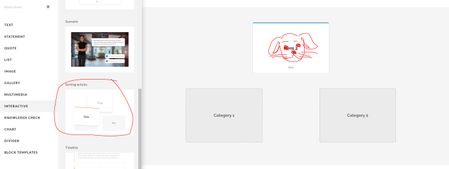
Hi all I'm quite new to using Rise360 and I'm looking at finding a creative way of including a self-assessment questionnaire into one of the courses I'm making. The intention is that users would be asked to 'agree' or 'disagree' with a number of statements, and dependant on which ones they chose, a result could then be revealed or given at the end. I've looked through course templates for ideas, and the only one I have at the moment is using flip cards - I would write each statement on the front of a flip card, and instruct the user to flip over only the ones they agree with, which would reveal a score or answer. Then at the end it would say something like 'if you flipped over more of 'X', then your result is 'Y'. My backup option is to just create a PDF or document with the questionnaire on, and then have this as a downloadable content block, but I'm hoping I can find a more creative solution. Any ideas or suggestions are welcome! I'm open to using Storyline, but I have to admit my capability is extremely limited on that! Thanks in advance!16Views0likes1CommentAI Voice Availability Differences Between Storyline and Rise – Anyone Else Noticed This?
Hi there, While working with AI voices in Storyline and Rise, I noticed a small inconsistency in the voices available between the two tools. Some voices that appear in Storyline don’t seem to show up in Rise, and vice versa. For example, voices like Jessica — Woman | Young | English | American accent | Dialogue | Cute and Brittney – Social Media Voice – Fun, Youthful & Informative are available in Storyline but don’t appear in Rise (at least in my environment). It’s not necessarily an issue, but it does make it a bit challenging to maintain voice consistency across courses, especially when some modules are built in Storyline and others in Rise. I’ve already raised a support case with Articulate regarding this, but I was curious to check with the community as well. Have you noticed similar differences in AI voice availability between Storyline and Rise? If so, how are you maintaining consistency across projects? Would love to hear your experiences! Thanks!92Views0likes3CommentsAllow "Owned by Anyone" to be Selected by Default
As a leader in L&D, I need to be able to review my team member's courses at any time easily. An inconvenience to this is that in Rise 360, one filter always defaults to only seeing courses "Owned by Me", rather than "Owned by Anyone". If you switch it, it only stays that way for the current session and must be switched again for all future sessions. We should be able to change the default selection to this filter to the option of our choosing in Settings! This way, people can keep it to "Owned by Me" if they want, but leaders like me can switch it to "Owned by Anyone". A simple setting could save a lot of inconvenience in my opinion!6Views0likes0Comments