sliders
7 TopicsE-Learning Challenge: Scuba Diver
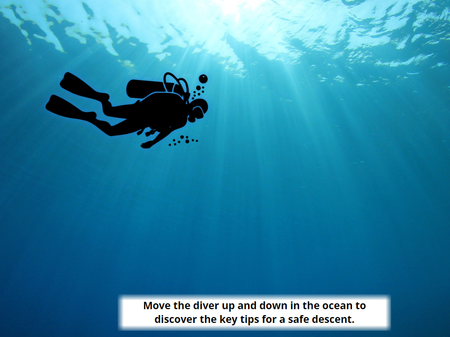
Hello! This was my first attempt at creating an interaction in Articulate Storyline, having previously focused mainly on developing content with the Articulate 360 AI tools. I enjoy scuba diving so thought I'd create an activity around this topic! The activity reminds scuba divers about the key principles of a safe descent. Learners move a slider to guide the diver down through the water, revealing safety tips as they descend. Moving the slider back up causes the tips to disappear, allowing learners to explore the content interactively at their own pace. Sources - I used Canva for the diver icon and the background image, I used Pixabay sounds for the underwater sound. E-Learning Challenge (Scuba Diver) Link!Bridgnorth Cliff Railway
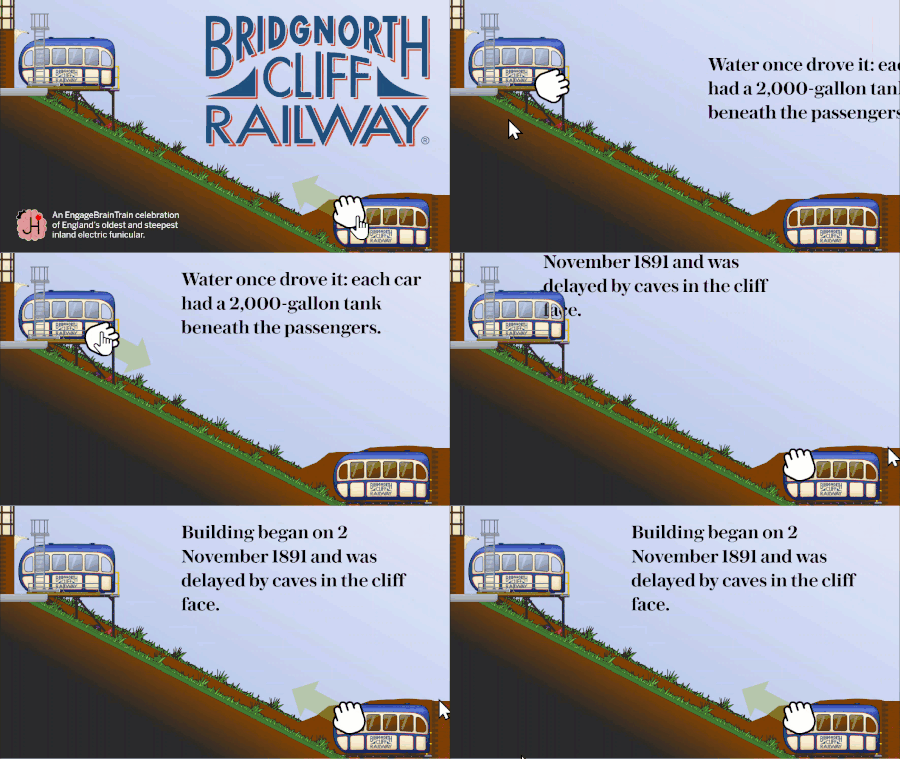
Hello! For this week's challenge, I have have built a demo based on a local tourist attraction: Bridgnorth Cliff Railway. Both trains and the 'grab' icon are customised sliders set to a 27 degree angle, with the thumb replaced by an image. I first used this technique way back in Challenge 336 (Digital Magazines), which featured an angled slider that looked like the elevator on the Eiffel Tower. In this demo, there are three sliders all tied to the same variable. But the train sliders run in opposite directions, mimicking how a fernicular railway works in real life. bottom and ascends when Train_Position decreases top and descends when Train_Position decreases. Each time the text box displaying the facts about the railway leaves the slide, some JavaScript generates another fact to replace it. There are 24 facts, presented in groups of 6. The facts always appear in a random order, and will never repeat during a draw of 24. Ride the rails here: https://bit.ly/elhc573 If you have any more questions about this demo, just ask.Slider Drag and Drop
I built this as a quick example that might spark some inspiration for others. The learner can drag the document, use their arrow keys, or select the folders themselves. You'll notice it is a freeform pick one quiz question so there are triggers that change the state of the folders based on the value of the slider's variable.Need to Know? Sorting Doug's 200 Slides 📄😱
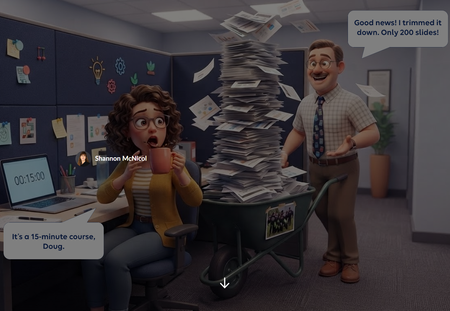
We've all met Doug. Doug is a lovely SME who knows everything, and he just rolled 200 slides into your cubicle for a 15 minute course. "Good news! I trimmed it down!" 🙃 For this week's challenge, I turned that moment into a sorting activity. Learners drag each of Doug's slides into one of three zones: Need to Know (teach it), Nice to Know (link it), or Never to Know (cut it, kindly). Then they hit Submit, and Doug weighs in. Try sending his paintball offsite photo to the cut zone and see what happens. 🎯 Why a slider? Drag and drop isn't fully keyboard accessible yet, and this interaction only needs to move one way: left to right. So the slide card rides on a slider. Learners can grab the card or the slider button with a mouse, or tab to it and use the arrow keys. Screen readers hear which zone the slide is in, not a random number. Same feel as drag and drop, and everyone gets to play. 🙌 What I learned: Get one axis right before anything else. If the movement only goes one way, a slider gives you drag and drop feel with accessibility built in. Feedback with personality sticks. Doug reacts differently depending on where you drop each slide. It's funny, but it also shows why something belongs in a zone. Show the payoff. The end screen compares Doug's 3 hr 40 min version with your trimmed course. That's the real lesson for any LED. ⏱️ Shout out to Claude, my co-creator for the build. Doug and our caffeinated LED were brought to life with Articulate's AI image generation. ☕🤖 👉 The SME Content Dump Have you ever had a Doug? What's the wildest slide you've had to cut? 😂Travel Alberta Slider Game
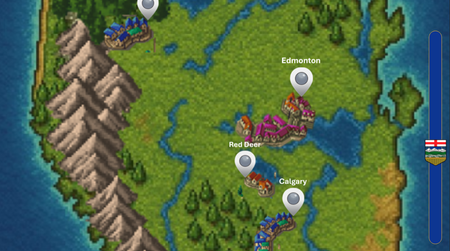
https://360.articulate.com/review/content/53628b3e-d00e-4c31-aca4-6d4d9ac6c704/review My entry for the Using Sliders for Accessible Drag-and-Drop Interactions weekly challenge. Using the slider you can go north or south across the province of Alberta and click on some of the cities to answer trivia. THE BUILD. A total of 8 sliders make this up. Each of the 6 icons on the map is its own slider that is linked to the main slider so they all move in unison. Of course, the map itself is a slider as well, and once again attached to the main slider. That's all there really is to it. The hard part was adjusting the size of the map as a thumb so that is fit properly on the slide.Snapshot graphics + click-and-reveal = engaging cybersecurity learning
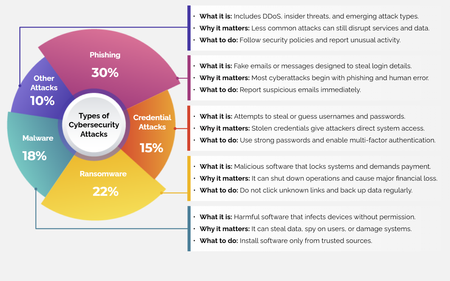
For this week’s challenge, we used snapshot graphics and a click-and-reveal interaction to help learners quickly recognize common cyber attacks—without overwhelming them. View the activity using the link below. https://www.swiftelearningservices.com/custom-elearning-snapshot-graphics-click-reveal-cyber-security-attacks/265Views2likes0CommentsTip of the Iceberg
Happy New Year! When I take part in a Challenge, I'm often asked, "How long did it take you to build that demo, Jon?" The answer can vary, depending on whether I'm experimenting with a new feature, revisiting an earlier concept, or building something completely new. What you see is just "the tip of the iceberg". The next question is: "Is the juice worth the squeeze?" Maybe. Maybe not. Depends on the project, your audience, and the subject matter. Remember, interaction doesn't always aid knowledge transfer. But by regularly practicing with your tools, you can bring your development time down, and make interactions like this one more viable on a real project. Click below to test the demo for yourself, and let me know what you think. https://bit.ly/elhc536 425Views3likes2Comments