video
11 TopicsWorking at Height
Hi everyone! We recently finished an interactive video project called Working at Height, so I thought I'd share it here. We wanted to explore how video could do more than just present information. The learner follows a construction worker through different safety situations. At key moments, the video pauses, and the learner needs to decide what happens next. Each choice leads to a short video showing the consequences, followed by feedback. We also added a final challenge where learners explore a construction site and identify potential hazards. The 3D-style videos were AI-generated, and we built the interactions in Articulate Storyline 360. It's an independent portfolio concept, not validated operational safety training. Would love to hear what you think! 🙂 Try it here: Working at Height - DEMO https://360.articulate.com/review/content/cdc1510a-5b5d-4433-a2db-b7f3bb7b330e/reviewFootball Basics: Click the Pitch to Learn the Game
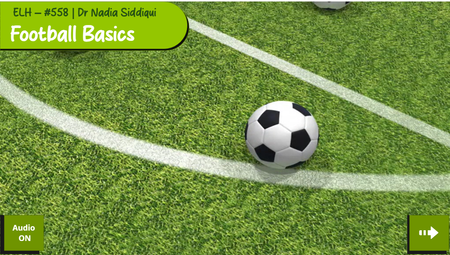
DEMO LINK For this week’s challenge, I created a simple interactive football basics activity for new fans, casual viewers and beginners who want to understand the game without feeling overwhelmed. The idea is built around a top-down football pitch with numbered clickable markers. Each marker opens a short explanation of one key football concept, such as the goal, players, positions, the ball, passing, dribbling, shooting, defending, set pieces and offside. I wanted the interaction to feel like the learner is reading the game from the pitch itself rather than moving through a traditional slide deck. The pitch acts as the main navigation screen, and the markers guide learners through the basics in a clear, visual way. How I approached the design I used a clean football pitch as the central visual so that the learning stayed connected to the game environment. The numbered markers are deliberately large and easy to spot, so learners know where to click without needing long instructions. Each pop-up includes: Element Purpose Short explanation Introduces the football term in plain English Quick example Helps the learner understand how it appears in a real match Visual support Shows the concept rather than only describing it Learner takeaway Gives the learner one simple point to remember Design rationale The design is intentionally simple because the audience is new to football. I avoided too much technical detail at the start and focused on helping learners build confidence. For example, the offside section ( Marker 10) uses a visual comparison of not offside and offside, showing what the situation looks like before and after the pass. The key message is: Freeze the picture at the moment the ball is passed. That one sentence gives beginners a practical way to understand a rule that many people find confusing. Interaction idea The learner clicks each marker on the pitch to reveal a short learning point. This could easily be expanded with: Possible addition How it could improve the activity Progress tracking Shows how many basics the learner has completed Audio narration Supports learners who prefer listening Short quiz questions Checks understanding after each topic Match scenario cards Lets learners apply each rule in context Final recap jingle Helps learners remember the key basics Reflection This was a fun way to turn football rules into a small exploratory learning experience. Instead of explaining the game as a long list of rules, I tried to make the learner feel as if they are standing above the pitch, clicking into the parts of the game they want to understand. I look forward to your input and feedback. Best Nadia :-) Here is my example: DEMO LINK2025: The Year AI Landed
If you're hearing this message, the machines have won, and Instructional Design is dead as we know it... Hello! For this week's #ELearningChallenge I've created an interactive video portfolio to highlight four projects I built this year with the help of artificial intelligence. Despite the apocalyptic tone, I'm excited about the creative possibilities of generative AI. I certainly couldn't have made this last year. Videos created using Powtoon's AI Text to Video feature and edited with Camtasia. And just like my recent coffee-making demo, this is also fully accessible from the keyboard. Anywhere you see an underlined letter in a button, that key will perform its function. If you're wondering how I changed the colour of the captions from white to black, and back again, to improve legibility during the intro... Code to change captions to white // Stop any existing observer first if (window.captionObserver) { window.captionObserver.disconnect(); } // Monitor for caption changes and force white color window.captionObserver = new MutationObserver(function() { var allCaptionElements = document.querySelectorAll('[class*="caption"], [class*="acc-"]'); allCaptionElements.forEach(function(element) { element.style.setProperty('color', 'white', 'important'); var children = element.querySelectorAll('*'); children.forEach(function(child) { child.style.setProperty('color', 'white', 'important'); }); }); }); window.captionObserver.observe(document.body, { childList: true, subtree: true, attributes: true }); Code to change captions back to black // Stop the white observer if (window.captionObserver) { window.captionObserver.disconnect(); } // Apply black once var allCaptionElements = document.querySelectorAll('[class*="caption"], [class*="acc-"]'); allCaptionElements.forEach(function(element) { element.style.setProperty('color', 'black', 'important'); var children = element.querySelectorAll('*'); children.forEach(function(child) { child.style.setProperty('color', 'black', 'important'); }); }); And yes, AI helped me do this! Sift through the wreckage of my career here: https://bit.ly/elhc534 Oh, and shout out to any fans of SILO.
History and Progression of Cyber Threats
For this week’s challenge, we redesigned an existing cyber-awareness project and developed an interactive slide called “History and Progression of Cyber Threats.” Instead of presenting all information at once, we shifted to a click-and-reveal format, allowing learners to explore key developments in cybersecurity step by step. This approach increases engagement, supports retention and makes the topic more immersive and memorable. Take a look and let us know your feedback. https://www.swiftelearningservices.com/cyber-threat-awareness-elearning-sample-for-employees/214Views0likes0CommentsTrain Smart: Technique Quiz
Hi everyone! This is my first time participating in an Articulate challenge, and I wanted to create something simple, practical, and useful for beginners at the gym. The idea behind this demo is a quick “form check”: learners watch short clips of common exercises and decide whether the technique is correct. If they can recognize proper form, great - they’re ready to train on their own. If not, the quiz recommends taking a few sessions with a coach to build a safer workout routine. Link to the quiz: https://360.articulate.com/review/content/d5fb412b-5b09-4e14-a5a4-6dda1c3fec32/review Video credits: All exercise footage comes from this YouTube video by Heather Robertson.Star Video Quiz - #530 Challenge
I did this challenge similarly to the main example. I have not used videos in this way before, but I thought it was more powerful than a standstill image in the quiz itself. I made the star symbols show both progress and accuracy by using T/F variables and setting those up with the states. Thanks for looking! https://360.articulate.com/review/content/79994263-d56f-42e6-b400-1167bec66e3d/reviewPush vs Pull E-Learning
I first shared this entry for another challenge. I am reposting it here because the format fits this week’s theme of using interactive videos for scenarios and quizzes. This project illustrates how Push and Pull methods influence learner engagement in a fictional onboarding scenario. In the Push approach, learners view a simple slide that lists the company’s core values. It presents the content in a passive way. In the Pull approach, learners watch a short video scenario and respond to branching questions that require them to apply the core values. The choices shape the path, giving the experience a more active feel. This comparison illustrates how interactive videos enable learners to connect core values to real-life situations. Link to the interactive: https://360.articulate.com/review/content/7ae3701d-f5ba-4ddd-ab68-e6686ccd66d3/reviewTransform Passive Watching into Active Learning!
We have created an interactive eLearning video with built-in quizzes that lets learners watch, decide and learn in real time, turning knowledge into action. Watch the eLearning sample now! https://www.swiftelearningservices.com/interactive-video-quizzes-for-corporate-training/Golf Course Etiquette Quiz
I like the idea of adding videos to a quiz! I used Gemini to create the videos and everything is more fun when there are Legos! I used Articulate AI for all the other images and applied the techniques from Tom Kuhlman's recent webinar "Edit AI Images Using Free Windows Tools" to remove the background from two of Articulate's AI images.Let's study the history of cheese
Hi everyone! This week I didn’t have much time to create something from scratch, so I decided to revisit some of my previous projects instead. And that reminded me of a quiz I made based on a video about cheese. The video is from TED Talks — their animations are absolutely stunning, and every episode feels like a real masterpiece. About Me Kate Golomshtok Website Email LinkedIn