Example

Turn That Light Off
Hello!
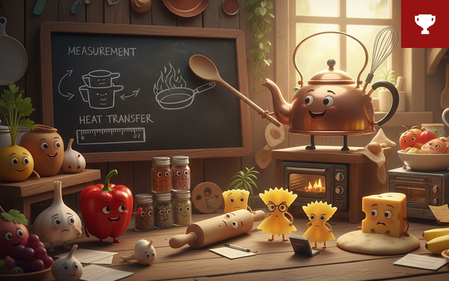
Non-human characters can be a strong choice for your e-learning courses. They're often more popular with users than AI avatars. My characters always come across as a bit grumpy, for some reason...
Believe it or not, this is a regular 'pick one' freeform question slide. The character was created using Nano Banana, and I manipulated it in Pixlr to create the different mouth shapes.
The animation is achieved through rapid state changes, synchronised to the waveform of each bit of narration. This is controlled by Javascript that I wrote with the help of Claude.ai.
The voice is Dave, one of my favourite Storyline AI voices, with the style exaggerated to 75 😀
Switch my demo on here:
https://bit.ly/elhc539
8 Replies
P.S. Given Dave has quite a distinctive voice, I thought it best to include closed captions. But I wanted to move the captions so they didn't block the question.
To achieve this, I used the following Javascript:// Function to detect if the device is mobile function isMobile() { return /Android|webOS|iPhone|iPad|iPod|BlackBerry|IEMobile|Opera Mini/i.test(navigator.userAgent); } const addCss = css => { const style = document.createElement("style"); style.innerHTML = css; document.head.appendChild(style); }; // Replace X and Y with your desired coordinates in percentage const xPercent = 33; // Example: 50% from the left of the player const yPercent = 80; // Example: 90% from the top of the player // Only apply the custom positioning if not on a mobile device if (!isMobile()) { addCss(` /* Ensure the player container has relative positioning */ .player-container { position: relative !important; } .view-desktop .caption-container, .theme-unified .caption-container { position: absolute !important; /* Absolute positioning relative to the player container */ top: ${yPercent}% !important; /* Y-coordinate */ left: ${xPercent}% !important; /* X-coordinate */ transform: translate(-50%, 0%) !important; /* Adjust the Y-axis translation to align properly */ width: auto !important; /* Ensure width is adjusted if needed */ z-index: 1000 !important; /* Ensure it's above other elements */ } .view-desktop .caption, .theme-unified .caption { width: 100% !important; /* Full width within the container */ position: relative !important; /* Relative to the container */ top: 0 !important; /* Adjust top if needed */ left: 0 !important; /* Adjust left if needed */ transform: none !important; /* Remove any transform applied */ } `); console.log(`Captions positioned at ${xPercent}% horizontally, ${yPercent}% vertically.`); }
But this isn't reliable on mobile devices, so the same code also first checks if the course is running on a phone or tablet, and doesn't run in that case.
On a desktop, having the captions appear directly underneath the character's mouth makes the layout much cleaner.- GolfPrincessCommunity Member
Well done! And thanks for sharing your methodology and code! 🙂
Thanks!
- JodiSansoneCommunity Member
LOL! I had to look up Blackpool Illuminations. Thank you for the CCs because I thought I was mishearing what he was saying. I never would have thought of animating the script like that. Thanks for posting about your method.
Thanks Jodi. This is probably the most 'British' demo I've done in a while.
"Like Blackpool Illuminations" is typically what budget concious working-class Dads say to their kids when they leave all the lights on.
It was this or the thermostat, which creates a similar reaction.
Maybe I should have added a glossary too? 😄
The animation isn't perfect, but for anthropomorphic characters I find it quite charming. The more mouth shapes you make, the more accurate it is.
- DrewKunkel-376dCommunity Member
First, LOVE this! Super cool!
Also, though, when I listen, the first part of the sound gets cut off. I have that problem a lot and assumed I was doing something wrong, but if it's happening on yours too (as you're clearly more advanced than I am), I'm guessing it's either the software, or something on my end, like my hardware. Does anyone else have this issue?
Thanks DrewKunkel-376d.
When you say "the sound gets cut off" - do you mean the AI voice? I don't seem to have that issue on my laptop or phone, so it could be a hardware issue? Or perhaps your choice of browser?
- DrewKunkel-376dCommunity Member
Yes, I mean the beginning of the AI Voice... I'm guessing it's a hardware issue on my end.




Related Challenges

Getting Started with the E-Learning Challenges
Find practical answers to common questions about the E-Learning Challenges, a weekly event that helps you build skills, create your portfolio, and grow as an e-learning professional.