Forum Discussion

Accessibility in storyline blocks in Rise

Hi Jay,
Thanks for reaching out and sharing what you are experiencing with your published course when using NVDA. I can understand how concerning it can be to not have everything function as expected when trying to create more accessible content!
You mention that the screen reader is not picking up all of the text. How are you navigating with NVDA?
I'd like to offer a few suggestions when using a screen reader to help you troubleshoot:
- If you are using Tab and Shift+Tab to jump from one interactive object to another, you will be skipping text and images.
- If you are viewing as the learner and using the Down and Up arrows to move through all of the text and interactive objects on the slide, the screen reader will call out each object this way.
Here's some documentation on what to expect:
Storyline 360: Slide Content Is More Accessible
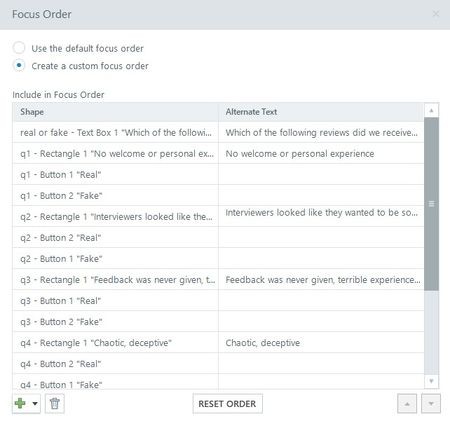
I want to let you know we do have an open issue specific to screen readers following the focus order of objects in the slide layer. We’ll be sure to update you here when we have additional information to share.
In the meantime, I’d recommend setting each of your questions up on it's own slide. This will allow you to customize the focus order for each slide without the need to consider additional layer objects.
Have a great afternoon!
Related Content
- 9 months ago
- 7 months ago