Forum Discussion

GlennWeiglin
3 years agoCommunity Member
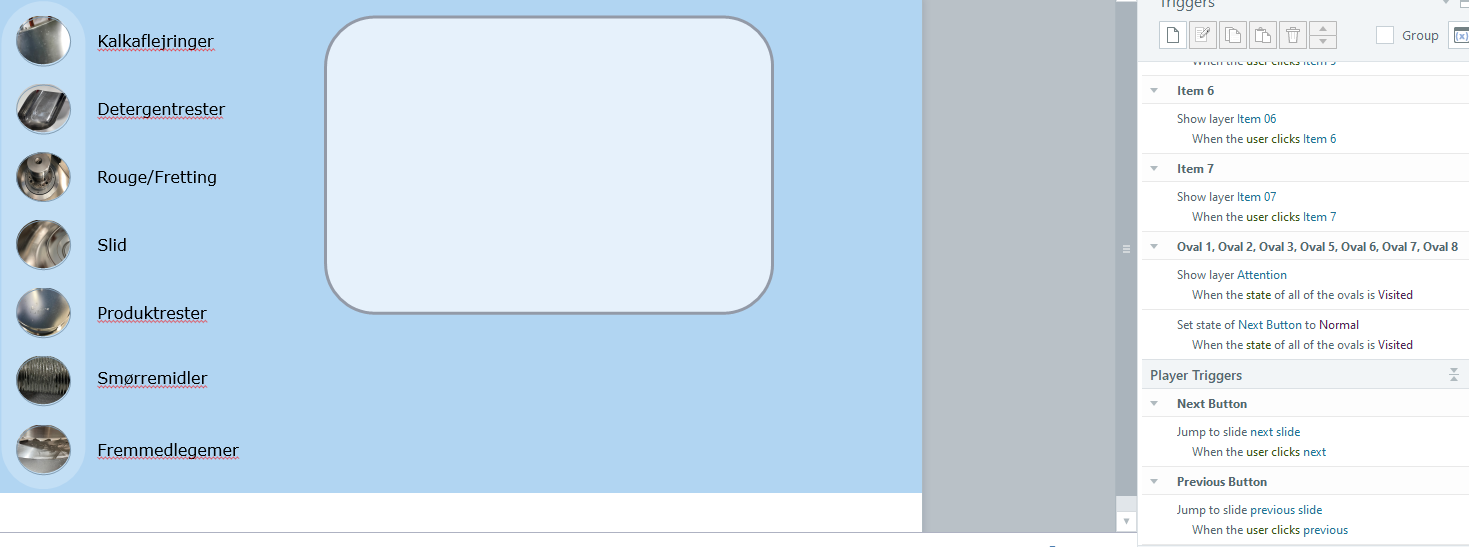
Advice needed for presentation this week, Layer do not show.
Hi
I have tried everything in my power to show a layer at the end of my interaction. It should be quite simple, but somehow it does not work.
Here is the simple setup:
I have 7 tab interaction...


JudyNollet
3 years agoSuper Hero
When the final tab is clicked/Visited, two triggers run: the trigger that shows the Attention layer and the trigger that shows the layer associated with that button. Based on your description, the program runs them in that order, because, well, because that's how Storyline is programmed.
Here's what I suggest you do instead:
- Move the object from the Attention layer to the base of the slide, and then delete the Attention layer.
- Set the Initial state of the attention object to Hidden.
- Add a trigger that changes the state of the Attention object to Normal when all of the tabs are visited.
Related Content
- 1 month ago