Forum Discussion

Articulate 360 Open Forum: Ask Your Questions
There's a lot to explore with the new Articulate 360, and we know there will be questions along the way.
Not sure where your question fits? Start here.
This is the place for general questions or questions about the launch that don't fit into one of our dedicated Q&A threads.
If your question is specifically about Frontline, new content formats, Nova & credits, integrations, or team management, head to the topic-specific Q&A below, where the Articulate team will be answering questions.
Explore the Q&A threads
Looking for something else?
For questions that require us to look at your specific account, subscription, billing information, or troubleshoot a technical issue, our Support team is the best place to get help: Contact Support
And if you're looking for help building something or want ideas from other community members, start a discussion in Exchange Best Practices.
27 Replies
- CherylKentCommunity Member
Hi, when generating an AI avatar video are there any options to have english accent as opposed to an american one?
- EricSantosStaff
Hi CherylKent,
Thanks for asking. It sounds like you’d like your avatar to speak with a British accent, not the American one you may be hearing by default.
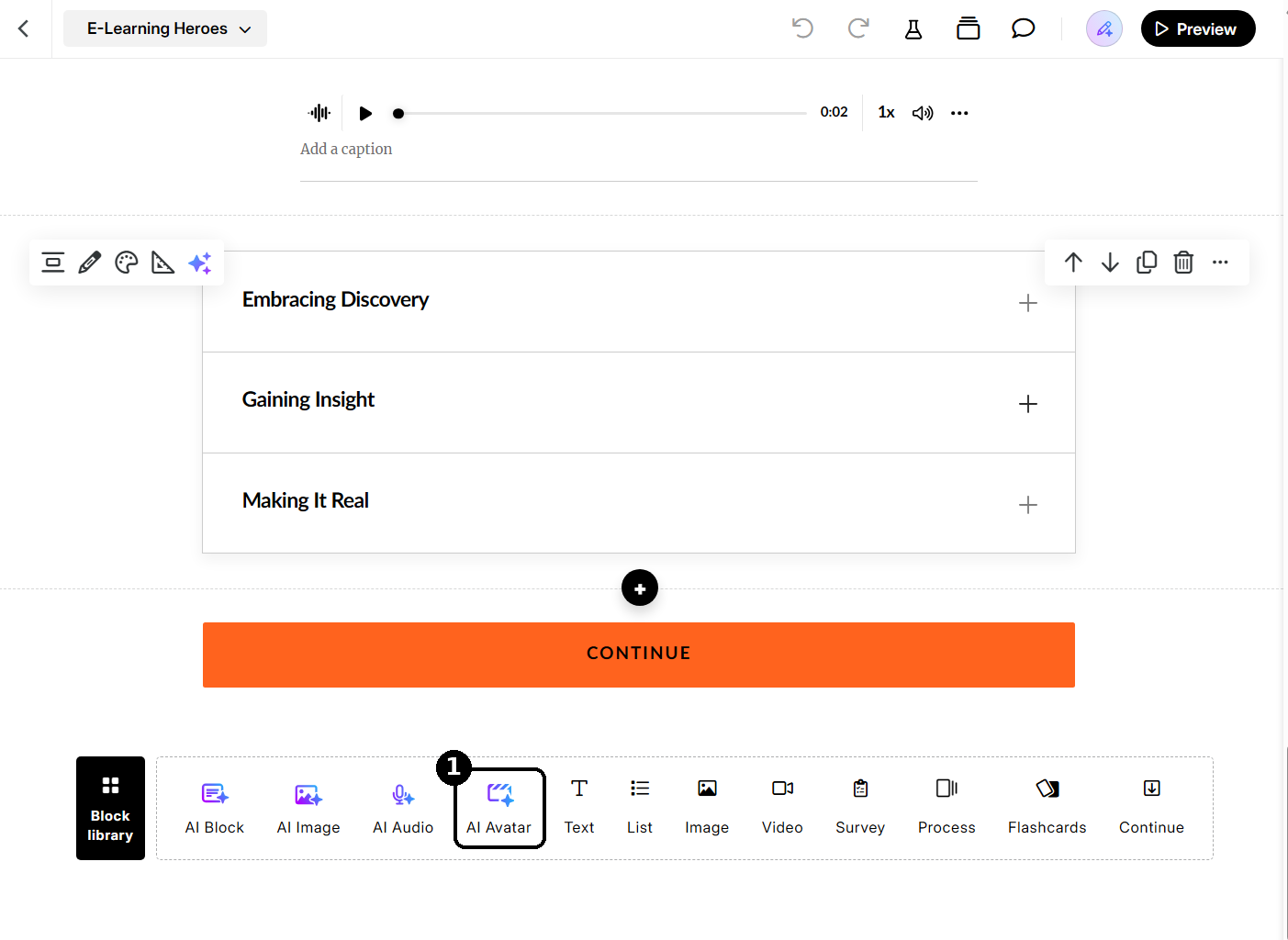
There isn’t a separate accent setting for avatars. The accent comes from the voice you pick, and stock characters start with a recommended voice that can sound American. The voice library doesn’t have an accent filter either, but you can still find British voices. These steps are for Rise 360, and I’ve attached screenshots of the first step and of the voice library to help.
- In your lesson, scroll all the way down to the bottom to see the shortcuts bar next to the Block library button, then click AI Avatar.
- Select a character, and the Create voiceover panel opens.
- Next to the Voice dropdown, click View all.
- Open the Community tab and search for “British.”
- Click the play button on a few voices to preview them, then select one and click Use voice.
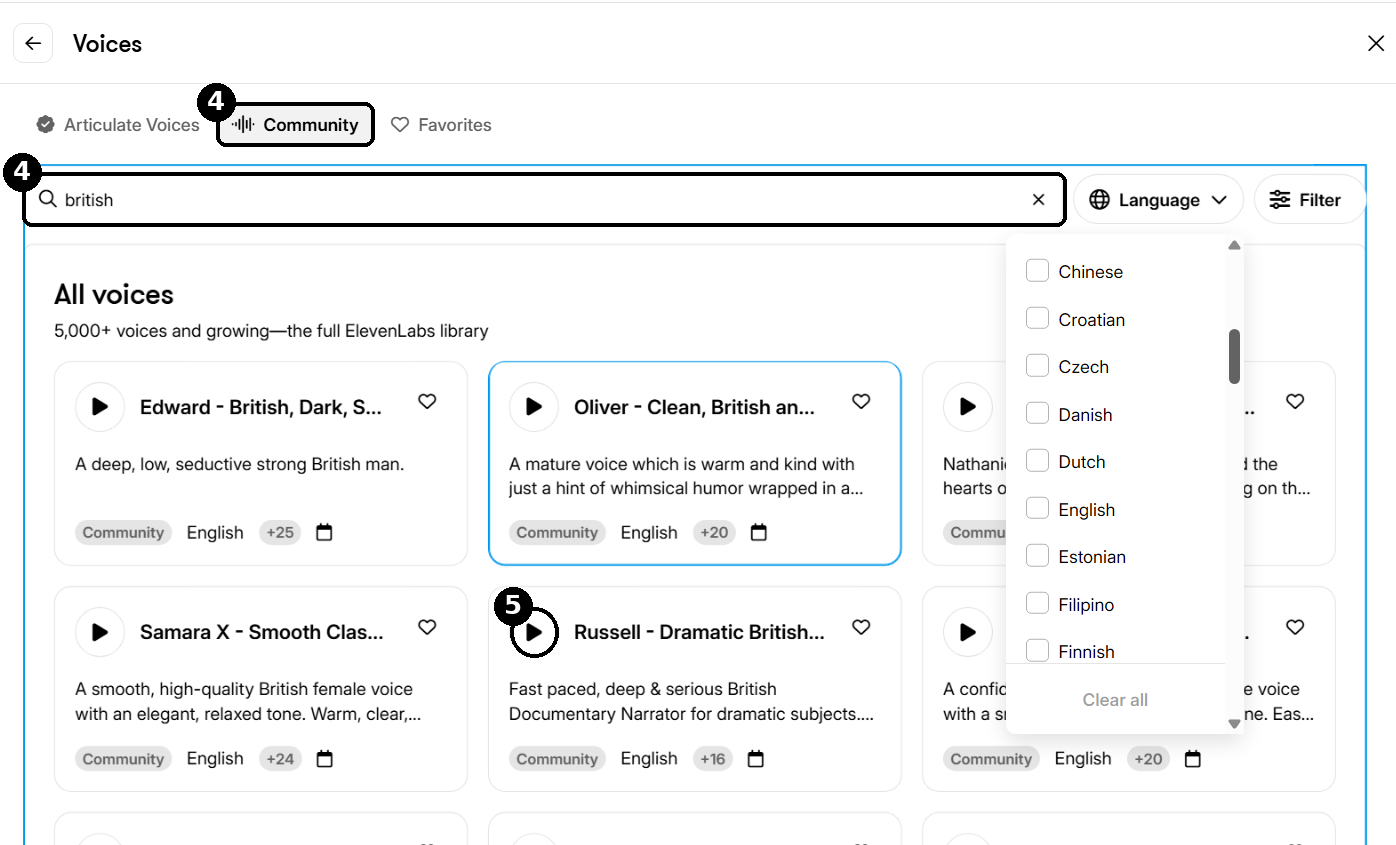
You can read more about how to explore and manage voices in the voice library.
If you’re using Storyline 360 instead, let us know and we’ll share the steps for that too.
- In your lesson, scroll all the way down to the bottom to see the shortcuts bar next to the Block library button, then click AI Avatar.


Related Content
- 1 month ago