Forum Discussion

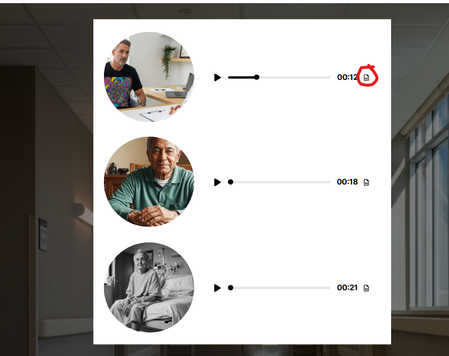
Audio block accessibility- accessing the transcript on an audio block.
- 3 months ago
Hi RamonaBarrow and KellyDoyle,
I’m happy to share that we fixed the issue where keyboard users could not open the transcript window for Audio elements inside Custom Blocks. Previously, when the Transcript button received keyboard focus, pressing Enter or Space would start audio playback instead of opening the transcript.
This fix is now available, and keyboard users can now activate the Transcript button using Enter or Space as expected.
Thank you both for bringing this behavior to our attention. Kelly, thank you as well for taking the time to open a support case and provide additional information that helped our team investigate the issue. We appreciate your patience and your efforts in helping us improve accessibility in Rise 360.


Hi RamonaBarrow I'm not sure if you figured this out, or it figured itself out, but you should be able to select the transcript button with either the SPACEBAR or ENTER keys. Selecting the button will toggle open a panel on the right side of the module and send screen reader and keyboard focus to the panel.
- KellyDoyle5 months agoCommunity Member
We are noticing the same thing, RamonaBarrow. No keyboard features open up the audio transcript.