Forum Discussion

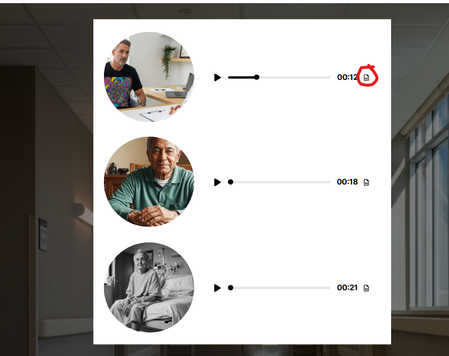
Audio block accessibility- accessing the transcript on an audio block.
- 3 months ago
Hi RamonaBarrow and KellyDoyle,
I’m happy to share that we fixed the issue where keyboard users could not open the transcript window for Audio elements inside Custom Blocks. Previously, when the Transcript button received keyboard focus, pressing Enter or Space would start audio playback instead of opening the transcript.
This fix is now available, and keyboard users can now activate the Transcript button using Enter or Space as expected.
Thank you both for bringing this behavior to our attention. Kelly, thank you as well for taking the time to open a support case and provide additional information that helped our team investigate the issue. We appreciate your patience and your efforts in helping us improve accessibility in Rise 360.

Hi RamonaBarrow and KellyDoyle,
Thanks for sharing what you’re seeing here.
SamHill’s understanding is correct. The transcript button in an audio block should normally be accessible using the keyboard, typically with the Enter or Spacebar keys once the button has focus.
Since you’re both unable to open the transcript using keyboard controls, it would be helpful to learn a bit more about your setup:
- Which browser and version are you testing in?
- Are you using a screen reader? If so, which one?
- Does the behavior change in a different updated browser?
If you’re comfortable sharing a sample course or screen recording through a support case, our team would be happy to take a closer look and test the behavior further.
- KellyDoyle4 months agoCommunity Member
EricSantos , I just submitted Case #01380490.