Forum Discussion

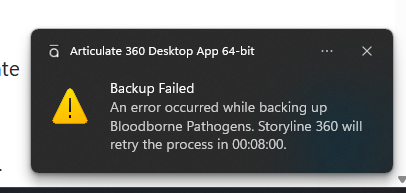
Backup Failing - Review 360
- 4 months ago
Hi MillyRomo & HollieCameron,
I have some great news to share!
We just released another update for Storyline 360. In version 3.118.37034.0, we’ve included essential fixes. One of the bugs we’ve fixed is:
- When publishing a Storyline course to Review 360 with Cloud Backup enabled, the backup would fail.
Launch the Articulate 360 desktop app on your computer to take advantage of this update, and click the Update button next to Storyline 360. You’ll find our step-by-step instructions here.
Please let us know if you need additional help.

Hi MillyRomo & HollieCameron,
I have some great news to share!
We just released another update for Storyline 360. In version 3.118.37034.0, we’ve included essential fixes. One of the bugs we’ve fixed is:
- When publishing a Storyline course to Review 360 with Cloud Backup enabled, the backup would fail.
Launch the Articulate 360 desktop app on your computer to take advantage of this update, and click the Update button next to Storyline 360. You’ll find our step-by-step instructions here.
Please let us know if you need additional help.
- MillyRomo4 months agoCommunity Member
Hi. Thanks for your reply. I just checked, and my Storyline 360 app is up-to-date. I tried to back up the file again and it's still failing.
- StevenBenassi4 months agoStaff
You're welcome, MillyRomo. Thanks for following up.
Sorry to hear that you're still having trouble. I'm no longer able to replicate the same behavior on my end, so it's possible that something else could be getting in the way. Can you confirm that you're working with locally-stored .story files? Authoring directly from a network drive can introduce unexpected behavior such as this.
If you're already working locally, and a repair of your Storyline installation doesn't fix the issue, please connect with our team through a support case.
We're happy to continue troubleshooting with you!

Related Content
- 1 year ago