Forum Discussion

Black Background Around Replay Videos
Hi Crystal,
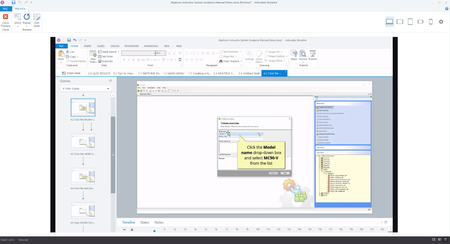
Thanks for your reply. I am using Windows 10 Pro (64-bit OS version) and Replay 360 version 2.20.16882.0. I have tried a number of different sized recording windows in both portrait and landscape and the results are always the same. If I do a full screen recording, there is no spare space around the video recording window and hence no black space is created.
Before going any further, I should just check that I am not doing something wrong. The way I am inserting a Replay video into Storyline is to record the video, edit as necessary and then publish the Replay project to a video file. I then insert that video file into my Storyline project.
The black area around the video is created within Replay and forms part of the published video file. If I drag the sizing handles on the video to reduce its size once it is in the Storyline slide, the white background on the slide is revealed underneath, but the black space still remains within the video sizing box.
Related Content
- 9 years ago
- 9 years ago
- 5 months ago
- 10 months ago