Forum Discussion

HelenBall-69f6a
3 years agoCommunity Member
Buttons w/ Audio - How to Avoid Overlap
Hello,
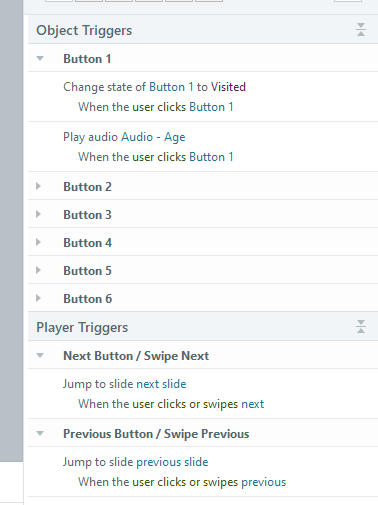
I have a slide set up with six buttons. Each button has a trigger that when clicked audio plays in regards to that button. However, the viewer could click each box at the same time and have...

Nedim
10 months agoCommunity Member
Just a thought. You could group all the buttons in a button set and include audio in the selected state of each button. This would automatically play the audio for the selected button only and stop (not pause) the audio when the button is deselected. When another button is clicked, the previous audio would stop, and the new audio would play. This way, you wouldn’t need to create additional triggers to manage the audio state.

EMStory
10 months agoCommunity Member
Thank you so so so much! That worked wonderfully!
Related Content
- 1 year ago
- 1 year ago