Forum Discussion

Can I stop storyline reporting a score to the LMS?
Hi,
I have several courses developed in Storyline running on our LMS. They are all set to track using a quiz result, but because it seems to slow the assessments down a lot if we track using the result of an actual quiz, there is a final results page that does not track particular answers.
I have set the course to record as Complete/Incomplete.
But something odd happens when the course is live - most of the time, no score is recorded, and the LMS just says 'complete'. But about 10% of the time, the score is recorded as 0%, which is annoying people....
How can I stop this happening?
Heres what our LMS provider had to say:
it looks as though it IS the course that is reporting a 0% score at times. We're not sure why - the course developer would need to investigate their source files - but the course is at times sending "cmi.core.score.raw" = 0 and other times it is not.
So the LMS is functioning fine. Looks like the course provider will need to review the source files again to be sure,
71 Replies
- EmilyBurnettCommunity Member
Hello Vigeshwaran!
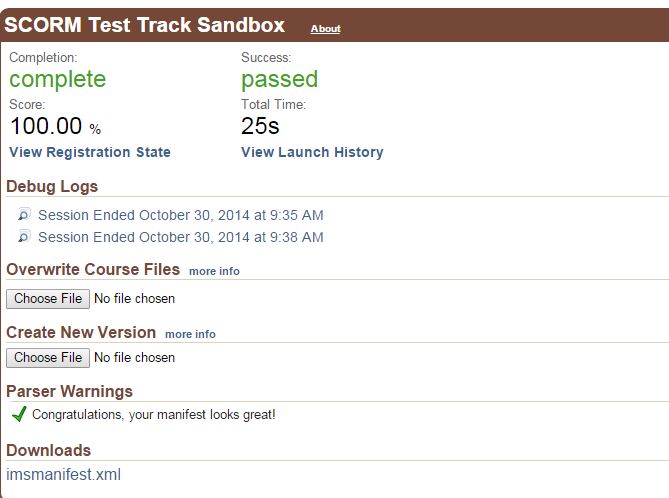
I tested your file in the SCORM Cloud, and it did work as expected. Attached are two screen shots. The first one is the score as 0% when i closed, then resumed, then closed again. The second is after passing the quiz and exiting.
If this is not working properly in your LMS, please look at the information here regarding troubleshooting your LMS.
- VigneshwaranMadCommunity Member
Hello Emily Burnett,
Thank you so much for your quick response.
However our client expectation is, score has to be send once the assessment has been completed not before. But Storyline course send score 0 even before attending the assessment.
Please help me on this ASAP.
- EmilyBurnettCommunity Member
Hello Vigneshwaran!
You may want to check within your LMS to see if they are recording only the latest score that is reported. You may also need to check that they do allow more than one score to be reported.
If you let us know what LMS your are using, there may be others in the community that may be able to offer suggestions.
- VigneshwaranMadCommunity Member
Hi Emily,
It's not about LMS, even you can take SCORM cloud LMS as reference for this case. All we need this that, the SCORE should not be sent before completing the Assessment (Even sending score as zero is also not accepted before completing the Assessment).
As you said "score as 0% when i closed, then resumed" it should not happen. The score should be unknown or null before completing the Assessment . Once the assessment has been completed then only the score has been updated the actual score the user got.
Now the course has been updated the score after the assessment completion what the user got. But our question/issue is why it sending score as 0% when i closed, then resumed before completing the Assessment.
Kindly let me know the resolution for this ASAP
- EmilyBurnettCommunity Member
Hello Vigneshwaran!
I took a look at the file again, and I was able to make some changes to the publish settings to get the score to not mark at 0% when a user closes the course. you can set the reporting to Passed/failed, Complete/Incomplete, or Completed/Failed and get the correct results. See attached files.
- VigneshwaranMadCommunity Member
Hi Emily,
:(
Still it sending score zero before assessment completion. Please test the course by the given below steps
1. Upload the course in LMS
2. Launch the course (Don't close the course)
3. Navigate to the second slide (You must navigate to second slide)
4. Close the course
5. Re-launch the course
6. It will ask for the resume option, select Yes
7. Close the course immeditely.
8. Now you can see the score set as 0 (Zero)
Please check once and let me know the resolution for this issue..please...
- EmilyBurnettCommunity Member
Hello Vigneshwaran!
I have shared this information with our QA team for review. When updates come in, I will post them here for you. The current workaround is to hit "no" to resume after closing the course the second time.
- VigneshwaranMadCommunity Member
Hi Emily,
I fixed that issue by tweaking on SCORMFunction.js
Thank you so much for your support.
Thanks Vigneshwaran for the update and I'm glad you were able to get this working as you needed.
- EmilyBurnettCommunity Member
Thanks for the update!





Related Content
- 1 year ago
- 1 year ago
- 1 year ago
- 2 years ago