Forum Discussion

Characters Randomly Appearing When They Aren't Supposed To
Greetings!
I've built out a complex slide with multiple characters fading in and out of the slide. When I preview the slide and select "Play," the slide animations, transitions, and triggers work out perfectly from the beginning to end.
However, if I were to drag the timeline to an earlier or later starting point, some of the characters will randomly appear in scene, even though I have them programmed to only be in a certain timeline of the slide.
What am I doing wrong? Is there a trigger or something else I should be doing to make sure they don't appear when they aren't supposed to?
3 Replies
Hi MarkBusch,
Thanks for reaching out!
You are right that your animations work correctly when you play the slide from start to finish using the Play button in the Timeline panel (as shown in the screenshot below).
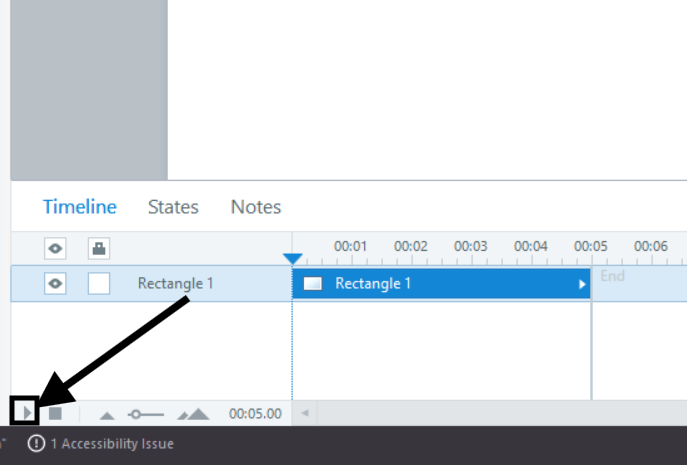
The reason characters appear unexpectedly when you drag the playhead is that Storyline does not run earlier triggers or animations when you scrub to a different point on the timeline.
It only shows the current state of objects at that moment. That can make some items appear even though their entrance animations have not played yet.
This is normal behavior. The good news is that this only affects the editor view. When you preview or publish the full slide, everything will play in the right order.
Please don't hesitate to reach out if you have additional questions.
- MarkBuschCommunity Member
Hi Eric! Thank you so much for the feedback. Unfortunately, this is happening in Preview and when Published to Articulate Review. Is there anything else I can try?
Hi MarkBusch,
Thanks so much for following up! It’s definitely unusual that your animations play correctly when previewing from the timeline but behave differently in both Preview and Review 360. That suggests the issue may not be with your slide setup, but possibly with your Storyline installation.
As a next step, please try doing a quick repair of Storyline 360 to make sure all core components are working properly.
After repairing, check if the issue still occurs when previewing or publishing the project. If it does, we’d be happy to take a closer look. You can share your Storyline file here or privately through a support case, and we’ll delete it as soon as we finish testing.

Related Content
- 1 year ago