Forum Discussion

feedback master button states not being inherited by feedback layers

Hi there,
There's many issues and strange behaviors with the buttons in the feedback master.
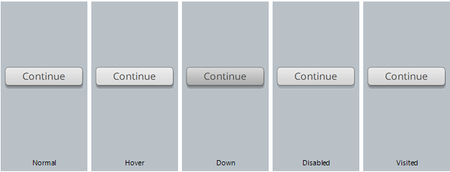
Here's an exemple: This is how my button "Continue" looks like in the feedback master viewer - Only a subtle variation of color on mouse hover.
Then, my button looks like that in the project (after refreshing the feedback layout) :
Note: this is the best result I got after trying again and again many differents solutions (sometime hover and down states are gradient blue, sometimes there's a big outline popping from nowhere with transparent bg color, or sometimes, why not, the button resize itself, etc.). Then, when I preview my slide, my custom button just don't work (no states change)...
I really don't understand what's happening between the feedback master button and project feedback button. But I wanted to try something else then. Why not creating my own button from a placeholder textbox? Here's the result in feedback master viewer...
I can't change the state of my homemade button in the feedback master viewer. Why? From there, I tried many others things (like placing the button 99% transparent over the rectangle shape and trigger hover to change the rectangle color), but all I got is unpredictable behavior or software crash.
So my final solution is to create a custom textbox and copy/paste it in each feedback slide of my project, which is really annoying (when it works, because the software crash almost each time I copy/paste).
And before you ask, yes I will contact supprot team. I just wanted to add information to this forum thread. But if you have any idea how to create a custom button without a headache, I'll take it.
Thanks,
David
- Ali_Goulet9 years agoFormer Staff
Hi David-
Thanks for sharing your experiences here for everyone, so sorry you're encountering this. The gifs really help highlight what you're explaining, awesome idea to include those! I've located your case with our Support Engineers (case #00880576) and will be sure to follow along. :)

Related Content
- 1 month ago
- 2 years ago
- 8 months ago
- 8 months ago