Forum Discussion

Fill in the Blank Feedback
Hi all! Has anyone used the fill in the blank for reflection questions?
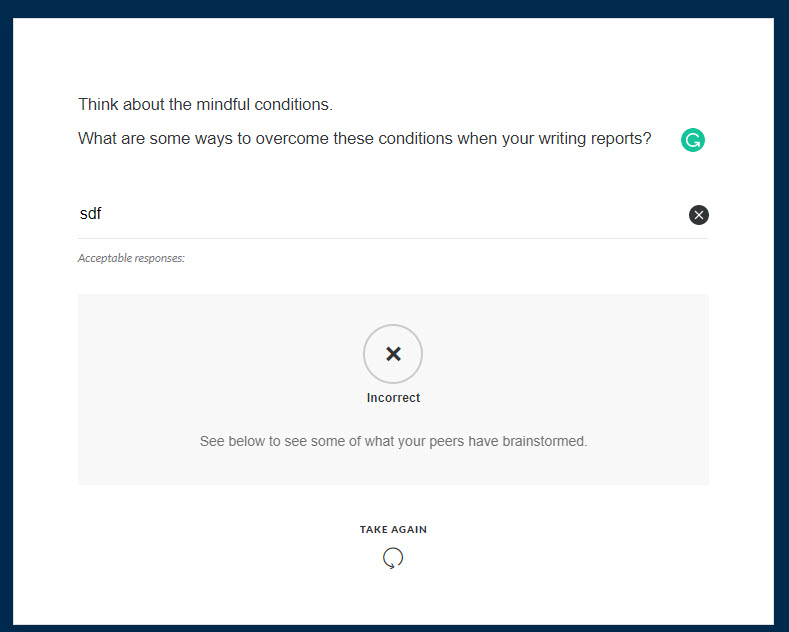
I'm trying to remove the correct/incorrect icons after they submit the answer and just have the feedback appear for anything they write. Any help would be greatly appreciated!!
5 Replies
- KarlMullerCommunity Member
Hi Becky,
Rise does not have a question type that is suitable for reflective type questions.
The fill in the blank question requires a correct answer, and the icons and feedback function cannot be turned off.
- BeckyBuehnerCommunity Member
Thanks Karl
- ZacharyHunter-1Community Member
This is a situation where you may want to create the desired interaction in Storyline and add it to your Rise course as a Storyline block. It is a bit more work, but it does give you a lot more control over interactions like what you've mentioned.
- BamdadTayyariCommunity Member
Hi,
Just wondering if this is stillt the case. Is it possible to remove the "incorrect" as feedback when creating reflection-type questions?
- CNavarroFormer Staff
Hi Bamdad. Thanks for reaching out. There isn't a way to remove the correct or incorrect feedback. All Rise 360 questions require a correct answer. As Zachary mentioned, if you need to give your learners reflective questions, you may need to create the interaction in Storyline 360 and insert it into your Rise 360 course via the Storyline block.




Related Content
- 3 years ago