Forum Discussion

Help with auto collapsing text box/ size cannot be adjusted
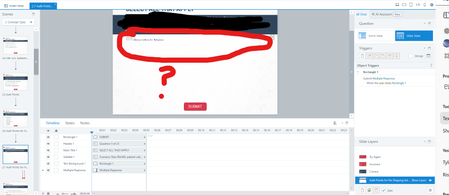

Hi anelson274,
Happy to help!
Based on the screenshots, it's difficult to say precisely what's causing the question items to resize. Does your colleague work locally when making edits to the course? Do they save the project before stepping away from the computer for extended periods?
One troubleshooting step you can do is to import your slides to a new project file whenever this issue happens. Doing so will help reset the positions of objects in a slide. If importing doesn't help, please share a copy of your project file here or privately by opening a support case so we can look closely at what's happening. We'll delete it when we're done testing!

Care to share the solution to this? I'm having the same issue - the container for the question options collapses and won't resize.
- StevenBenassi10 months agoStaff
Hi JenniferClarke!
Sorry to hear you're also facing issues with Question Slide formatting!
As my teammate Joe shared, it's easier to troubleshoot this type of behavior if we could see a copy of the .story file you've been working with. Do you mind uploading that here in the discussion or privately through a support case?
In the meantime, can you please confirm that you're working with locally-stored .story files? Also, have you tried performing a repair of your Storyline installation to see if that makes an improvement?
Looking forward to hearing from you!
- JenniferClarke10 months agoCommunity Member
Hi Steven
It was an inherited file - I was meant to be updating it. Turns out the formatting was set to auto-resize so when I switched that off I was able to make the adjustments. It's not ideal - same with the states not always resizing when you resize a question. Anywho it's fixed.

Related Content
- 5 months ago
- 7 months ago