Forum Discussion

JoyceHensen
13 years agoCommunity Member
How can I export all of the audio from a Storyline?
I've just recorded the narration for my first Storyline course. In Presenter, I usually open the audio editor and export ALL of the narration to a file. It shows up nicely with slide numbers and n...

LeslieMcKerchie
9 years agoStaff
No update on this behavior Nikhil. You must export audio clips individually.
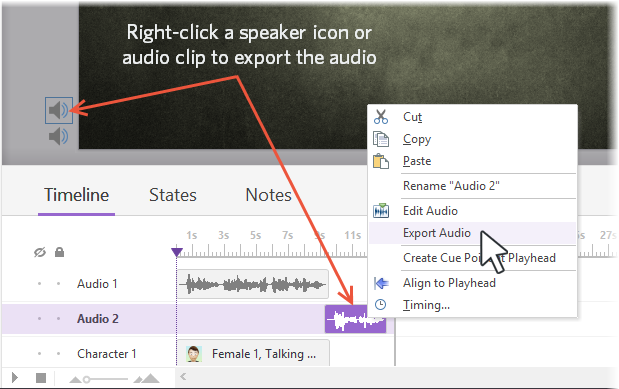
You can export audio from Articulate Storyline as a backup or to use in other projects. Just right-click an audio clip in the timeline or a speaker icon next to your slide, and select Export Audio.
Related Content
- 2 months ago
- 1 year ago
- 10 years ago