Forum Discussion

How to add tooltip to menu bar in articulate rise 360?
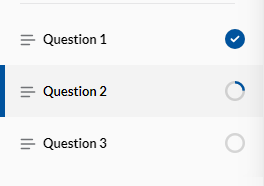
Is there any option to show the tooltip once the mouse hovers over the menu options in Articulate Rise 360?
3 Replies
Hi Hrishikesh! Thanks for reaching out.
We don't currently offer a feature that will allow you to add a tooltip or a pop-up function in Rise.
We are tracking a request to add an option for a pop-up information box or an interactive tool tip. I'll add you to the list so that you'll get notified if this feature gets released or if we make changes that will help!
- lguilfoyleCommunity Member
Hello,
I am seeing that adding a tootip within rise text is a popular request for many years now. Has there been any movement on this request?
- PhilFossCommunity Member
The menu items have links to unique lesson ids, so you can use CSS to achieve this. I think I will use this in my course! Not on every menu item, but where the added context is helpful while keeping the menu title short.