Forum Discussion

Line break in headings
Hi!
In my project I have a few really long words in the course title and in some of the headings. Is there a way to use something like soft hyphens so I can control how the words break?
23 Replies
Thanks for checking in, Alexander. I don't have any updates to share, but we appreciate you letting us know what features are important to you!
- KatjaKleinCommunity Member
Hello, I also would appreciate a title line break. Could you please have a look into this as a new feature.
- LouiseLindopCommunity Member
+ 1 for this one
- DianeWestern-2aCommunity Member
Line break control needed in Tab Titles, too.
- hyosangjangCommunity Member
Still not updated?
- LouisePhelanCommunity Member
I would also like to know how to put a line break in a title which doesn't then show in the sidebar course references
- MookaMediaCommunity Member
Any update on line breaks? We really really need this feature and people have been asking for three years!!!
- AnkitKhadloya-eCommunity Member
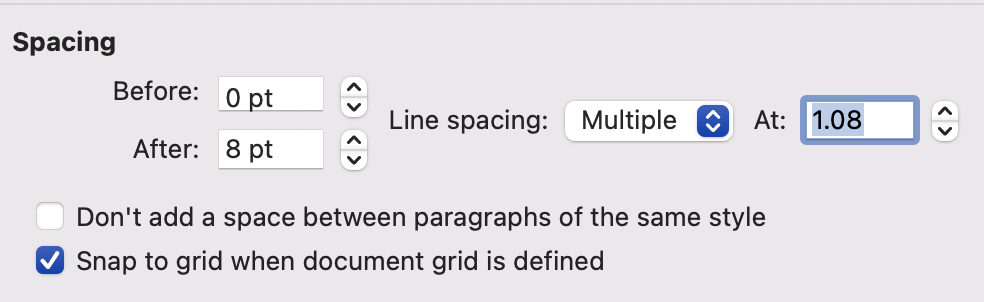
Hi. There seems to be a simple workaround for this. Enter the text in MS Word with the default line spacing (see the attached image) and add a line space. For example, if your title is My First Ever Articulate Rise Project and you want Articulate Rise Project in the second line, hit enter after Ever. Next, copy the text and paste it into your lesson title. Delete the extra line space that appears after the title. Publish it. You should now see the line break








Related Content
- 2 years ago
- 2 years ago
- 2 years ago