Forum Discussion

Removing Master Slide objects from Focus Order

Hi Louise!
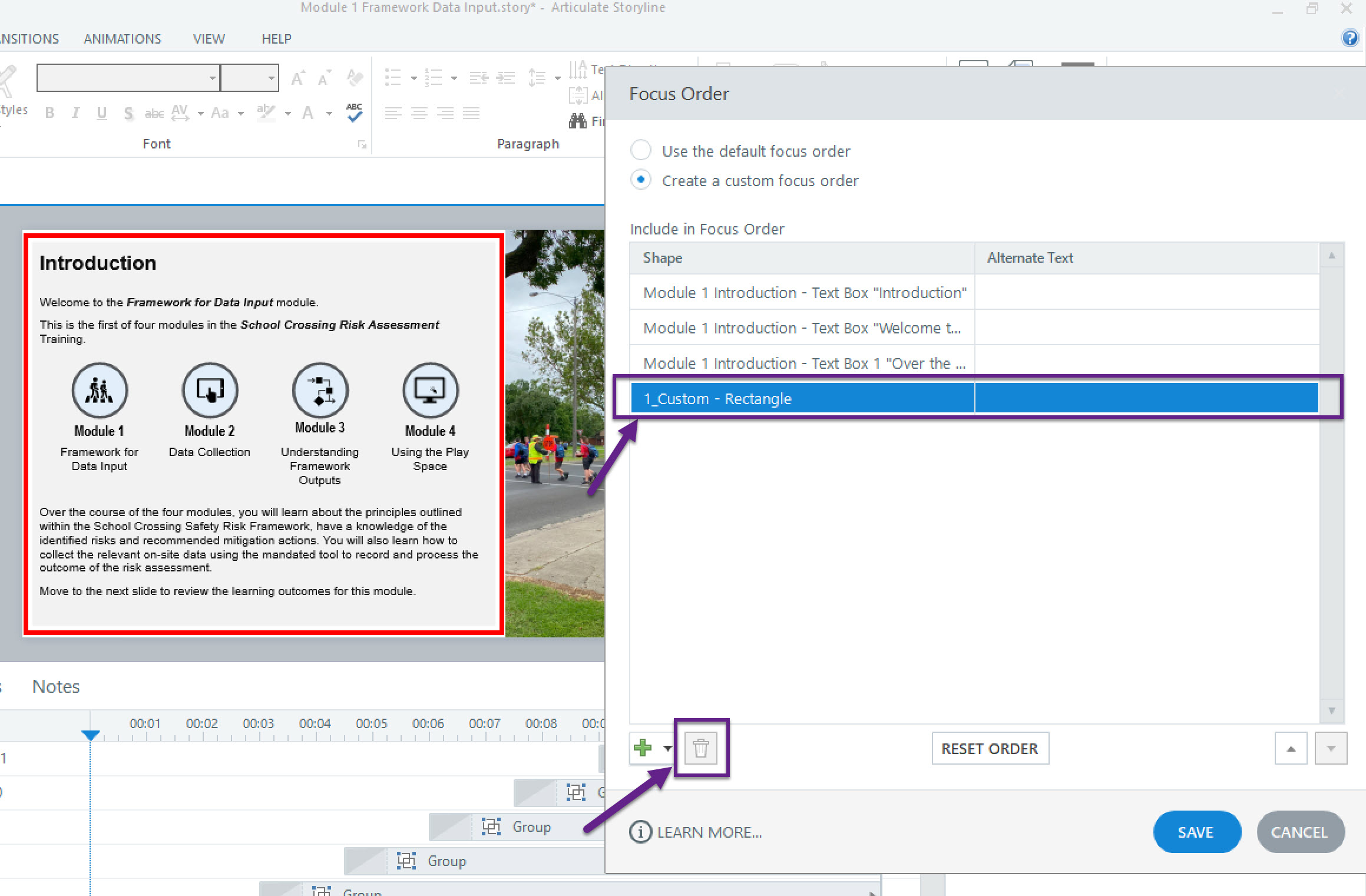
It sounds like you needed some help removing objects on a Master Slide from your Focus Order. I'd be happy to assist with that!
As an initial step, I would suggest:
- Navigate to Slide Master View.
- Select 1_Custom - Rectangle and right-click to access the accessibility tools option.
- Uncheck the box for "Object is visible to accessibility tools".
This should remove 1_Custom - Rectangle from the Focus Order.
If that doesn't do the trick, it would be helpful to take a closer look at your project file. Would you be willing to share it here in the discussion or privately through a support case? We'll delete it from our system once troubleshooting is complete!
- AngieGillcrist7 months agoCommunity Member
I am experiencing the same issue. I have removed the check "Object is visible" but they still show in the focus order and I am unable to delete them.
- LucianaPiazza7 months agoStaff
Hello AngieGillcrist,
I'm sorry to hear you're having trouble with this. Thanks for sharing what you've tried so far. Since this seems isolated to your project file, I've opened a support case so we can take a closer look at your setup. We'll be sure to delete the file after testing!
We'll continue the conversation over in your case!


Related Content
- 1 month ago