Forum Discussion

Replay 360 keeps getting automatically uninstalled
When I use the Articulate 360 desktop app (1.39) to install Replay 360, the installation goes away after a few hours. I have to repeatedly install it, over and over. There are times when I have to install it multiple times in the same day because it keeps going away. Has anyone else experienced this?
6 Replies
Hi Randy,
Sorry to hear that you ran into a similar issue. I opened a support case on your behalf so we can get you in touch with one of our support engineers who can take a closer look at the issue. Your case is in good hands, and someone will be reaching out to you shortly!
 Deleted userNot applicable
This has been happening to me, too. Every time I go to use Replay, it has disappeared and I need to reinstall it. Enterprise environment here, too, similar to OP.
- nathanleavittCommunity Member
Lol! These are the steps I've been doing every day, with the exception of deliberately uninstalling it, since it automatically uninstalls itself after a few hours. I've reached out to the support team and submitted case 02281037 (ref:_00D30Txo._500f31QgAji:ref)
Here is some extra info that may be important: I work in a corporate environment where IT prevents us from installing software on our work machines. Since Articulate 360 v39 has been installed, I no longer need special administration privileges to install Storyline, Studio, Replay, or Peek.
I'm wondering if there is a connection between this new ability to install the desktop apps without administrative support, and the fact that the Replay desktop app keeps uninstalling itself.- ShaheenSayed-12Community Member
Feeling so relieved (and Happy!) to see other people who are (or rather were) in the same boat as me, 5 years ago!
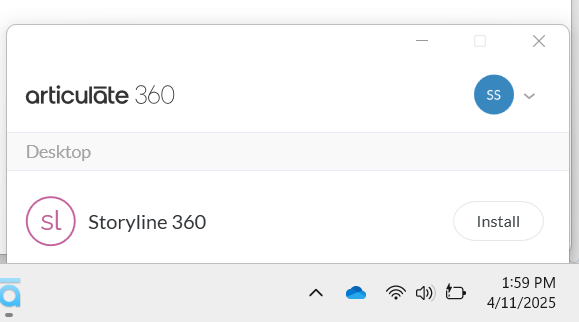
I'm experiencing this issue but with Articulate Storyline 360. My storyline 360 uninstalls and reinstalls several times (sometimes 5 or 6) every day!
I work in a similar corporate environment where installations are disabled, and only IT has the required permissions. I use Storyline 360 extensively on a daily basis and recently I have been experiencing almost similar issue.
Our work machines have a workspace hub installed, similar to a play store where you can download apps - for which you have necessary permission in place.
We feel this may have something to do with the storyline issue - as I get installation pop-ups from the same hub. Our IT team could not identify or provide any alternate resolution for this issue.
This is what we are experiencing:
- I'm using the latest version of storyline, which I update regularly. But that too uninstalls/ reinstalls automatically in the background.
- When I start my workday, my first step is to check if storyline application is installed in my work machine before accessing any storyfile. If the answer is No, I must install it to access my storyfiles.
- If I try to access any storyfile without checking the installation status, it doesn't open - at all! I use Task Manager everytime.
- If I am already working on a storyfile when it uninstalls in the background, my screen freezes, no matter what I do, and sometimes in an unsaved state. Only way to close it - Task Manager! I have lost couple of last minute edits, or even slides in the process.
Our entire team is experiencing this issue! Help! :(
- VinceScomaCommunity Member
Hi Nathan,
Thank you for sharing those details with us! That is important information to know as that might be playing a part here in this situation. I will provide these comments in your Support Case as we continue to work through this!
Please let us know if you have any questions!
Good morning, Nathan!
I'm sorry to hear that Replay 360 keeps getting uninstalled. For our first steps, let's see if a fresh copy of the app helps:
If the app still requires multiple installations after those steps, please let our Support team know. We'll do everything we can to ensure it works correctly!






Related Content
- 1 month ago
- 1 year ago