Forum Discussion

Review 360 not showing when you have new Feedback in top menu


I'm having a similar issue, in both Chrome and Edge. I can't see any new comments, even though I know people replied. Comments are enabled. The only way I can see them is if I click on the link in the notification email 360 sends me. I am running Chrome Version 91.0.4472.101 (Official Build) (32-bit), which is the latest version. I would rather not have to go through emails to click on the link to see comments; I should be able to see them when I'm in 360, especially since I am working on several courses at once. I have also just run the latest Articulate update. Any ideas? Oh and this only started happening about a week ago.

Hello Sheena!
I'm sorry you're running into this issue too! I appreciate you sharing the browser version you're using as well. Do you see the feedback notification not appear in all of the courses published to Review 360 or just a certain one?
As you'll see in the previous comments in this discussion, this has been a difficult issue to recreate, which makes it even more challenging to tackle. We appreciate you taking the time to contribute!
- SheenaKrock4 years agoCommunity Member
Thank you for taking the time to look into this! It's very weird, I don't envy you this one. I keep thinking it's a browser issue, but since it is occurring in both Edge and Chrome I'm not so sure. And my colleague is not having the same issue. We are on the same config and are both running the latest Articulate update. I have several courses in progress in both SL and Rise. So yesterday I received an email I had a comment in a SL course on 360. I couldn't see it. When I open my 360 library today, I can see the notification in the upper right, and can see the comments just like I'm supposed to. This was not happening yesterday, I swear. Today it seems all the SL courses are working again.
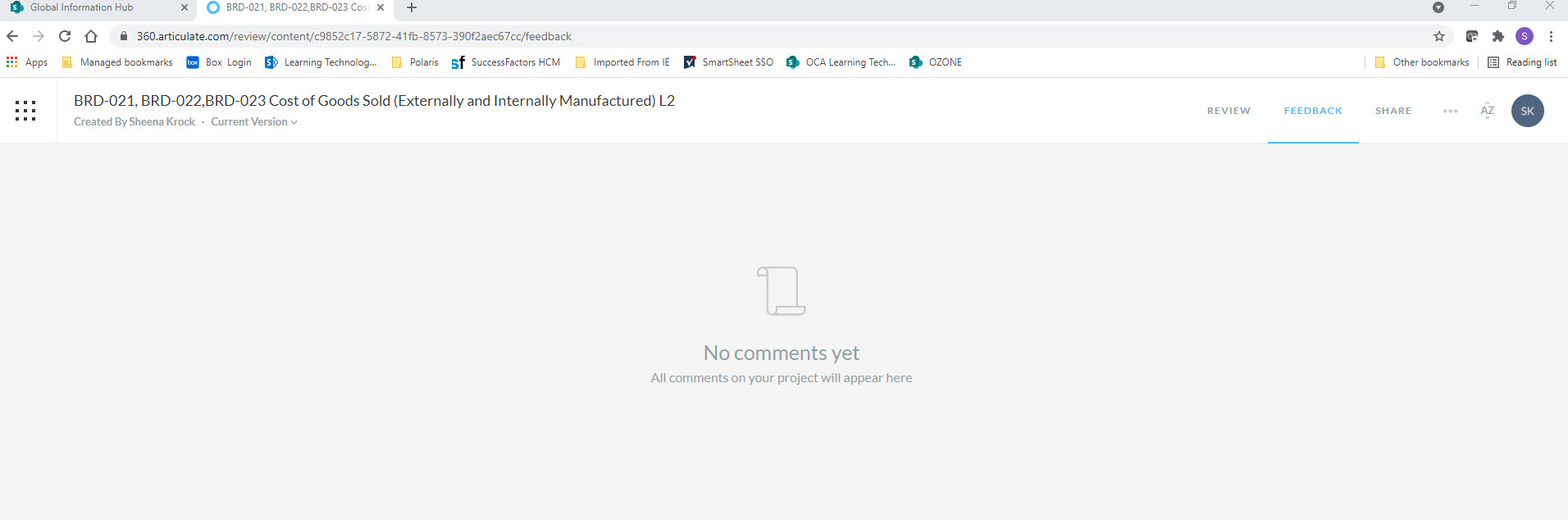
However I have another course in Rise, where I have several emails indicating comments, but when I go there using the 360 site I see there are no comments.
When I click on the link in the email notification however I can view the comments and see how many are new. There are no new ones in this shot because I looked at them already. There are several more comments below these. This is the exact same course. If I leave the screen below and say go back to my library, when I come back to the course the comments are all gone again.
To see any comments I MUST click on the link that comes in the email notification (example attached).
Please let me know if I can be of further assistance, I appreciate the troubleshooting!
- LaurenDuvall4 years agoStaff
Hello Sheena!
Thank you so much for providing these details! I'll add them to our report. I'd also like to add your screenshots, but it doesn't look like they were attached to your reply. Would you mind attaching them to this discussion instead?
Also, your contact information came through as well. This Peek video will show you how to edit it out if you’d like!
I really appreciate your help in troubleshooting this issue!


Related Content
- 2 years ago
- 1 year ago
- 9 months ago