Forum Discussion

"Show Always" Option for Objects in the TImeline
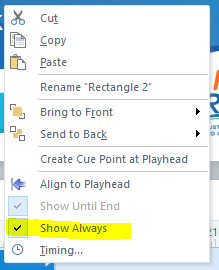
AFAIK, Storyline has no mechanism to allow a persistent foreground element. It would be a extremely useful to float a [character, audio, button bar, progress bar, logo] ABOVE the course, for the duration of the course. Storyline cannot. The master slide won't do it; no master slide element can overlay other slide elements. I sent this feature request down the black hole for 5 years. It's available in Captivate.

hey James. not sure if you've found a work-around for this or if it's even relevant any longer, but if you add a layer to a master & auto show that layer, any elements you add appear to be placed overtop. i haven't played around w/ this too much yet, it might have limitations, but i just tried it & at a glance it works.
- Wilmarivande3876 years agoCommunity Member
Hi Nate, can you elaborate on what you mean by auto show layer?
I have placed an element on a layer in my master slide and added a trigger to the base layer that says "show layer X when the timeline starts". I have disabled the function that hides the layers below.
The problem I am running into is that the object shows on the first slide in the scene, but not the second slide. Is there a way around this?
Also, if my slides have more layers it also does not show the object in the master slide anymore.
Has anyone got a solution to this yet?