Forum Discussion

Storyline 360 - Custom Modern Player
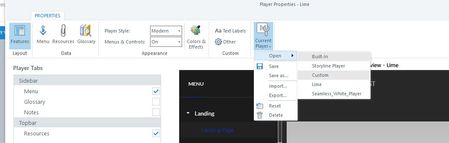

I'm happy to return with some exciting news for you, James & Maria! 🗞
Storyline 360 Update 54 is here, and it introduces several features and bug fixes! Here's the item you'll be interested in:
New: Customizing the Modern Player Colors.
Just launch the Articulate 360 desktop app on your computer and click the Update button for each application—details here.
Please let us know if you have any questions or reach out to our Support Engineers directly!

Thanks Becca. Great features added!
However if there was a possibility to actually be able to change the NEXT PREV buttons colouring of the player itself based on states that would be fantastic. There a number of comments from learners that they cannot distinguish between when a button is disabled or normal. Being able to change the individual colour of the player buttons based on states would help us take care of that. Instead, now we have to resort to creating our own customised buttons and add in the slides directly, which defeats the purpose of using the modern player in a way.
Related Content
- 7 months ago
- 7 months ago