Forum Discussion

Storyline black box as a first screen on mobile
Hello, I have some storylines in my rise course, when the page is displayed I get a huge black box with a play button on mobile devices. When I click the play button the course begins normally. Are there anyway to avoid the initial black box? To put a cover picture or even change it to white?
17 Replies
Hi Milagros,
Welcome, and thanks for including that screenshot!
What you're seeing is expected behavior for Storyline blocks in Rise 360. There isn't a way to remove the play button when viewing the course on mobile.
We're tracking the impact of this behavior, so I'll share your post with the team. We'll notify you if we make any changes to how Storyline blocks appear on mobile screens!
- MikeCully-954b6Community Member
Sorry, but this SHOULD NOT be expected behavior. At the very least, make the first frame of the storyline block on mobile be the frame behind the play button. The first frame of a video block on a mobile phone does this, so you should make it consistent. I agree with all the other folks that have been complaining about this for sometime now.
- ParkerCraigCommunity Member
Hello - So my content being produced for iOS and everone course is seeing black boxes as described here. This destroys the visual consistency of our educational content as this should not be expected behavior. Please advise a work around here.
Hi David!
I understand how this impacts the visual consistency of your content. I've shared your comments and request for a workaround with our team. We'll update this discussion with any new details.
- EvelynSteine949Community Member
Is there a solution now? I have exactely the same problem. Now it is not really usable for us.
- BeccaLevanCommunity Member
Hello Evelyn,
Thank you for following up here, and I'm sorry you're being affected by this. While this feature hasn’t made it on our feature roadmap yet, this discussion is connected to the report, so we’ll be sure to notify you when we have news to share.
- MathNotermans-9Community Member
As im really surprised Articulate still hasnot fixed this, especially because quite a lot users complain about this. I made a workaround to fix this and it would be quite easy for Articulate developers to implement this into Storyline. But apparently they wont.
Well my workaround you can find here...
https://community.articulate.com/discussions/building-better-courses/how-to-get-rid-of-the-big-black-play-button-when-publishing-storyline - JennBedlingtonCommunity Member
Can I please add my plaintive plea to fix this. It ruins the look of the Rise course, and I want to be able to continue to use the Storyline block without going through having to change the code every time there's an update.
But thanks Math for making the effort to do Articulate's work for them!
- MathNotermans-9Community Member
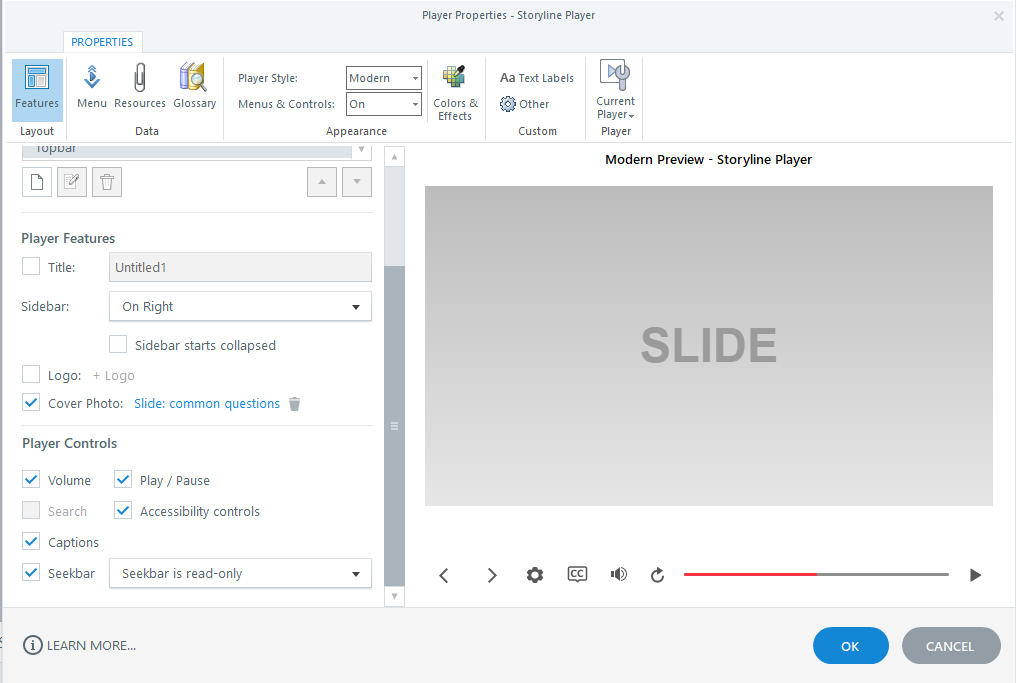
There is new functionality in Storyline's player now that at least gives you the option setting a first frame as a thumbnail or any given image...
Kind regards,
Math- MikeCully-954b6Community Member
Great! Is this feature going to be applied to Rise as well?
Mike
- JennBedlingtonCommunity Member
I hadn't picked that up!
So a big double thank you to yet another hero!
- JennBedlingtonCommunity Member
It does - you get the first slide once imported into Rise. Unfortunately it's still got the completely unnecessary big player button in the centre, but at least it's one step up from the big black box...
- MathNotermans-9Community Member
The play button you can remove with the solution mentioned here..
https://community.articulate.com/discussions/building-better-courses/how-to-get-rid-of-the-big-black-play-button-when-publishing-storyline
- ZsofiaSzarka-7aCommunity Member
Hello All,
It seems that this issue had been fixed with the new feature, however, it does not work as expected for me. :( If I set the first slide (or a screenshot of the first slide) as cover image, it appears smaller than the first screen - and on a big black background. I'm attaching a screenshot of the first slide as it embeds and the first slide after clicking play.
Any suggestions on what am I missing?
Another issue this two-slide SL block has is that not all the controls appear that I set up. Screenshot also attached.
Any suggestions would be welcome as trying to solve this issue took many working hours already. :(- MathNotermans-9Community Member
With the solution here you can get rid of the black button and start screen completely.
https://community.articulate.com/discussions/building-better-courses/how-to-get-rid-of-the-big-black-play-button-when-publishing-storyline