Forum Discussion

kmai
1 month agoCommunity Member
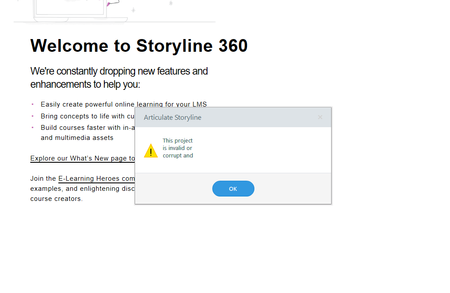
This project is invalid or corrupt and..
I currently published my file for review on 8/27 and have not done any changes to it. When I access the file now it gives me "This Project is invalid or corrupt and.." I did recently updated my Story...

KellyAuner
1 month agoStaff
Hi kmai,
Thanks so much for reaching out and sharing these details!
If you're comfortable sharing the .story file with us here or privately, I'd be happy to test it on my end to see if I'm able to open it.
If the file is corrupt, there may still be a working version of your project in your temp files. Here's how to check:
- Open this folder in Windows Explorer: %appdata%\Articulate\Storyline
- Scan the contents of this folder for a file that starts with the name of your project. If you find one, copy it to your desktop. If you find more than one, copy the latest version to your desktop.
- Change the file extension of the copy on your desktop from *.tmp to *.story.
- Double-click the file to open it in Storyline.
Please let me know if you're able to recover the file this way!
kmai
1 month agoCommunity Member
My articulate Storyline was version 115. I updated to the most current and it no longer generates the problem. Issue is resolved from reading other forum on here. Thank you.