Forum Discussion

When I publish the module not given web object folder.

Greetings, Eswarkumar!
I'd love to investigate what's happening within the published package! Here are my troubleshooting steps:
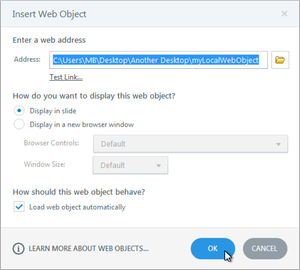
- I embedded local web content into a slide running Storyline 360, Update 37.
- Then, I published that slide for LMS with the HTML5-only (Modern Player) and SCORM 1.2 standard options selected.
From there, I unzipped the LMS package and clicked on story_content to access the WebObjects folder.
It looks like you went through the same process, so I have a few quick questions to help us determine the next steps: What version of Storyline are you using? Is this happening with other published packages or just this one?
- EswarkumarKanth6 years agoCommunity Member
Thank you for your replay.
I will update my storyline and check once.
- vasanthkumar6 years agoCommunity Member
I have few issues with WebObjects.
I am not able access user.js variables from webobjects.
If I add user.js in webojects, variable's values are getting reset.
- mrsmcd5 years agoCommunity Member
I am not seeing the webobjects folder either. I am currently on Build 3.52.25156.0
- LaurenDuvall5 years agoStaff
Hello Melissa!
The web objects folder isn't included in the published output folder anymore. It's now linked within the index.html file.



Related Content
- 17 days ago
- 12 months ago