Forum Discussion

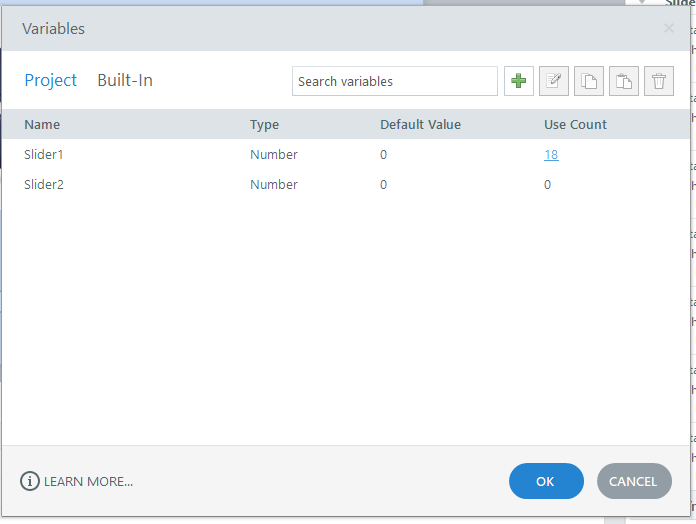
Why do I always get a error report when I click on variables user count?
- 3 months ago
Hello everyone!
Happy to share that we've just released a new update for Storyline 360!
In Update 118, we've included essential fixes and new features. We've released a fix for this behavior in Storyline 360.
Launch the Articulate 360 desktop app on your computer to take advantage of this update, and click the Update button next to Storyline 360. You’ll find our step-by-step instructions here.
Please let me know if you need additional help.


Ned Cool! Was I supposed to send that code to them in the error window?

CJLu Yes, I would advise you to do so. Can you also please share a screenshot of yours here so I can compare it with mine? I’m just curious.
- CJLu3 months agoCommunity Member
<?xml version="1.0" encoding="utf-16"?>
<ErrorReport xmlns:xsi="http://www.w3.org/2001/XMLSchema-instance" xmlns:xsd="http://www.w3.org/2001/XMLSchema">
<UserId>aid|080ac91f-75ab-4a57-9635-cdb1d867b28a</UserId>
<HardwareId>3TUUU-RGWQ9-KM1D1-S9AU4</HardwareId>
<Message>Object reference not set to an instance of an object.</Message>
<StackTrace> at void Articulate.Design.Triggers.UI.VariableUseDialog.OnHandleCreated(EventArgs e)
at void System.Windows.Forms.Control.WmCreate(ref Message m)
at void System.Windows.Forms.Control.WndProc(ref Message m)
at void System.Windows.Forms.ContainerControl.WndProc(ref Message m)
at void System.Windows.Forms.Form.WmCreate(ref Message m)
at void System.Windows.Forms.Form.WndProc(ref Message m)
at void Articulate.Windows.Forms.Metro.MetroForm.WndProc(ref Message m)
at LRESULT System.Windows.Forms.NativeWindow.Callback(HWND hWnd, uint msg, WPARAM wparam, LPARAM lparam)</StackTrace>
</ErrorReport>