Forum Discussion

Course Design Best Practices
Hello everyone...a few months ago, our Senior eLearning Instructional Designer retired and I've inherited a catalog of eLearning courses that were authored in Storyline 2. I'm working on updating courses as needed and turning my attention to better processes and best practices for course design.
One of the standards I'm examining is course navigation and baseline expectations for any given course with regard to seat time, whether it has audio, etc. Because the courses I'm updating and developing will be authored in the new versions of Storyline and Rise, there is also a learning curve for the organization on using these new player interfaces.
I've seen a number of creative ways this has been done, but wanted to ask if there were any recommendations for things that have worked well for you. For things like orienting the learner to the player controls, fullscreen options, etc. do you recommend creating a Lightbox overlay for Storyline courses at the beginning? What about Rise courses? Do you include a block at the beginning, during the introduction that shows learners how to use the player, etc.?
I appreciate any creative inspiration and recommendations!
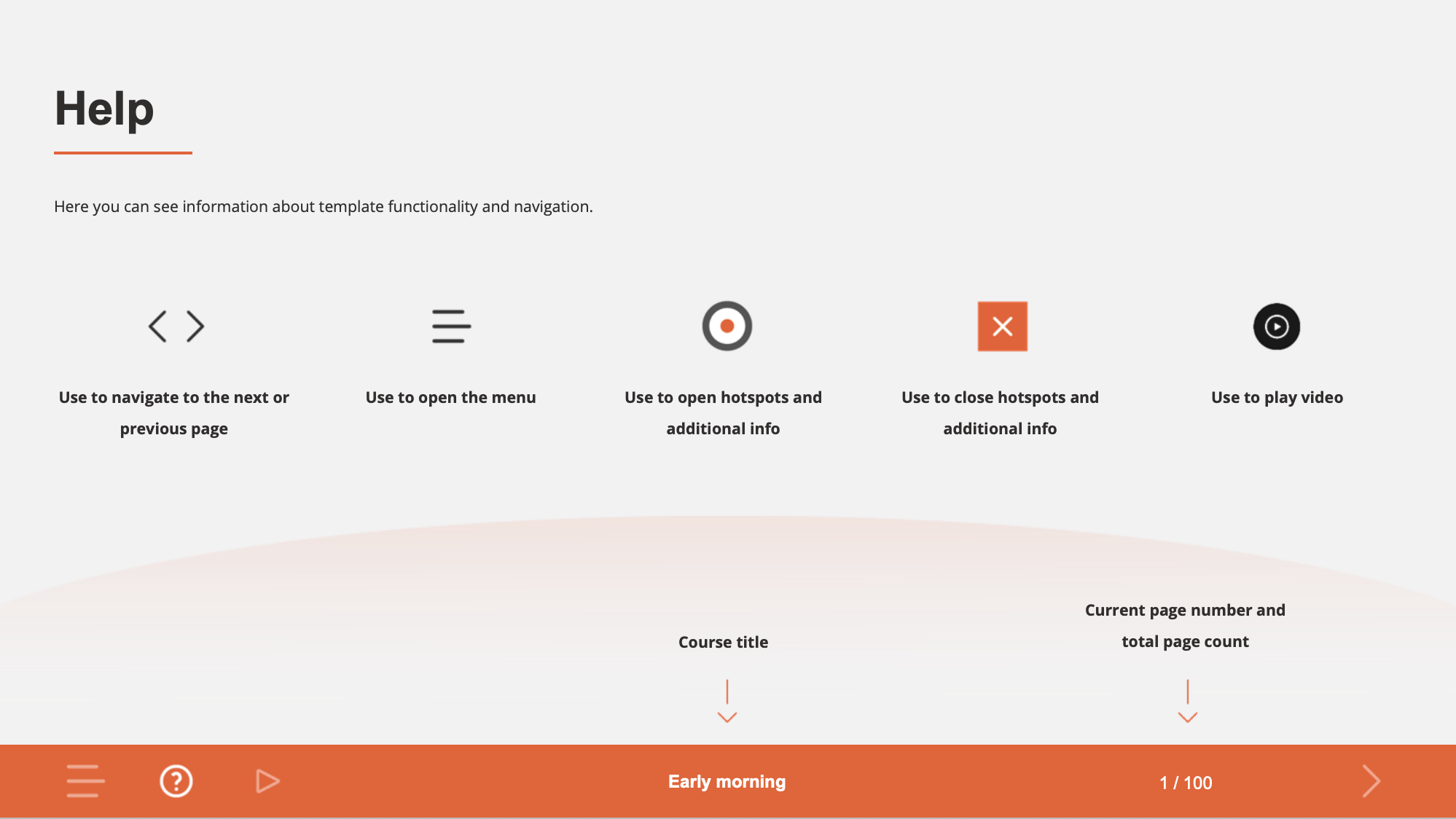
Added screenshots as examples. My apologies for not knowing the author of the first example. I grabbed a quick screenshot when I saw this in one of the community downloads as it was very close to what I'm wanting to do. The second is an example (from a recent video course I just finished) of similar information I'd like to include in eLearning courses.
There's no one "best" practice. It really depends on your audience's level of comfort with computers.
If your audience rarely uses computers, then it makes sense to start with instructions, lightboxed or not.
If most of them work on computers, it could feel insulting and a waste of time to be shown how to navigate a course or told that "1/100" shows the current and total pages for the course.
Since your company has been using the Player in Storyline 2, folks will probably be fine with the Player in Storyline 360 (even with the extra controls). In those situations, if you think some folks might still want help, consider putting a custom HELP tab in the Player that lightboxes a slide with navigation info. That lets them open it at any time, but doesn't require it.
- Here's more info:
TIP: Create Custom Player Tabs for Your Resources, Glossary, and More | Articulate - Community
Rise 360 is trickier. With restricted navigation, there's no way to include an optional Help lesson that can be accessed at any time. But, again, given how much people get content on their phones, consider whether help is really needed or not. Perhaps do some other communication about the upcoming new look for courses, and provide a job aid with instructions.
I think it is good to say up front what the estimated seat time is and whether or not a course includes audio. I like the simplicity of this example you provided:
That provides helpful info without being obtrusive.
- Here's more info:

3 Replies
- randykeppleCommunity Member
Thank you! JudyNollet You are indeed a Super Hero!
I appreciate the perspective you shared about my question on best practice for navigation and the modern player and Rise courses. And bonus appreciation for all you do in support of this thriving community! I always appreciate when I find one of your posts with the information I'm looking for at just the right time, so a big shout out!- JudyNolletSuper Hero
randykepple: You're welcome! Pay it forward when you can. 😊
P.S. In case you're intrested, this post links to all my Storyline tips:
- JudyNolletSuper Hero
There's no one "best" practice. It really depends on your audience's level of comfort with computers.
If your audience rarely uses computers, then it makes sense to start with instructions, lightboxed or not.
If most of them work on computers, it could feel insulting and a waste of time to be shown how to navigate a course or told that "1/100" shows the current and total pages for the course.
Since your company has been using the Player in Storyline 2, folks will probably be fine with the Player in Storyline 360 (even with the extra controls). In those situations, if you think some folks might still want help, consider putting a custom HELP tab in the Player that lightboxes a slide with navigation info. That lets them open it at any time, but doesn't require it.
- Here's more info:
TIP: Create Custom Player Tabs for Your Resources, Glossary, and More | Articulate - Community
Rise 360 is trickier. With restricted navigation, there's no way to include an optional Help lesson that can be accessed at any time. But, again, given how much people get content on their phones, consider whether help is really needed or not. Perhaps do some other communication about the upcoming new look for courses, and provide a job aid with instructions.
I think it is good to say up front what the estimated seat time is and whether or not a course includes audio. I like the simplicity of this example you provided:
That provides helpful info without being obtrusive.
- Here's more info: