Forum Discussion

Sliders and States
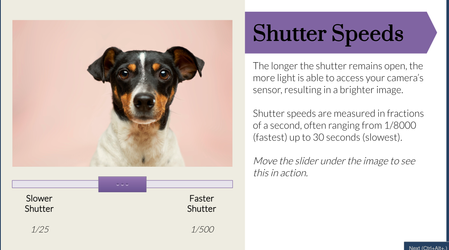

Hey Maddie — fun build, and you ran into exactly why the multi-slider version is hard: combined states multiply fast. Three sliders with four positions each would mean 64 image states. The trick is to never combine them — give each slider its own object and let the effects stack on the image.
Here's the setup I'd use:
- Add three Number variables: Shutter, ISO, Aperture. Min 0, max 100.
- Add three sliders, and in each slider's properties bind it to its variable.
- Then each slider drives only its own layer:
- Shutter → a black rectangle over the photo. Trigger: Change state of ShutterRect when Shutter changes, with conditions like If Shutter is between 0 and 33, 34 and 66, 67 and 100.
- ISO → your grain rectangle, same pattern — states with increasing transparency triggered by ISO ranges.
- Aperture → swap your blurred background states based on Aperture ranges, character on top so she stays sharp.
Because each slider only touches its own object, you never build combined states. Nice learner-facing touch too: drop in three text boxes referencing %Shutter%, %ISO%, %Aperture% so they see their exact settings while they hunt for the perfect exposure.
One thing to watch: when the learner revisits the slide, the sliders pull their positions back from the bound variables automatically, so the settings stick — just keep the bindings in place.
Related Content
- 1 year ago
- 1 year ago
- 2 months ago
- 1 month ago