challenge recap
661 TopicsMission: Survive the Stakeholder 😅 | Things to Say & Not Say to IDs
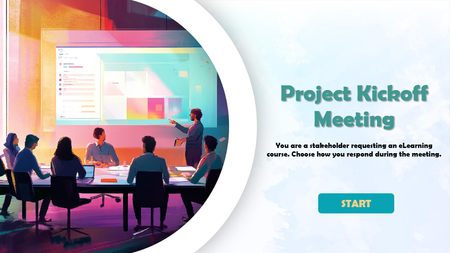
Hi everyone! 👋 For this week's challenge, I decided to gamify the classic "Instructional Designer eye twitch" moments we've all experienced during project kick-offs. Welcome to Mission: Survive the Stakeholder! In this short interaction, you play as a project manager meeting with Alex, your ID. Your goal is to choose the right things to say to get the project moving without causing his stress meter to max out. Behind the scenes: Visuals: I generated the 3D Pixar-style character states using AI to capture those perfect, relatable expressions of creeping panic. The Tech: To make the stress meter feel fluid, I built a custom HTML/CSS/JS interaction and embedded it as a Web Object in Storyline. The custom slider is dynamically synced with the background video, so Alex's reactions update smoothly in real-time as your score changes. You can play the demo here: Mission: Survive the Stakeholder I had so much fun putting this together. I’d love to hear your thoughts! Did you manage to keep Alex calm, or is he currently updating his resume? 😂Articulate Challenge 542: Things You Should & Shouldn't Say to E-Learning Designers
I was halfway through my design for this Articulate Challenge when I realized how heavily the banner image influenced the aesthetic of my submission. Ah well! I set out to create a clean, somewhat playful design that is hopefully satisfying to click through. A variable dictates which result slide the user reaches at the end of the activity. You can access the activity here: Articulate Challenge 542.Can One Click Trigger a Cyberattack?
In today’s digital workplace, a single mistake can lead to serious business disruption. That’s why we developed a Scenario-First Cyber Awareness Activity that places learners inside a realistic cyberattack situation. Help your workforce learn how to spot threats, make safe decisions, and protect critical business data. See the Scenario-Based Training in Action https://www.swiftelearningservices.com/scenario-first-elearning-cybersecurity-awareness-training/192Views0likes4CommentsConnect to WiFi
Hello! For several weeks, TomKuhlmann has been sharing loads of great free characters 'that you can use as you wish' in elearning projects. I've been waiting for the right moment to use one in a Challenge. So here's Adam Kenner, guest-starring in my Comic Book-Inspired demo... This is built on one slide, with three zoom regions timed to highlight different sections of the comic book grid. The animation is largely achieved with state changes and some motion paths and emphasis animations here and there. Music from Suno, sound effects generated by Articulate's AI assistant. I adapted 'Adam' and created the barista and agent characters using NanaBanano in Pixlr. Connect to WiFi here: https://bit.ly/elhc541
We Hate PCI Training! So I Used Comic Panels to Break Things Up (ELH Challenge #541)
Most employees dread PCI DSS (Payment Card Industry Data Security Standard) training; it often feels too technical, dry, and overwhelming (my employees’ words). To make our training easier to digest, I focused on two core ideas: Show employees how the standards protect them as consumers. Bring the standards to life through an everyday, relatable scenario. For ELH Challenge #541, Comic Book–Inspired Designs in eLearning, I’m sharing a snippet from our PCI course where I used simple comic panels to follow “Fantasia,” a customer success manager, through a typical workday. This approach supports the second pillar, helping learners see PCI requirements in action. The comic slide templates likely came from the ever-amazing ELH community (since I don’t recall). 😂😉 “Fantasia” is actually Nicole from Storyline’s character library, paired with a native Storyline AI voice as the course’s narrator. I added simple entrance/exit animations to bring the comic panels and story to life. One of our course’s avatars on the final slide is “Sarah,” also from Storyline’s character catalog. I changed her appearance using OpenArt (dot) ai (back when I had a personal account and was experimenting - explaining her striking blue eyes). You can experience the short demo here. I hope it offers a fresh, engaging take on a usually intimidating topic! Blessings, Thomas PS: If you'd like to examine the Storyline slides, see the attachment. ⬇️Case: Operation Dopamine - A Noir Comic Mystery
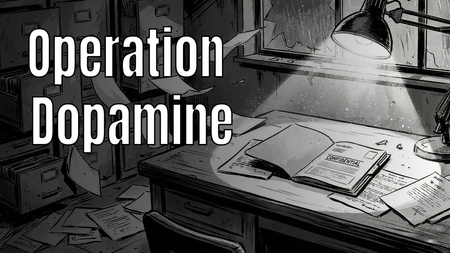
Hi E-Learning Heroes! 👋 For this week's Comic Book-Inspired Challenge, I decided to go full "Noir Detective" graphic novel style. 🕵️♂️✨ In my project, "Case: Operation Dopamine", the learner steps into the shoes of a private investigator exploring a ransacked laboratory. The mission? To find the 6 stolen components of Gamification (such as Engagement, Customer Lifetime Value, and Emotional Connection) and restore color to a black-and-white corporate world. 🔍 Play the interactive demo here: > Play Operation Dopamine I had so much fun blending storytelling, visual design, and instructional concepts into this one. I would love to hear your thoughts and feedback!Interactive Instructional Design eLearning Sample
We designed a custom eLearning sample using decision-driven interactions. Instead of presenting static content, the experience allows learners to make choices and instantly see the impact of communication styles when working with instructional designers. Explore the decision-driven sample here. https://www.swiftelearningservices.com/custom-elearning-sample-decision-based-learning-experience-542/Burning Questions
Hello! Another tongue-in-cheek demo, with a serious message. But I don't recommend that you take this passive-aggressive route to explain gamification to your boss... This demo is built around an oversized slider, which is animated using rapid state changes controlled by Javascript. Video sections created in Powtoon. Any questions, please ask. I promise I won't turn you into a computer game character in a burning building. Try it for yourself here: https://bit.ly/elhc542
8-Bit Retro Style Interaction
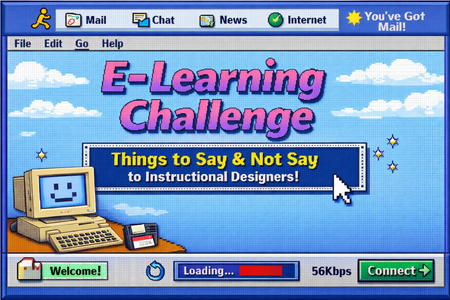
In this 8-bit inspired eLearning challenge, we’re rewinding to the days of dial-up and pixelated screens to explore the things stakeholders say and what they should say to instructional designers. Review at: https://360.articulate.com/review/content/356d1608-7223-406e-9afe-7213b76cc8fe/reviewComics in Music Video
Corporate Rock, A Comic Book Take on Learning Through Music For this week’s Comic Book challenge, I leaned into bold visuals, panel‑based storytelling, and a little nostalgia to explore a simple idea: what if learning content worked more like Schoolhouse Rock? Corporate Rock is an experiment in using music and comic book visuals to teach workplace learning concepts. I partnered with AI throughout the process, starting with the design of a Knowledge Management course strawman, then breaking topics into short, focused scripts. One subtopic was transformed into a song using an alternating verse and hook structure, with spoken moments to reinforce key ideas. From there, AI helped generate detailed image prompts for each verse and spoken section, intentionally designed as comic book panels. Verses became three‑panel cartoon sequences, while spoken moments landed as single, punchy panels. Each image was generated with a consistent illustrated style to feel like pages pulled straight from a comic. The final step was bringing everything together into a music video, syncing the song with the comic visuals and editing it all in DaVinci Resolve. The result is a learning experience that blends instructional design, music, and comic storytelling to make content more engaging and memorable. This project was a reminder that learning does not always have to look like slides. Sometimes it can look like a comic book that rocks. https://360.articulate.com/review/content/60255320-a8d6-4676-bb6a-b112b189b074/review