Content Library 360
90 TopicsFeature/Verbesserung: Benennung von KI-Audiodateien
Hallo Zusammen, es wurde im Workflow ein Verbesserungswunsch geäußert: Die KI Audio-Funktion, generiert eine Audio mit der Bezeichnung der ersten Satzes, wie z.B.: "Dies ist der erste Satz der gesprochen wurde.mp3". Für die Übersichtlichkeit benennen wir die Audios in der Medienbibliothek um und dann heißt es, nachdem die Audios generiert wurden, als Beispiel: Audio_1.mp3, Audio_2.mp3, usw. ... Wenn aber Korrekturen gemacht werden müssen und der Satz neu-eingesprochen wird ändert sich die Benennung und aktualisiert es auf die Audio-Bezeichnung den es generiert hat. Kann man diesen Schritt beibehalten und die Audio-Bezeichnung gleichbleiben lassen, nach dem man es einmal umbenannt hat? Oder noch besser: Lässt sich die Benennung von Vornhinein ändern und beibehalten? Vielen Dank im Voraus!23Views0likes1CommentPlayer icon images
Does anyone have tips for taking screenshots of the player icons for a navigation slide? It seems like it should be simple, but since the player icons don't scale up with the window size they always come out blurry when blown up for easier viewing. You'd think it would be easy to find the Articulate player icons in the 360 icon library, but I always end up having to search for a while just to find ones that looks similar.54Views0likes1CommentLegal Use of Articulate Storyline 360’s Content Library and Character Assets
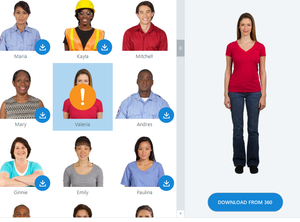
Hi everyone, I would just like to clarify the legal use of its built-in Content Library, including character assets and stock images. Specifically: Can these assets be used for commercial projects (e.g., client work, paid courses, corporate training)? Are there any copyright restrictions or licensing limitations I should be aware of? Is there any risk of legal issues when using these assets in external-facing content? I’d appreciate any insights or official documentation references that can help ensure compliance. Thanks in advance!Solved247Views0likes7CommentsHow can I link or dynamically update external image files in Storyline 360?
Hi everyone, I’m exploring ways to automate how images are updated in an Articulate Storyline 360 project. Here’s the scenario: I have a folder containing screenshots or visual assets that are frequently updated (for example, new UI screenshots for software simulations). I’d like to find a way to link these images to Storyline so that when I replace an image file in the local folder (using the same filename), the corresponding image inside the Storyline project also updates automatically. I understand that Storyline currently embeds all media files into the .story file, but I’m wondering if there’s any workflow, script, or workaround (like a web object, external reference, or API-based automation) that can help achieve something similar — basically, a dynamic or linked image repository. Is there any way to display or link it directly in Storyline without manually downloading and inserting it each time? I’m open to creative solutions — such as using the Media Library, relative file paths, or Web Objects — as long as it helps simplify recurring image updates. Any insights, ideas, or recommended practices would be greatly appreciated! Thanks in advance, Shashi G63Views0likes1Comment💡 Feature Idea: Enable Dynamic or Linked Image References in Storyline 360 (Similar to Captivate)
Hi Articulate Team and Community, I’d like to share a feature idea that could make media management much more efficient for developers working on large or frequently updated Storyline projects. Scenario: In many projects, we utilize screenshots and visual assets that are updated regularly — for example, UI captures for software simulations or interface updates. Currently, when these assets change, we must manually replace each image in Storyline or use the Media Library to replace files one by one. Feature Request: It would be incredibly useful if Storyline could link images (and other media) to an external folder or repository, so that when an image file in that folder is updated (and the filename remains the same), it automatically updates inside the Storyline project. This kind of “dynamic asset linking” or “live reference” is already supported in some authoring tools like Adobe Captivate, where media can be linked rather than embedded — allowing updates to flow into the project automatically. Implementing this in Storyline would: Greatly reduce repetitive media replacement work. Ensure consistency across modules. Improve workflows for teams using shared design systems or asset libraries. Even a toggle or advanced option like “Link to file instead of embed” when inserting media would be a game-changer! Would love to hear what the Articulate team and community think about this. Thanks, Shashi G31Views0likes1CommentCentralized Team Media Library for All Articulate Projects
I wanted to float an idea that I think could really streamline our workflow and improve consistency across our eLearning projects: a shared, customizable internal media library for all Articulate projects. Right now, internal media assets are uploaded and stored on a per-course basis. Wouldn't it be great if we had a global repository where the team could upload media, categorized, add alt text, and reused across any Articulate course? This would not only save time but also help maintain visual consistency and branding across our learning content. Curious to hear what others think or if something similar to this already exists and I am just not aware of it. Thanks!16Views1like1CommentAccessing EU and US regions
I have a question regarding the two regions that Articulate operates with. Most of my clients are under the Articulate 360 US region. However, I recently was added to a client's Team that operates under the EU region. This client is currently activated on a TRIAL basis. My question is: Once the 'EU' client purchases their Articulate 360 license, can I remain on their team, even though my primary Articulate 360 license operates under the US region, and is affiliated with a different Team? Many thanks in advance!52Views0likes1Comment