career
68 Topics4 Skills Every E-Learning Developer Needs to Have
Two topics that come up a lot in the Articulate community are how to get started in the field of e-learning and good, basic skills an individual should have to pursue a career in e-learning development. I’d like to highlight four basic skills that great e-learning developers should cultivate: Instructional Design Knowledge Instructional design is the discipline of designing instructionally sound learning materials. An instructional designer can look at information and synthesize it to extract what’s most important and relevant to the learner, and present that information in a way that will help the learner retain the knowledge. With basic instructional design skills, you can sift through all of your content and separate out what will actually improve the learner’s knowledge and skills. At the end of the day, separating the “need-to-know” from the “nice-to-know” is why most organizations create e-learning in the first place. Graphic Design Basics You don’t have to be the next Picasso to become an e-learning developer, but it definitely helps to have an eye for aesthetics. It will also really help you out if you are able to do a few common tasks in a graphic editing tool. Having a few basic skills such as the ability to lay out content, choose fonts and color schemes, and remove a background from an image will go a long way when you are designing e-learning and working with graphics and images. Concise and Clear Writing Skills An important part of any e-learning course is its textual content, so it helps to have a solid grasp of the language and a strong vocabulary. You should be able to write properly, concisely, and consistently, but you should also always ask someone to review your work for spelling and grammar. Mistakes in your text make a course look less polished and professional, and can sometimes damage your credibility. Strong Sense of Organization Have you ever looked at a webpage or e-learning course and been overwhelmed with information, or unsure where to click first? That’s a sign of disorganized content. The way your content is organized can be the difference between whether your learners “get it” or not. A great e-learning developer will have the ability to sort and organize all of the information in the course, as well as all of the objects on the slides. Having your content laid out in a logical order (chronologically, alphabetically, or whatever makes most sense for your content) will help make sure all the pieces of the puzzle fall into place for your learners. These are four basic skills that can go a long way for an e-learning developer. Do you know of any other basic skills that you think are essential to being a successful e-learning developer? If so, share a comment below and let us know what you think! You can always sign up for a fully functional, free trial of Articulate software. And don’t forget to post your questions and comments in the forums! We’re here to help. For more e-learning tips, examples, and downloads, follow us on Twitter.509Views2likes4Comments5 Habits of Effective Instructional Designers
A habit is defined as “something you do without thinking—a regular practice.” When it comes to professional development, building new habits, especially good ones, requires conscious repetition of new behaviors and new ways of thinking. Cultivating all this “new” stuff can be a little daunting. So, instead of attempting a complete professional overhaul, it’s a good idea to keep your list small and focus on just a few things you can do to up your game. Not sure where to start? Here are five habits I’ve observed in the behaviors of the most effective instructional designers I know. Are any of these habits on your radar? Habit #1: Act Like a Consultant A very important SME asks you to turn their 100-slide PowerPoint deck into an e-learning course. What do you do? When requests like this come your way, you might feel like you can’t afford to say no or even ask why without making yourself or your team look uncooperative. But the cost of failing to gently push back on these kinds of requests is that you can end up becoming a short-order cook, serving up a blue plate special instead of behaving like the skilled, informed business partner you want to be seen as. So what do you do if you want to move out of a transactional role and into a more collaborative one? It’s time to act like a consultant. Of course, this begs the question, What do consultants do? For starters, consultants: Build their understanding of the client’s needs and priorities by asking questions and gently probing for more information to help inform their approach to the project. Offer recommendations based on evidence, not just their past experience or gut instinct. Lead trade-off conversations. When clients ask for fast, cheap, and life-changing solutions, consultants know it’s their job to help the client prioritize. Accept that they may need to be the bad guy and offer up ideas or solutions that the organization might not be ready to hear. Habit #2: Stay Curious Nothing signals the demise of your creativity faster than waning curiosity. Effective instructional designers are curious about the broader business world, the world their clients and learners inhabit, and how their client’s products work and who they’re designed for. Nurturing your curiosity about the world keeps you connected with your purpose and inspired by your work. Cultivate this habit by: Reading about your industry. Articles, blogs, and books can be a great way to explore your working world outside the office. No time to read? Audiobooks and podcasts are a great option, too. Seeking out opportunities to connect with peers, learners, and customers. Don’t be afraid to crash a lunch table conversation and introduce yourself to a new group of peers. People love to talk about themselves, so let them know you’re curious about what they do. Keeping a pen and paper (or the notes app on your device) handy throughout the day. Jot down questions and then make it your personal mission to find answers! Habit #3: Build Partnerships with SMEs Remember that very important SME with the 100-slide PowerPoint deck? By building trust and collaboration, over time you can nip those requests in the bud. How do you do that? Here are a few pointers: Demonstrate that you’re a pro who cares about your work. Study up ahead of meetings and come prepared with questions. Take notes, clarify key points, and then use those notes to inform your recommendations. Build relationships. Set aside some time—even if it’s just a few minutes on either side of a meeting—to get to know your SMEs, their challenges, their environment, and their perspectives. It’s fascinating to learn how other people work! Remember that you and your SMEs have the same goal: to deliver results to the business. Keep that shared goal as your touchstone, especially if the going gets rough. Be more assertive—particularly if you have a control-freak SME. SMEs are typically busy people who are constantly asked to make tough decisions on the fly. Your willingness to be decisive could be the tipping point that convinces them to let go and trust you to do your job. Habit #4: Study Related Industry Trends Maintaining your curiosity about your own industry is great, but what about the takeaways you can learn and apply from other industries? Studying related industry trends around user experience design, graphic design, and web design can give you a continuous stream of fresh design ideas and best practices. Sites like Pinterest and Dribbble are great for staying on top of user interface design, user experience design, and web and graphic design trends. LinkedIn is an excellent place to follow thought leaders in related industries as they share articles and links they’ve found helpful in their work. And E-Learning Heroes is a vibrant and resource-rich community to connect with fellow e-learning pros to learn from their challenges and solutions. Habit #5: Define the Standards Often, clients interpret our work as simply adding “interactivity” to their static slides. Your team knows that mindless clicking isn’t a meaningful use of your learners’ attention, but your client might not see it that way. Sometimes clients ask us to add more clicking to their courses because they don’t know what else to do with it! They may suspect that it’s too dense, dry, or maybe even unnecessary, so they feel like your job is to help them “jazz it up.” Instead of adding more clicking, tap into your instructional design superpowers to pull together a quick mock-up or a prototype that illustrates a different way to treat their content. Sometimes it takes just a simple rewrite; other times, you might need to do a more substantial overhaul. But the goal is to help define the standard for your clients in a way that’s more meaningful and tangible to them. As you might have guessed, there are a lot more than five habits that make someone an effective instructional designer! I’ve just highlighted five of the biggies here. What other habits are you cultivating to up your instructional design game? Share your experiences with me and the rest of the community in a comment, below. Subscribe to our newsletter to get the latest e-learning inspiration and insights directly in your inbox. You can also find us on LinkedIn and X (formerly Twitter). And if you have questions, please share them in the comments.1.2KViews1like38CommentsFollow These Tips to Reduce Your Risk of Corrupting or Losing Project Files
It’s every e-learning developer’s worst nightmare: you’re hard at work in an application, deep in development, when all of a sudden—the software freezes! You start frantically clicking around … this can’t be happening! When did you last save the file? Are you going to lose all that work?!? Others (not you, right?) have faced the horror of having an entire project, representing weeks or even months of work, become corrupt and completely unusable. Different scenario, same result. Yuk. File corruption can happen, even in the best software, and even if you’re following all the recommended best practices. It’s not just a software crash that could wipe out or damage project files; it could be a power outage, your computer crashing, or even just the size of your project file, as very large files have a higher risk of corrupting. You need to be prepared if a problem occurs and know what options can help to prevent it. To be ready if it happens, follow these pro tips. Work Locally You should always save and publish all of your Articulate Storyline files and projects to your local hard drive, which is typically your C: drive. Working on a network drive or an external (USB) drive can cause erratic behavior due to latency, which is the amount of time it takes for the information to traverse the systems. As a result, your files might become corrupted, you could be unable to save changes, or your application might “freeze” altogether. If you need to copy your project over to a network drive or a USB drive for backup or versioning purposes, only do it once you’ve saved the file and exited the Storyline application. Do not reopen the project file until it’s finished copying. (That’s why backing up your Storyline 360 project files to Review 360 or uploading content to a library of shared team slides are better options.) To learn even more about the importance of working locally, read this helpful article by Trina Rimmer: Save Time with This E-Learning Project Troubleshooting Checklist. Use Proper File-Naming Conventions It’s important that you follow some important basic conventions when you name your project files and published output. Do not use special characters, accents, or symbols in your Storyline file names or in any file paths. And avoid using spaces in your file names and file paths; spaces will be replaced by symbols (i.e., %) when you publish the course, which looks messy and could possibly contribute to file corruption. Here are a few suggestions for naming your files without spaces: Use an Underscore or Dash: Instead of using spaces between the words, use a dash or an underscore. For example, safety_training_101.story, or retail-module-3.story. Use CamelCase: CamelCase is a practice often used in the web development world that includes writing words or sentences so each word begins with a capital letter; for example, SafetyTraining101.story or RetailModule3.story. With either of these tips, you can easily read your file names without using spaces. Another best practice: always use short names to ensure the file paths to your projects and published output are well under the 260-character limit imposed by Microsoft Windows. Save Often Get into the habit of saving your work at least every 5 to 10 minutes. The fastest and easiest way to save your file is to simply hit CTRL+S on your keyboard. You should save so often it becomes automatic and you don’t even notice when you’re doing it. When you see an asterisk (*) next to your project file’s name, it means your project has changes and needs to be saved: It also should go without saying that you should always save after you do something complex, confusing, or time-consuming that you don’t want to have to repeat. Create Versions In addition to constantly saving your project file, you should be “versioning” as well. To create a version is simply to do a Save As of the file and then save it with a new name; this makes a new version of the file. The number of versions you create will depend on you and your requirements, but here are a few ideas: Daily: You might consider creating a new version of the *.story file every day and including that day’s date in the title. For example: safety-training-03-22-2016.story. This way, if you need to go back to a previous version, you’ll have every day to choose from. Weekly: Versioning every day might be too often for your needs; if that’s the case consider doing at the very least a weekly version of your document. If you choose to store versions less frequently than weekly, you might find you have to re-do a lot of work to get your project file back where you need it to be. Major Changes: It’s a good idea to always create a new version when there’s a major change to the file, including navigation changes or any design changes that are going to apply project-wide. If you change your mind, or need to go back for any reason, you’ll be thankful you made the new version. How long do you want to hang on to all those versions? It depends, but until the project is delivered is probably a safe bet. After that, you might want to hang on to a couple of versions but are probably safe deleting the rest. Back Up Your Work Saving your work religiously and creating file versions won’t do you much good if your computer crashes. To save yourself major headaches when something unpredictable occurs, you need to back up your work OFTEN. How often? How many hours of work are you willing to redo should a crash occur? I recommend backing up your work at least once a day. Let’s review some options for backing up your work: Review 360: When you publish a Storyline 360 project to Review 360, you can include the source file so it's downloadable from Review 360. You can even store project files for multiple versions of a course. (Articulate 360 subscribers have access to this feature. If you don't have Articulate 360, start a free 30-day trial.) File-Hosting Service: Use a third-party hosting service to back up your project files. The options abound: Dropbox, Carbonite, Backblaze, and many more. Some of these services automatically back up all your files constantly, so you don’t even have to think about it. File or Web Server: Opt for a file or web server to upload your files and back up your work. External Hard Drive: Save your files to an external hard drive. Even if you do this, it’s still a good idea to back up that hard drive to a server or file-hosting service in case the drive itself should ever become corrupt. Yes, there are costs associated with most of these options, but it’s usually much less than the cost of losing your work, which can represent many, many hours of development time. If you work in an office setting, check to see if the IT department has a backup system already in place. If so, ask about the policy, and then consider making your own backups as well, as an extra precaution. Enable Auto-Recovery Storyline has a handy auto-recovery feature. To initiate the feature, you need to save your project file at least once. It should be enabled by default; but to make sure, or to make adjustments to the intervals, click on File from the Storyline ribbon and select Storyline Options at the bottom of the menu. In the Storyline Options window, you’ll notice the AutoRecovery option. When you select this option, Storyline will automatically save a copy of your project at the specified interval and you can recover your work if the power goes out or the app shuts down unexpectedly. The default interval is every 10 minutes, but you can enter any whole number between 1 and 120. Learn more about the auto-recovery feature on this page: Setting Articulate Storyline Options. Why does the auto-recovery feature exist? If Storyline crashes or closes unexpectedly, chances are you didn’t save before it closed. So, in the background, the application has been doing it for you. This means Storyline will prompt you, when you reopen the file, with a message to recover the file from the last auto-recovery save that occurred. Exit the Application Another best practice is to not leave the Storyline application open and unattended for long periods of time. If you leave the application running overnight, it’s possible that a malware scan or disk backup could run because the machine is idle, making your application vulnerable to crashing. When you’re done working with your project file and about to step away, do a final save, close the application, and back up the latest version—just to be safe. Check Temp Files If there’s a crash and your file is lost or corrupt, don’t lose hope: there may still be a working version of your project in your temp files. Here's how to check: Open this folder in Windows Explorer: %appdata%\Articulate\Storyline. Scan the contents of this folder for a file that starts with the name of your project. If you find the file, copy it to your desktop (if you find more than one, copy the latest version). Change the file extension of the copy on your desktop from *.tmp to *.story. Double-click the file to open it in Storyline. If your project file isn't there, it may be lost (sad face). But the good news is, if you’ve been following the recommended best practices above—versioning and backing up your work—you’ve hopefully only lost a minimal amount of work. In Sum These are just some of the tips you can follow to avoid corrupt and lost project files. Remember, it’s all about being proactive just in case the unpredictable happens! Follow us on Twitter and come back to E-Learning Heroes regularly for more helpful advice on everything related to e-learning.5KViews1like64Comments20+ Tips for Writing Great Quiz Questions and Response Options
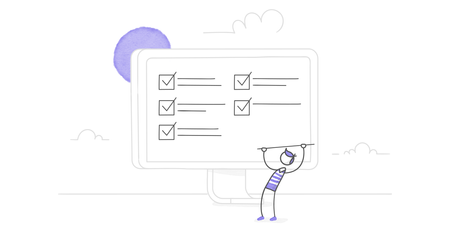
If you’ve written quizzes in the past, you know how hard it is to write really great questions and realistic response options. It’s a tricky balance between something that’s an incorrect answer, but still plausible enough that the learner doesn’t dismiss it outright. To make sure you get the best quiz questions and response options possible, refer to this checklist of 20+ tips when writing your quizzes: All questions are related to learning objectives and course content All questions present the learner with feedback that supports the correct answer All questions avoid the use of humor, analogies, and cultural references All questions avoid complex sentences, ambiguous terms, and slang All questions avoid trick responses (this includes multiple correct responses, ambiguous answers, and overly abstract responses) Avoid true-or-false questions, if possible Response options that do not begin with the same word (if so, this word should appear in the question) Consistent number of response options for all questions All questions have at least 3-4 response options All questions and correct responses have been vetted by an SME or expert Avoid use of “all of the above” and “none of the above” in response options All response options are realistic and plausible All response options follow correct sentence structure to fit with the question All response options are approximately the same length All response options are parallel in grammatical structure All response options contain the same amount of detail Response options do not overlap or are too similar Response options avoid the use of negative items (“Which of these items is NOT…”) If response options must include negative items, negative words are all in CAPS All correct response options are covered in the course material Double-check all questions and response options for grammar, punctuation, spelling, formatting, contradictions, and use of active voice. All questions and response options avoid the use of absolute terms like “always” and “only” By checking all of your quiz questions and response options against this checklist, you can greatly improve the quality of your quizzes, and improve your learner’s experience taking your quiz. Do you have any tips you’d like to share about writing more meaningful and relevant quiz questions and responses? If you do, please leave a comment! You can always sign up for a fully functional, free trial of Articulate software. And don’t forget to post your questions and comments in the forums! We’re here to help. For more e-learning tips, examples, and downloads, follow us on Twitter.2.8KViews1like30CommentsFrom E-Learning Newbie to Super (Hero) Success Story on E-Learning Heroes
As an independent instructional designer, I’ve benefitted enormously from the Articulate E-Learning Heroes community. I’m always encouraging freelancers and newbies to get involved, but have never shared how the community helped me successfully transition to e-learning. I’ve never even shared my best tips for getting the most out of it! It’s time to fix that. Here’s how I ended up making ELH my online professional home. Step 1: I Learned the Software I discovered Articulate software in 2010 when another tool failed shortly before my very first e-learning project was due. I had to download Articulate Studio, learn it, and be instantly productive. If it hadn’t been for the fantastic step-by-step tutorials and tips (for Studio and now for Articulate Storyline), I’d never have recovered so seamlessly. The client loved the course and Articulate had a devoted new fan. Downloading and using free templates and course assets helped me learn even more. Step 2: I Learned About the Field I was already an experienced instructional designer for ILT, but Tom Kuhlmann’s blog helped me find my center as I learned about e-learning. His Insider’s Guide to Becoming a Rapid E-Learning Pro was perfect to steer me in the right direction to learn more. Spending time in the ELH forums was quite helpful, but getting to lurk and learn from others’ experiences was a game-changer. I knew I was on the right track when I started going to e-learning conferences and felt perfectly fluent and at home in the field. Step 3: I Gained Practice, Visibility, and Portfolio Pieces David Anderson started the weekly challenges in August of 2013, but it took me a good five months to make the time (and get up the courage!) to put in an entry. Once I realized the result was encouragement and support (rather than public humiliation), I was hooked and have completed nearly every challenge since. The challenges were a HUGE key to reaching the next level for me. They provided me with real-world, regular practice in the software and in instructional and visual design. I gained greater confidence in my skills, scads of usable portfolio pieces, and greater visibility in a wider network of my peers. Step 4: I Started Connecting with Others The benefits of reading forum discussions or tossing in challenge entries now and then are great, but I quickly realized that unless I took the time to meaningfully connect with others, I wasn’t going to get the full benefit of the community. As soon as I started answering forum questions and finding other ways to help, I became truly invested. Step 5: I Started Giving Back I wrote blog posts about my challenge entries to share my ideas, how I made them, what inspired me, and links to resources that might be helpful. Then I started sharing templates and other course assets. When people started contacting me for offline help and advice I did my best to help them, too. Finding the time to give back feels like a stretch, but when you see how you can make a difference in someone else’s success, it keeps you going. My (Super)-Secret E-Learning Heroes Tips Here are some ELH success factors I’ve learned along the way. No one taught them to me, but I’m happy to share them with you. Find Your Place I found a natural fit in the challenges, but that may not be a place that you love or feel you can shine in, learn from, or offer the most. Others feel most at home in the Building Better Courses discussions or the more technical Storyline or Studio ones. Find your footing and go from there. Focus You can’t do it all. You can’t be everywhere doing everything and helping everybody all the time. It’s not sustainable. Once you’ve found your place, give it your full attention. Commit I’m busy and could easily say I don’t have the time to stay involved, but I’ve promised myself that I’ll keep up with the challenges and help others when I can. No one forces me to do it. No one expects me to do it. It’s a personal commitment that keeps me going. Connect Meaningfully There’s a difference between responding to someone and thoughtfully connecting with them. As an example, when I want to support someone’s efforts, I find out if they have a blog, encourage them to write and share, and comment on their posts. I’m not trying to get attention for myself; I’m trying to encourage them in a thoughtful way because I’m excited about their success. Even when people contact me via LinkedIn, Twitter, or my blog, I check to see if they are ELH members so I can see what they are working on or contributing to so I can say something personal to them. Is it above and beyond? Yes. Is it an effective way to genuinely support others and build a strong network of peers? Yes. Challenge Yourself Pushing yourself to learn from ELH posts—from peers who know the software inside and out, terrific designers, and others who actively share in our community—will pay off. Your skills and knowledge will increase, your expertise will become more widely known, and it will be easier to reach your goals and stay relevant in the field well into the future. Aren’t we lucky to have such a great community?868Views1like49Comments5 Ways You Can Advocate for Your Value to the Business as a Course Creator
In an ideal world, leadership would always have a clear view of the impact of your e-learning projects and your unique value to the organization. But that view can be much foggier in real life than we’d like it to be. When our company or leadership doesn’t get what course creators like us do or how it benefits them, we can end up on shaky ground. That lack of understanding makes it hard for us to push back against training cuts. It makes it tricky to get budget increases for tech investments or team expansion. And it can even lead to the mistaken belief that we can easily be replaced by new technology or people without e-learning expertise. Thankfully, many of these issues stem from an easy-to-address source—a lack of awareness. Tipping the balance back in your favor is often as easy as advocating for your work and yourself. Not sure how to do that? Here are a few good places to start. 1. Find your champions It’s possible to do this self-advocacy work on your own. But you’ll probably reach more ears and shift perceptions faster if other people are talking up your work too. Think of it like how you might decide where to eat when traveling to a new city. Intriguing social media posts from a restaurant might get your attention. But chances are a trusted friend telling you about their favorite dining spot in town is more likely to influence your decision. Who might step up to champion your work or team? Consider tapping into people like: Subject matter experts (SMEs) that you have a strong working relationship with. Learners who’ve given your e-learning glowing reviews. Stakeholders who’ve seen the impact your past projects made on the business. Trusted coworkers who know how great your work is—and why it should matter to others. If you’re feeling awkward about asking people to praise your work, just keep your requests small at first. For instance, if an SME emails you a compliment about how easy you’ve been to work with, ask them to forward it to your manager as well. 2. Be loud and proud about your successes We sometimes get siloed off in learning and development. As a result, other teams may have no idea what we’re working on and why it’s so important to the company. If you’re feeling a bit invisible, a good solution is to put on your marketing hat and pursue opportunities to share what you’re doing. This is a great time to tap into your manager and champions to help you find ways to share your work. Large-scale efforts—like presenting at a department meeting, sharing an eye-catching infographic about the impact of a course, or making a year-in-review video highlighting your team’s biggest wins—can all help. But even smaller actions—like asking someone who gave a glowing review of your course to tell their team why they should take it too—can get the word out there. While you’re doing this promo work, don’t just focus on the final project. Also talk up the unique skills and ideas you and your team contributed to make it succeed. That way people don’t just get excited about the finished content—they’ll also get excited about what you and your team bring to the table. 3. Share how what you do connects to broader business goals The people we work with may have a vague sense that e-learning benefits the company in some way. But they may not know precisely how. Or sometimes they understand the surface benefits of our e-learning—like how compliance training checks off a legal requirement—but may not see the deeper, more meaningful impacts it makes in the long run. The best way to turn this situation around is to help these colleagues make those connections. Look for opportunities to call out the specific ways your projects contribute to key company goals. For instance, maybe that compliance course also helped reduce workplace injuries or prevented costly fines. And be sure to be direct about these links so there’s no ambiguity about the impact of your work. 4. Talk to your audience in terms they care about While you’re talking up what you do, also think about how you’re framing that information. When you’re chatting with other learning professionals, eyes will often light up when you share how a project met your learning objectives, used a development tool in a creative way, or tied into learning research. But that likely won’t mean as much—or sometimes anything—to people outside our field. Instead, promote your work in ways that will speak to your audience. For instance, if they’ve complained to you about the boring and useless e-learning at their last job, tell them about all the ways you're making your courses interesting and practical. If your project can help with their team’s goals, tell them how it does that. Or, if you know they’re constantly feeling crunched for time, play up the key ways you’re streamlining your projects. That way, they’ll know you’re making a difference on things that matter to them personally. 5. Do the math to connect your successes to the bottom line Want a measure of success that’s easy to get people excited about? Focus on money. In some cases, financial numbers are easy to uncover—for instance, if you launched training on upselling a new product and the sales numbers immediately went up. Other times, though, you might need to break out your calculator to convert one kind of win into a financial one. For example, if you shaved ten minutes off of your company’s annual compliance training, that may not initially sound like a big deal. But if you have 60,000 employees that have to take it, that’s 10,000 hours of saved work time. If your company’s average hourly salary is $25, that ten-minute trim saved the company $250,000. And those are numbers that can impress! Have a situation where your training wasn’t the only factor at play? You can still frame the final savings or profits as something your work contributed to. That way, you’re acknowledging the other factors but not downplaying that your work had an important part to play in the mix. Wrap-Up Advocating for yourself and your work may not solve all the challenges you face in your professional life. But it’s a good first step toward boosting your visibility and ensuring your organization knows just how much you have to offer. Not only that, but it can even open doors for your career that you didn’t know were possible. Want more ideas on building buy-in for you and your work? Check out these articles: 2 Ways To Show the Value of Online Training Here’s How To Prove the Value of Training to Your Organization Use KPIs To Demonstrate the Value of E-Learning Subscribe to our newsletter to get the latest e-learning inspiration and insights directly in your inbox. You can also find us on LinkedIn and X (formerly Twitter). And if you have questions, please share them in the comments.346Views1like0CommentsWhat Makes a Training Team? 11 Common Job Titles in E-Learning
The training and e-learning industry has never been a more exciting field to work in than it is today. First, technology—and let’s face it, e-learning is technology!—is a booming, growing industry that is ever-evolving, providing job variety as well as the opportunity to constantly learn new skills. Before the age of the Internet, training was mostly face-to-face and classroom based. But now, with globalization and increased access to the Internet, training departments are hotbeds of technology, adopting trends like gamification and interactive video. For these reasons and more, it’s easy to get excited about a career in training and e-learning design. Let’s look at some of the common job titles in today’s training and e-learning industries. Keep in mind, there are always nuances at each organization about job titles and the job functions they actually represent. The definitions below are simply a general idea of what each job title could entail. Trainer AKA: Facilitator, Instructor, Teacher What do trainers do? Simply put, they deliver instructor-led training—in either a physical or virtual classroom. Trainers deliver instructional content (designed by instructional designers), administer activities, and provide feedback to learners. To be a trainer, you need to be comfortable speaking in front of groups. Effective trainers are usually confident, dynamic, and engaging. You should also have strong communication skills and a knack for sharing information with learners in a concise and efficient way. If you have any doubts, there’s a whole industry dedicated to, well, training trainers on how to train! Two other key skills are time management and adaptability, which means being able to adjust your material or delivery on the fly to meet a group’s learning needs. And if you’re a virtual trainer, it’s important to have technology skills, like experience with web-conferencing or virtual classroom apps. Instructional Designer (ID) AKA: Training Designer, Instructional Systems Designer, Curriculum Designer Instructional designers (IDs) design training experiences. Whether the requirement is an instructor-led classroom training session, a one-hour e-learning module, or a single-page job aid, the ID needs to have the skill set to transform raw source content (often a Word document or a PowerPoint) into a meaningful and effective training solution. The output of an ID’s work varies depending on the type of training experience they are creating. If they’re designing an e-learning course, the output will likely be a storyboard, which is often passed along to a developer to create the content. On the other hand, if the ID is designing a classroom-based training activity or a simple job aid, they might develop those training materials themselves and then pass them on directly to the trainer for delivery. What skill set do you need to be a successful ID? You should be familiar with adult learning principles, learning theories, and instructional methodologies and models, such as ADDIE, SAM, and Kirkpatrick’s Levels of Evaluation. Since there’s a lot of writing involved in creating training materials, you should also strive to be a clear and effective writer. You also need to be analytical, logical, organized, and creative to design courses that present the key messages in a way that makes sense and engages the learners. E-Learning Developer AKA: Multimedia Developer, E-Learning Designer, Course Developer The e-learning developer takes the instructionally designed content (typically a storyboard or Word document) created by the instructional designer and develops them into a functional online course using e-learning authoring software. Depending on the level of detail the ID includes in their storyboard, the developer may or may not need to make some visual design and content layout decisions. They might also be the point person to replace any placeholder content (such as images or videos) and provide the final content. The e-learning developer’s skill set, ideally, would include strong experience using e-learning authoring software, a certain level of graphic and visual design abilities, an ability to manage timelines and due dates, and a level of comfort working with audio and video. Subject Matter Expert (SME) The Subject Matter Expert (SME) is someone who’s an expert in their field. SMEs aren’t usually specifically hired for the purpose of developing e-learning courses (though that does happen in certain cases). The SME is usually the person in an organization who has the most knowledge or skill in a specific topic and is simply helping out with the course creation process. The SME could be an HR staff member, an engineer, a researcher, a product manager, a sales manager, a finance person, etc. SMEs have the content, experience, and insights that are essential to creating great e-learning courses. They provide the course content to the instructional designer, who picks out the key messages and decides how to present them to learners in an effective way. Then the SME reviews the course to ensure the content is still accurate. In addition to being an expert on the subject, ideally the SME is someone who’s got a basic understanding of what makes training effective and how the course creation process works. If that’s not the case, it’s a good idea for the instructional designer to give them a quick overview, so they know what to expect. Here’s a course that was designed for this exact purpose. It’s also important for SMEs to be detail-oriented, since the accuracy of the content depends on them reviewing the course carefully, every step of the way. Finally, a good SME also has great communication skills, allowing them to provide clear feedback, so the instructional designer can then adapt the course accordingly. Here are some tips for first-time Subject Matter Experts. Content Editor AKA: Proofreader Some larger e-learning course creation companies hire content editors to review their courses. Their job is to ensure that everything is explained clearly, terms are used consistently, and the text is free of typos, grammatical mistakes, and spelling errors. When the project team is smaller or if courses are created internally, the content editor role is often done more informally by, say, a willing coworker. No matter who proofreads your course, it’s important that they have excellent writing skills and are detail-oriented. If you don’t have access to a professional content editor, here’s an article that outlines some things to ask your coworker to watch out for as they review your course: Top Writing Tips for E-Learning. Quality Assurance (QA) Tester AKA: Usability Tester Some training companies hire QA testers to review their courses from a technical standpoint and ensure everything works properly before they roll them out to learners. In smaller companies, this step is often something the instructional designer or e-learning developer hands off to a friendly coworker. QA testers spend time going through the courses and exploring any and all possible paths a learner might take, to ensure the learner doesn’t run into any issues. In addition to having patience, QA testers need to be extremely observant and meticulous—taking note of anything that works in a way they wouldn’t expect. Here’s a list of things to look out for. Graphic Designer AKA: Illustrator Not every company has the budget to have a dedicated graphic designer, but having one can really add value. Graphic designers can design custom slide layouts, icons, illustrations, and more that will make your courses look even more professional. For those of you working on teams without a graphic designer, don’t worry! If you’re an Articulate 360 subscriber, you’ve got access to tons of great templates, icons, illustrations, and photos for no additional cost in Content Library 360. Graphic designers working on e-learning project teams require a skill set similar to those working in other environments: a great eye for design, creativity, and a familiarity with apps like Photoshop and Illustrator. It’s also helpful if graphic designers are organized and used to working in teams. That way they’ll be used to clearly labeling the assets they create so other people can easily find and edit them as needed. E-Learning Project Manager AKA: Training Project Manager Much like project managers in any field, an e-learning project manager is responsible for organizing and coordinating the creation of e-learning courses. Typically, this kind of role exists in larger e-learning content creation companies. In smaller organizations, the person managing the course creation might also be the instructional designer and/or the e-learning developer. In this case, they’d need to have the required skills for all three of those roles. The project manager is the main contact for external clients. As such, they serve as a liaison between the client and the project team members (instructional designers, e-learning developers, etc.), making sure everyone stays on the same page. The project manager also manages the course creation schedule, ensuring that things move forward as expected and stay on track to meet the deadlines. To be successful in this role, you need to know how to manage a team, a project schedule, and work with clients effectively. You need to have excellent relationship-building skills and be able to communicate clearly. And since you’ll need to anticipate any potential pitfalls that could pop up throughout the project, it’s helpful to have basic instructional design skills, a general understanding of what’s possible in the authoring tools you’re using, and a working knowledge of the way LMSs work. Training Manager AKA: Training Coordinator, Manager of Training and Development The training manager designs, develops, and executes an organization’s training strategy (which is usually outlined by the director of training). They typically work with internal stakeholders and teams to develop training programs—including in-person and online training—that align with the organization’s business goals. The training manager often takes care of scheduling instructor-led training sessions, booking training venues, communicating with participants about class logistics, ordering classroom materials, and more. They also identify training and developmental needs by analyzing job requirements, operational opportunities, and current training programs. After completing this research, they analyze the data and use a metrics-driven approach to develop training solutions and learning initiatives. Often, they will oversee other members of the training team, including the IDs, developers, and trainers. A training manager’s skill set should include the ability to manage a team, timelines, and projects. They should be well-versed in instructional design methodologies, performance management, needs analyses, and adult learning techniques to develop appropriate training programs as required. Director of Training AKA: Director of Learning, Chief Learning Officer, Director of Talent Development The director of training is a step above the manager of training. Directors are at the top of the chain; they provide the vision and direction for the training department and then oversee the managers as they execute the training strategy. Directors must think about the future of an organization, its assets, and its reputation with every decision they make. A director’s skill set should include leadership skills, broad knowledge of the industry at hand, a deep understanding of instructional design and learning methodologies, performance analysis skills, experience creating learning and development programs, and strong communication skills. LMS Administrator AKA: Training Systems Administrator, Training Implementation Specialist An LMS administrator uploads and tests the e-learning courses created by the e-learning developer in a company’s learning management system (LMS). This specialist also manages all tasks related to the LMS, including communicating with the software vendor, troubleshooting and fixing user issues, compiling reports and data, and communicating about performance metrics. What skills should an LMS admin possess? They should be a subject matter expert (SME) on the LMS platform an organization uses, possess strong technical capabilities, and hopefully have some experience in IT systems management. An LMS admin should also have in-depth knowledge of industry-standard publishing formats such as SCORM, xAPI (Tin Can API), cmi5, and AICC—and it doesn’t hurt to have experience uploading courses created with the authoring software being used by the organization. More Resources These are some of the most common job titles in the training and e-learning industry. Of course, plenty of jobs out there include a blend of the various roles. For instance, we see a lot of IDs who are also e-learning developers or trainers, and some training managers who act as directors, setting the training strategy. It really varies from one organization to another. Looking for some more insight into the day-to-day activities of e-learning pros? Check out these eye-opening articles: A Day in the Life of an Instructional Designer A Day in the Life of an E-Learning Freelancer A Day in the Life of an E-Learning Project Manager Is your job title listed here? Does the description above accurately reflect what you do and the skills you believe are required to do it? Leave us a comment below and let us know! Follow us on Twitter and come back to E-Learning Heroes regularly for more helpful advice on everything related to e-learning.3.3KViews1like21CommentsBoost Your E-Learning Career by Building Your Personal Brand
Becoming a successful e-learning professional is about more than just strong design and development skills. It’s also about who you are as an individual and how you’re viewed by your peers, clients, prospective employers, and the learning and development industry at large. So while it’s important to grow and evolve your instructional design skills in order to boost your career, don’t forget the value of positioning and marketing your personal brand. In this article, we’ll take a look at personal branding—what it is and why it matters—and give you some key questions to consider to start tailoring your brand for e-learning career success. What is a personal brand? Your brand is how you present yourself in your professional community. It allows others to get a feel for who you are before you meet—a sort of pre–first impression. Essentially, it’s what you’re known for in the industry and what people think you have to offer. No matter what career stage you’re in or the type of work you do—either freelance or from within an organization—you’re already building a brand, whether intentionally or not. Thanks to social media, people have more access than ever to the things you say and do. If you have an online presence, then your words, ideas, and actions have already contributed to your personal brand. And even if you don’t do social media, chances are that at one time or another, you’ve left an impression on someone through your interactions with them—whether it be online or in the workplace. Why does a personal brand matter? The way you present yourself to the world directly influences how others see you and your work, which can impact the jobs you’re offered—making your personal brand super important. The e-learning industry is booming like never before. In fact, the market as a whole is projected to be valued at $325 billion by 2025. The increasing demand for e-learning creators means more potential opportunities—but also increased competition as more people make the switch to a career in training. This means that if you want to stand out, you’ll want to invest time in growing, nurturing, and protecting your personal brand. What does it mean to build your brand? In short, brand building means identifying your mission, vision, and values, and ensuring that your professional activities and public communications align with those concepts. Think about the tone you want to set for your brand and how you can reflect that with the things you write and share online as well as how you interact with clients and other people in the industry. For example, if you want to be known as an expert in creating governmental training, it might make more sense to post in a more serious and professional tone rather than a fun and playful one. Brand building also means investing in your own professional development to make sure your brand stays relevant and competitive. For example, it’s important to stay up to date on industry trends and share content that incorporates what’s current. You’ll also want to make sure you’re aware of the latest features available in your authoring apps and use of them in your projects, so your courses don’t start to feel dated. Finally, it means participating and sharing your work in e-learning communities—like E-Learning Heroes—so others can get to know you and your portfolio before working with you. Try participating in one of our weekly challenges to sharpen your skills, bulk up your portfolio, and share your design aesthetic with others. How to get started Convinced it’s time to start building your brand but unsure where to start? Here are some ideas: Evaluate your online presence. We all have a digital footprint. Take some time to Google yourself and see how, when, and where your footprints lead. Do you come across as a confident, credible, and informed professional? If you notice a lot of personal social media content, you might consider updating your security settings so that your personal social media doesn’t pop up in Google. It’s best to keep your personal and professional social media presence separate. Create an online portfolio. If you don’t already have an online portfolio now is the time to start creating one. Here’s an article that outlines what to include in your portfolio. For inspiration, check out the portfolios of your fellow E-Learning Heroes community members in this challenge: Share Your E-Learning and Instructional Design Portfolios. Once you’ve created your portfolio, make sure to keep it up to date with your latest and greatest projects. Share helpful resources. An easy way to add value to your network is to collect and share resources or content you find useful—just be sure to always read everything carefully and consider how well the focus and tone mesh with your brand before posting. By sharing helpful tips and tricks and thought-provoking insights, you’ll positively influence your personal brand and grow toward being recognized as a trusted source. Emulate people you admire. E-Learning Heroes has some serious rock stars in its ranks. Who do you admire? What do you like most about their user profile and contributions to the community? Taking time to think about what makes them so impressive can help you figure out what you should be working on. You can also find brand inspiration by brainstorming companies and influencers with strong brands. What attributes of their brands resonate with you, and why? Later you can use your insights to help identify themes for your own brand identity. The Bottom Line Taking control of your brand is one great way to shape your entire professional destiny. Ultimately, the question is not, Should I have a personal brand? but rather How do I shape my personal brand? What are you doing to proactively manage your professional development? Share your ideas, tips, and questions by leaving a comment below. Looking for more career advice? Check out these articles: 3 No-Fail Strategies for Building Your E-Learning Heroes Brand Why You Need an E-Learning Portfolio What to Include in an E-Learning Portfolio 5 Things to Include in Your E-Learning Portfolio 5 Tips for Landing Your Next E-Learning Job Follow us on Twitter and come back to E-Learning Heroes regularly for more helpful advice on everything related to e-learning.483Views1like12Comments