drag and drop
21 TopicsTSA Dishes on Thanksgiving Food
Almost all of the script is from the TSA.gov site about Thanksgiving food 😁 Every eLearning challenge helps me learn more about creating prompts for consistent images and videos. It's easier to be consistent with images created by Gemini AI because I can say "Keep everything the same and..." add, remove, etc. Unfortunately, I can't do that with Gemini AI videos 😢 I wanted to use the same TSA agent for the entire course but Gemini AI had other plans, so I leaned into it, using a different agent for each sentence or phrase. Another challenge: Gemini AI limits videos to 8 seconds and only three a day (what do you want for free?). I did use Articulate AI for some narration and images. And, I referred back to the tutorial "5 Ways to Customize Drag-and-Drop Interactions" to get just the right drag-and-drop interaction for the review. Enjoy! TSA Dishes on Thanksgiving FoodSolvedStoryline: Drag-and-Drop Puzzle Interaction
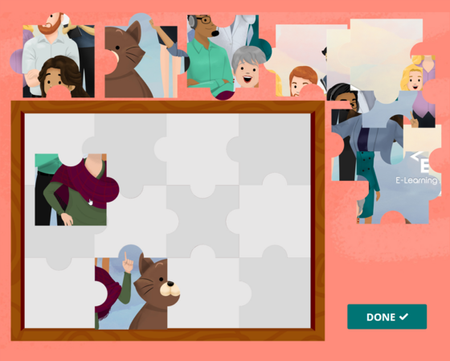
Want to create an interactive puzzle game in Storyline 360? Dive into this free download and follow this blog tutorial to learn how to craft your own effortlessly. Explore this project. This template will work for folks using Storyline 360, the continuously updated version of Storyline included in Articulate 360. Want to try it out? Get a free trial of Articulate 360 right here. And subscribe to our newsletter to find out about other helpful downloads.7.7KViews6likes7CommentsThe best weigh to make an espresso
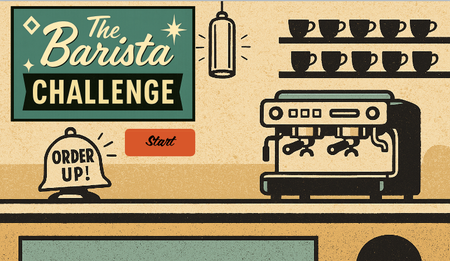
Hello! I like to mimic real-life machinery, dials, switches, and buttons in eLearning where it's appropriate. Sometimes learning by doing can be very literal. But these features can also impact #accessibility. In this week's coffee-themed demo, I have ensured the drag and drop, slider and dial interactions are also accessible from the keyboard. All of the vectors in this week's demo were 'handmade' in PowerPoint and Storyline using the 'merge shapes' feature. Most of my time was spent making sure the interactions perform as intended when the keyboard is used instead of a mouse. But I'm pretty pleased with the overall effect. What do you think? PLAY HERE 686Views5likes5Comments
Need to Know? Sorting Doug's 200 Slides 📄😱
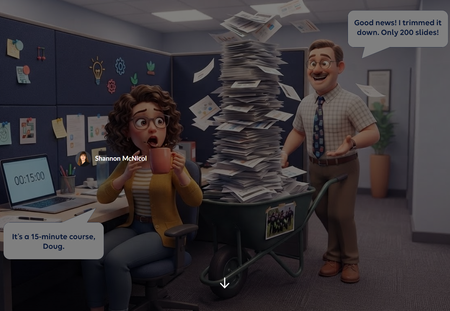
We've all met Doug. Doug is a lovely SME who knows everything, and he just rolled 200 slides into your cubicle for a 15 minute course. "Good news! I trimmed it down!" 🙃 For this week's challenge, I turned that moment into a sorting activity. Learners drag each of Doug's slides into one of three zones: Need to Know (teach it), Nice to Know (link it), or Never to Know (cut it, kindly). Then they hit Submit, and Doug weighs in. Try sending his paintball offsite photo to the cut zone and see what happens. 🎯 Why a slider? Drag and drop isn't fully keyboard accessible yet, and this interaction only needs to move one way: left to right. So the slide card rides on a slider. Learners can grab the card or the slider button with a mouse, or tab to it and use the arrow keys. Screen readers hear which zone the slide is in, not a random number. Same feel as drag and drop, and everyone gets to play. 🙌 What I learned: Get one axis right before anything else. If the movement only goes one way, a slider gives you drag and drop feel with accessibility built in. Feedback with personality sticks. Doug reacts differently depending on where you drop each slide. It's funny, but it also shows why something belongs in a zone. Show the payoff. The end screen compares Doug's 3 hr 40 min version with your trimmed course. That's the real lesson for any LED. ⏱️ Shout out to Claude, my co-creator for the build. Doug and our caffeinated LED were brought to life with Articulate's AI image generation. ☕🤖 👉 The SME Content Dump Have you ever had a Doug? What's the wildest slide you've had to cut? 😂Dreams of Directing...
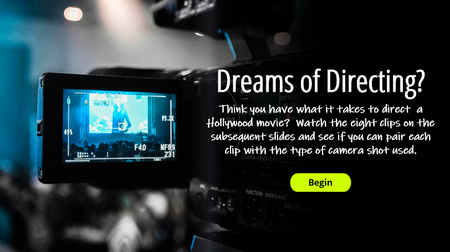
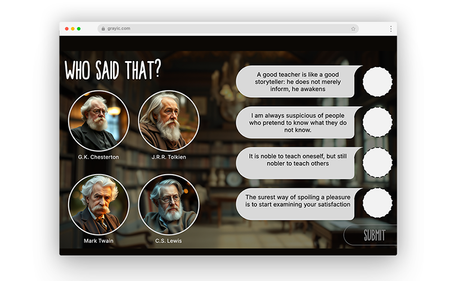
View the example. Description: Taking inspiration from the "movie" theme, here's my take on using interactive video in an e-learning course. It challenges the user to watch a movie clip and determine the camera angle used when filming. It also utilizes a simple drag/drop feature to determine correct/incorrect responses. Video clips and visuals from Studio Binder.Slider Drag and Drop
I built this as a quick example that might spark some inspiration for others. The learner can drag the document, use their arrow keys, or select the folders themselves. You'll notice it is a freeform pick one quiz question so there are triggers that change the state of the folders based on the value of the slider's variable.Navigating Security Like a Pro
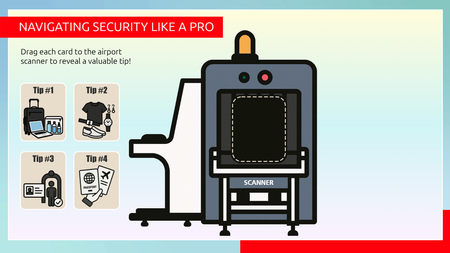
Check out this engaging drag and drop interaction for the challenge of the week, How to Get Through Airport Screening Faster. It's a fun way to reveal content than the traditional click and reveal. Play here: https://360.articulate.com/review/content/7d2462cc-cf74-4a67-957f-0934c2200581/reviewUsing Sliders for Accessible Drag-and-Drop Interactions #569
Drag-and-drop is one of the most flexible features in Storyline. With freeform drag-and-drop, you can use images, text, shapes, and graphics to build almost any interaction you can dream up. There's one catch, though: drag-and-drops aren't fully keyboard accessible yet. That can leave some learners out when you want everyone to take part. If your interaction only needs to move in one direction (side to side or up and down), there's another object that works beautifully: the slider. Sliders for Drag-And-Drop Interactions? Most of us reach for sliders to compare values, explore data, or add quick microinteractions. But with a little customization, they can power drag-and-drop-style interactions that work with a keyboard and keep movement locked to the X or Y axis. Aman shows just how well this works in his typography example. View the example The first time I saw it, I thought, "Wait, how'd he do that?" The trick is surprisingly simple when you understand how sliders work. Aman swapped the standard slider thumb for a letter graphic. Now learners can move that letter left and right or up and down, just like they would in a drag interaction. And because sliders are tied to variables, you can make things happen when the values change. That makes sliders a great fit for typography concepts like kerning and leading, where learners need to move an object in only one direction. With a little customization, a slider can measure distance, set an object's position, or step through a sequence. It can even stand in for drag-and-drop, and that's exactly what this week's challenge is all about! 🏆 Challenge of the Week This week, your e-learning challenge is to share an example that shows how you can use sliders to build drag-and-drop-style interactions. Go beyond traditional number scales and use sliders to explore concepts like distance, position, sequence, intensity, or other relationships that benefit from hands-on movement. 🙌 Share Your Work You put in the effort. Now make sure your work gets seen: Personal blog: If you have a blog, write about your example from this week's challenge and share the link with your submission. Social media: Share your examples on LinkedIn and mention both David and Articulate using the #ElearningChallenge tag so we can help promote your work. Peer feedback: Try leaving helpful feedback on at least three projects this week. Community forums: Cross-post in the forums to give your work even more visibility. 🙌 Last Week’s Challenge: Before you slide into this week's challenge, check out the interactive video examples your fellow community members shared over the past week: Turning Video Into Learning Experiences #568: Challenge | Recap 👋 New to the E-Learning Challenges? The weekly e-learning challenges are ongoing opportunities to learn, share, and build your e-learning portfolios. You can jump into any or all of the previous challenges anytime you want. I’ll update the recap posts to include your demos. Learn more about the challenges in this Q&A post and why and how to participate in this helpful article.1.2KViews1like0Comments