e-learning development
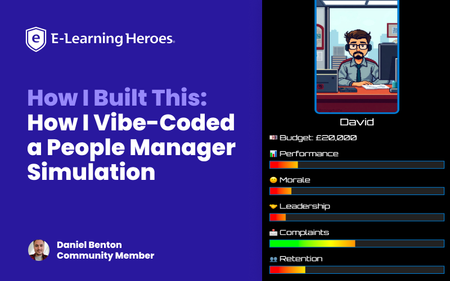
21 TopicsHow I Built This: How I Vibe-Coded a People Manager Simulation
When the new Rise 360 Code Block (Beta) feature launched, I wanted to see just how far it could be pushed. Could you build something more than static content? That’s how the People Manager Simulation came to life – a fully playable, story-driven experience built entirely inside a single Rise code block, using only HTML, CSS, and JavaScript. In this video, I explain how it was created and how you can repurpose this approach in your own projects. Why I Made This In my day job, I design learning experiences for real teams, often around leadership, people management, and workplace decision-making. I wanted to create something that shows how these kinds of soft-skills topics can be transformed into immersive simulations without needing heavy development tools. The result is a game where you step into the shoes of a brand-new team leader, navigating real-world decisions that impact morale, performance, retention, and stress. Each choice has a trade-off, and yes, you can get “sacked” if you mismanage your stats. In the video, I mention that this project was built gradually, late evenings, after work, once my son was asleep. There were plenty of failed tests, odd bugs, and “why won’t this work” moments along the way. I did consider going back and documenting every single prompt and adjustment… but honestly, that would read like an increasingly impatient diary of me negotiating with ChatGPT! So instead, I wanted to share a simpler, more practical way for you to repurpose what already works. How I Built It Rather than starting from scratch, the method I show in the walkthrough involves: Uploading the existing working code of the simulation. Giving ChatGPT a single clear prompt that explains: This is for Rise 360’s custom code block. It should learn the structure and logic of the original simulation. It should rewrite the theme, dialogue, and characters for a new scenario. In the video, I demonstrate how to use the current People Manager Simulation code as context; use the download attached below. 📁 Download: People Manager Simulation HTML; attached below. You then give this to your LLM of choice as an attachment and provide your repurposing prompt; the one I used can also be downloaded below. 📁 Download: GPT Prompt for Repurposing Existing Demo; attached below. Key Takeaways Start from a working simulation instead of a blank page. Use a single, focused prompt to repurpose the entire code and story. Attach your full code as context so the model understands structure and logic. Re-use this workflow to adapt learning scenarios quickly—no coding expertise required. The Result Here’s the outcome of my own repurposing test from the walkthrough: a completely new narrative built using the same base code and single prompt. Is it perfect? No. But it’s a solid foundation—and all this came together in about ten minutes. 📁 Download: The Result — Full New HTML Code; attached below. Final Thought The best part of this approach is accessibility: you don’t need to be a coder to build something that feels custom. By starting with a working framework and iterating through clear, focused prompts, you can turn any learning scenario into a playable, data-driven experience. Whether it’s leadership, compliance, or customer service, this structure gives you the foundation to explore how choices shape outcomes, all inside Rise 360. My final ask is: please repurpose and improve on any of the ideas shared in this article. Let me and the wider community know how you get on. 💬 Ask Me Anything! I’d love to hear your feedback and answer any questions about the build. Drop your thoughts in the comments below—I’ll be checking in and responding! Want to Share Your Build? Do you have a project you’d love to share with the community? We’re always looking for more How I Built This stories. Whether it’s a game, interaction, or unique design, we’d love to feature your process. Drop a note in the comments or reach out to the community team if you’re interested!3.7KViews20likes7CommentsHow I Built This: I Developed an Award-Winning Ethics Course
Why I Built This: When I first learned about branching scenarios, something clicked for me that I hadn’t seen other eLearning developers execute: visually compelling, philosophically rich thought experiments. I studied Moral Philosophy in my undergrad and became obsessed with ethical dilemmas. Naturally, I decided to build an ethics course about technology. Think The Trolley Problem, only I wanted to pose questions about the growing reliance on AI and its implications by employing Instructional Design strategies. An opportunity came up through my Master’s program to attend DevLearn and compete in DemoFest, so it was time to start building my concept. I designed and developed a course in Storyline called The Agency Algorithm that confronts learners with issues regarding three main topics: algorithmic warfare (The Armory), AI assisted resource allocation (The Triage Garden), and surveillance (The Mask Archive). The Experience & Design Intent: A quick walkthrough of the multi-room experience. The Agency Algorithm is a multi-room interactive learning experience that blends instructional design, game-like mechanics, and philosophical inquiry. It immerses learners in ethically complex scenarios by leveraging branching logic, and integrating experiential aesthetics with conceptual depth. My primary goal with this project was to encourage critical reflection on the role of technology on human agency and autonomous choice. The concept itself was pretty clear to me, but I wanted to push the limits of Storyline visually, so I acquired a number of 3D assets from Adobe Stock, some of which I further modified in Adobe Dimension. I wanted the visuals to anchor the learner in a unique environment that did not feel reminiscent of traditional eLearning, and rather create space to explore and feel like a participant in something unfolding. There aren’t often black and white answers to ethical questions, and branching scenarios are an excellent way to illustrate this while offering learners a safe place to experiment and think through various outcomes based on their decision making. Visual Worldbuilding/Making It Not Feel Like eLearning: Initially, I intended to hand draw assets myself to really hone in on the human vs AI dynamic, but quickly realized the time I’d have to accomplish this was dwindling. While I drafted a few loose concepts in my journal, I ultimately decided to stick with digital assets. While I landed on 3D assets largely due to time constraints, the outcome is reminiscent of an old experimental video game or some sort of immersive idea gallery. As an artist, I often approach my work from a minimalist lens so this project was a fun way to really add some artistry that corporate training often doesn’t have room for. Variables, Multi-state objects, Cue points, and other mechanics: I relied heavily on multi-state objects to create hover states, “tip” cards, text labels, and more, for example in the circuits with definition reveals. I enjoyed building the “loading” effect in the Mask Archive, although it was a bit clunky and took a lot of trial and error! I learned a lot along the way and used a cue point on an orb with a glow effect beneath the mask and used triggers to cause the effect to work. The course overall has a few hundred triggers (slide, object, and variable triggers) and somewhere around 40 variables (mostly T/F variables). What I learned: I think it is important that we don’t hand-hold learners through every learning experience. I want users to think through complex challenges and autonomously choose and feel like a true agent in the process of acquiring knowledge. A lot of eLearning makes it too easy for the learner and we lose engagement when we undermine the intelligence of our audience. I learned SO much about how to leverage Storyline in new ways. I am still a relatively new user to the tool, so this project allowed me to freely explore and be guided by curiosity. Link to my portfolio: https://www.abigailvettese.com/1.5KViews12likes7CommentsCommunity Insights: Preparing and Planning your visual design for Articulate Rise
The beauty of Articulate Rise is that when it comes to development, you don’t always have to plan everything. You can jump into the blank canvas, easily add and delete blocks, play with interactions and figure out what works as you go. The ease in which you can chop and change things is often what draws people to rapid authoring tools. Being able to bring your ideas to life in the click of a button, without any complex programming or coding. Whilst this method of ‘figuring things out’ as you go can often work well for building out ideas, when it comes to visual design, sometimes a little bit of planning can go a long way! The blank canvas that Rise brings can offer scope to be as creative as you wish with the visual identity of your course, but naturally this can also feel just a tad overwhelming. This sometimes then leads to two outcomes. We have those who love the freedom of a blank canvas but try to shoehorn in too many styles at once. Or those who just don’t know where to start, so play it safe and end up with a boring, blocky, black and white build. The good news is with proper planning you can avoid both those eventualities and craft a beautiful, accessible build without needing to be a graphic designer! Consistency is key So, what is the point in planning your visual design before jumping into development? Well, it’s not about creating something overly complex, or spending hours crafting a character that you’ll only use once in the course. No. It’s about ensuring consistency. Consistency plays a big role in how our learners are going to perceive the eLearning. Good design will go unnoticed, but bad design sticks out like a sore thumb! Even something as simple as having different icon styles or suddenly switching from using photography to illustrations, can be jarring to a learner. This results in the focus being drawn away from the content and can actually have a negative impact on a learner’s perception of the quality of the content too. Think about it, have you ever visited a website and been immediately put off because of the way it looks? Did you buy the product or access that service? Probably not. Quality of design and consistency of design can have a significant impact on perceived quality and cognitive load. We want our design choices to enhance and support the user experience, not detract from it. Making design decisions before jumping into your authoring tool can help support consistency and leave you with a Rise build that feels polished and professional! So how do you start planning and what do you need to include or consider? Let’s take a look! Create a blank moodboard space. This can be in whichever tool you prefer using. I like PowerPoint or Miro as I can quickly copy and paste things into the slide space. The key thing is that you can access this moodboard easily and have enough page or slide space to jot down your ideas. This will become a bit of working document that you can add to during the initial scoping of your project. Add in any existing brand assets. If you’re working within an organization or with a client, it is likely they will already have some brand guidelines for you to work with. This could include font choices, colour schemes and even suggestions for photography styles. Often these come in very large PDF documents, so take half an hour to read through and pull out any information that could be useful for you. Within your mood board add a title for ‘fonts’ and make a note of the chosen font for both your body text and headers. Sometimes I even add a little paragraph of dummy text so I can see how the font will look. At this stage you can also decide on font sizing too and make a note of this. Next, begin to pull together your colour scheme from the brand guidelines. I like to create a few rectangles within my moodboard and fill them with my chosen colours. Next to each swatch I add the HEX or RGB code so that I can easily copy this over when I get to development. It’s also a good idea to label your colour swatches with their intended use, for example header text, body text and accent colours (colours used for icons, graphs etc.). Sometimes brand guidelines will contain multiple different colour palettes for different uses. This is where it may be worth a chat with your Stakeholders to ask them to decide on just four or five colours. Too many can become overly busy and distracting! Check for accessibility Now that you have fonts and a colour scheme decided, it’s important to check for accessibility. I like to have at least two accessible colour pairings within my colour palette. This means that the contrast between the two colours is great enough to pass accessibility standards. There are lots of helpful websites out there that can allow you to check the contrast of two colours and will let you know if it passes accessibility standards. On your moodboard create a separate section that says ‘accessible colour pairings’ and include swatches of the pairings that can be used. This is particularly important for text and background colour pairings. It’s important to consider the accessibility of fonts too. It can be tempting to go for an elaborate or decorative curly font. As a header with font size 44pt, this may be absolutely fine. But as 16pt body text, could be completely unreadable. Standard fonts such as Poppins, Arial and Open Sans tend to work really well for body text and offer bold / black alternatives for headings too. Decide on an illustration, photo and icon style It may seem pedantic, but sudden changes in icon style can be really noticeable. So next up on your moodboard add the title ‘icons’ and provide a couple of icon examples in a consistent style. Sites like Flaticon are fantastic for sourcing icons of a particular look and feel. Consider whether you want icons coloured or just an outline and how detailed you wish them to be. Play around with a few different styles until you find something that you like. I sometimes find it useful to visit my client’s website and get inspiration from the icons used there. Once you have decided on a style and the colours in which your icons should be, add your examples to your moodboard. If you want to go one step further, why not create a folder in your documents called ‘icons’ and quickly gather a bank of icons that you feel you’re likely to use in your course. When you start the development, you can just grab and go! Make sure you don’t forget to jot down where you sourced your icons from too. This will make it much quicker to find others in the same style at a later date. When it comes to photography and illustrations, the likelihood is your client / Stakeholders may already have guidance on what is appropriate to use. Whether you go down the route of characters, or stock imagery, it’s important to keep this consistent throughout. Head over to a royalty free site and search for a range of images based on the content or subject matter of your eLearning. In the case of photography, search for consistencies in backgrounds, shot type (close up versus wide screen), colours and poses. As a rule of thumb, I tend to avoid overly staged imagery where the person is staring directly into the camera. More subtle stagings where people appear to be interacting more naturally with each other can feel a bit more pleasant and less uncanny valley! Look for diversity in your images too, try to ensure a range of ethnicities, races and genders. Once again, add the title ‘imagery’ to your moodboard and provide a handful of examples you can refer back to later. When using characters or illustrations it can be slightly more tricky to ensure consistency in the style. However, royalty free sites such as Storyset allow you to search through a bank of illustrations all created in the same look and feel. You can even recolour them on the website without needing any graphic design software too! Gather inspiration for layouts and interactivity Did you know website designs can offer a great source of inspiration for Rise? Due to the continuous, one-page, nature of Rise it functions in a similar way to a website. Whilst you may not be able to replicate the functionality or interactivity of a website, you can translate some of the design choices! Head over to Google or Pinterest and type in ‘UI website design inspiration’. Here you will be able to find flatlay images of websites. Consider how the text is segmented, how colour and shape is used, and how images are presented. It can help spark ideas for dividers, background styles and more! Gather your reference images and drop them into your moodboard with the title 'layout inspiration'. Check everything fits together Great, you’ve finished gathering the pieces for your visual design puzzle. But now the most important step, looking at everything together and making sure it fits nicely. So, what do I mean by this? Essentially it means looking at everything as a whole and considering if it is conveying the message you want. For example, moodboard containing a colour palette with sunshine yellow and bright orange and photography of people smiling, may be a rogue choice for a fraud eLearning. This can also include looking for any contradictory elements to your moodboard too, for example a bubbly, rounded font but imagery that is serious and corporate. 🌟 All elements need to feel cohesive and intentional. Consider if you can explain the decision making behind your choices, if you’re finding you can’t really express why you’ve chosen a particular font, or colour, or image style, it’s probably not the right fit! And you’re done! You have your completed moodboard now ready to present to your client, share with colleagues, or to use as your reference to begin developing your Rise build. Remember, this doesn’t need to be a polished document, it should support you in maintaining consistency throughout your build and provide a point of inspiration to help you create Rise courses that break free from being boring and blocky. Once finished, why not share an example of a moodboard you’ve created? Share the tool you used and where you sourced any assets. 💡 Keep Learning Explore more member spotlight articles to discover how other learning designers are building their skills—and shaping the future of learning. Community Insights: Peer Guide Spotlight | E-Learning Heroes Community Insights: How Support Takes You Far | E-Learning Heroes767Views10likes5CommentsCommunity Insights: What Judy Nollet’s L&D Journey Can Teach You About Growing Your Own Career
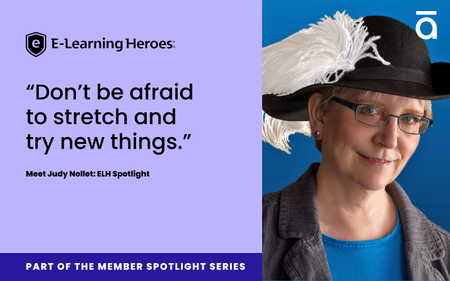
In this Member Spotlight, you’ll find insights and takeaways from her decades in learning and development (L&D), including ways you can put them into practice as you shape your own path.1.1KViews9likes6CommentsCommunity Insights: What You Can Learn from David Tait’s Career Pivot
One of the best things about creative careers is how flexible they are—you can take them in so many directions. For DavidTait, that flexibility led from graphic design to learning design, and eventually to co-founding 4pt, a learning design studio. 4pt has been creating meaningful learning experiences for more than 16 years. In this Member Spotlight, you'll discover how adaptability, curiosity, and community shaped David's journey, and how to apply these lessons to your own career path. From Design to Learning “Before starting my career in e-learning, I was a student focused on design,” David says. “I spent four years studying design. Two in graphic design and two in newspaper, magazine, and infographic design. That background gave me a strong foundation in visual communication, which has been incredibly useful in my learning and development (L&D) work.” While still in college, he took on a freelance project as a graphical user interface designer for the Northern College Network. “It was my first real step into the world of digital learning design,” he recalls. “It helped me see how I could apply my design skills in a completely different context.” Soon after, a former lecturer offered him a role at an e-learning startup creating online CPD courses for healthcare professionals. “Working in a startup meant wearing many hats,” David says. “That experience really shaped my path and helped me see how my design skills could grow into a career in learning.” 💡Tip: Apply your existing creative skills to a small digital learning project (freelance, volunteer, or self-initiated). Hands-on experience helps bridge design and instructional work faster than theory alone. Turning Change into Opportunity A few years later, the company was acquired, and layoffs followed. “Rather than seeing it as a setback, my studio manager and I took it as an opportunity,” David says. “When we started 4pt, all of those responsibilities suddenly became our job. Being able to adapt to new challenges was essential, and it’s a big reason why we’ve been able to thrive.” 💡Tip: When your path shifts unexpectedly, use it to test new skills or partnerships. Career detours often reveal strengths you wouldn’t discover in a stable role. Finding Flexibility with Storyline “One project in 2013 really shaped our company,” David says. “A client asked us to build a course in Storyline 1. We’d never used it before, but rather than turn the work away, we invested in licenses and learned as we went.” “Before long, Storyline became the tool most of our clients wanted to use,” he explains. “Storyline gave us the ability to solve problems ourselves, experiment more freely, and move much faster. That agility has stayed with us ever since—it’s a core part of how we approach learning design.” 💡Tip: Don’t wait to feel like an expert. Pick a project, open the tool, and build. Use the community forums and shared files when you hit roadblocks. The Power of Community “I’ve lost count of how many times I’ve hit a dead end in Storyline and found the solution on the forums,” David says. “That support has saved me countless hours and kept projects moving. The community around Articulate is unlike anything else.” Over time, helping others became just as rewarding. “Being part of E-Learning Heroes isn’t just about getting help,” he adds. “It’s about giving back. I try to pay it forward when I can, and that sense of community has been such a valuable part of my journey.” 💡Tip: When you find an answer in ELH, take a minute to thank the poster—or add your own version of the solution. Small interactions build visibility and confidence. Lessons from the Journey “Figure out where your limitations are, and then build a trusted network of professionals who can help you overcome them,” David says. “Continuous learning is important, but you don’t have to master everything yourself.” He also believes in stepping outside your comfort zone: “Sometimes doing that sooner opens doors you didn’t even realize were there.” “I try to focus on projects where I can see real value and impact—and to work with people I genuinely like and respect. That combination has made the journey far more meaningful.” 💡Tip: Find one collaborator who complements your skills—a developer, writer, or media pro—and trade knowledge. Collaboration accelerates growth and keeps learning fun. Looking Ahead These days, David is focused on advancing localization in his projects and exploring how AI fits into e-learning. “We’re evaluating Storyline’s new localization features ahead of a major project,” David says. “I’m excited to see how these tools evolve and how we can integrate them to deliver even better multilingual learning experiences.” He’s also reading Co-Intelligence: Living and Working with AI by Ethan Mollick. “It’s not written specifically for L&D, but it’s helped me think more critically about how AI can be used thoughtfully and effectively.” 💡Tip: Keep one “outside-the-industry” book on your reading list. Fresh perspectives often spark the most creative ideas. 💬 Your Turn David’s story is a reminder that creativity, curiosity, and community can take your career in directions you never planned, but might love most. What’s one skill—or moment—that’s shaped your own learning design journey? Share it in the comments below!1.9KViews7likes16CommentsMade by Members: Code Block Build-a-thon Highlights
The Code Block Build-a-thon wrapped last month with three winners, 60+ submissions, and so much creativity! This month, we’re exploring the highlights from the event: creative submissions, topic trends, and what you can learn from the build-a-thon, even if you didn’t participate 🎨 Creative Submissions These submissions were not only fun and functional, but novel uses of the code block focused on game-type interactions. 👑Paint by Num-Birds by ArthaLearning03 This winning submission is a fresh take on a classic pastime, helping novice bird watchers over a large hurdle in the hobby. Wizard Maze Game by KayleneWance Have you wished that pac-man was a little more magical? This submission will be right up your alley as a mix between familiar gameplay and unique graphics. CMY Mixer by ISa Color theory is one of those skills that can take a lifetime to master, but this mixer lets you practice with hexcode and percentage mixing support. 💭 Play is a great way to improve engagement and recall—what type of game could you include in your next course? 📈 Trending Content There were a few noticeable trends in submissions: those that taught, encouraged thought, or sought to help with professional development. Australian Sign Language by ShwetaArun Visual and kinesthetic learners will appreciate this lesson that not only runs you through the Australian Sign Language Alphabet, but teaches you how to sign your name. Using Time with Intention by AnnaRabasso This thoughtful lesson takes you through practical time awareness in a kind and beautiful exercise. 👑 Meet your Learner Persona - by ClaudiaNadol891 Our first place winner shines as both a code block example and professional development session. 💭 What trends are you seeing in the Instructional Design space? Which do you enjoy the most? 🥡Takeaways These submissions were thoughtfully made as templates and tools for the community so that you can start experimenting with them right away. Custom Tab Interaction by JenChang You can plug-and-play with this interaction, and use it for a wide variety of learner interactions. 👑Accessibility Checker by SheriLee A winning submission through and through, this accessibility checker can levelset your accessibility related decision making in just a few interactions. Custom Interactive Product Match by VirginieBergon If you’re looking for a variation of a matching knowledge check with learner feedback, this code block is for you. 💭Templates and checker-type tools can be incorporated into your work today. What are some other tips or tricks you’ll be able to implement? Experiment with games for learners, get inspired by trending topics, or try one of these templates in your work and let us know how it goes. You can also share any new code block examples for others to see and learn from, too. Thank you to everyone who participated in our first ever build-a-thon! 🗨️Let us know Which submission was your favorite? Were there any that surprised you? 🏅 Want to Be Featured Next? We’re always looking to highlight inspiring examples from the community, and your work could be next! Here's what we look for in a standout submission: A downloadable .story file or link to your Rise course so others can explore, adapt, and learn from your build. A clear explanation of what you built, how it works, and what makes it unique. Behind-the-scenes insight into your process, techniques, tools, or challenges you tackled. Purposeful design, whether it’s solving a problem, teaching a concept, or experimenting with a new approach. Bonus: Share your ideas for how your design is widely applicable beyond the specific example.610Views4likes1CommentSign Up for the E-Learning Heroes Newsletter
E-Learning Epiphanies is now E-Learning Heroes Weekly! Do you love all the helpful content here on E-Learning Heroes? If so, you should subscribe to our newsletter, E-Learning Heroes Weekly, to stay up-to-date on all the inspiring examples, insightful articles, and valuable tips shared in the community. You'll even get information about upcoming webinars, industry, and Articulate events, so you never miss out on an opportunity to grow your skills or connect with the Articulate team. Sound like something you’d like to see in your inbox on a weekly basis? Sign up here. We hope you’ll love it as much as we do!4.3KViews4likes1CommentIn Case You Missed It: September 2025 in ELH
Missed the action? Here’s a quick roundup of the conversations, builds, and resources that had the community buzzing in September. 🧰 Free Downloads: Built by You, for You We opened a new Downloads Hub: a growing space for templates, assets, and resources to help you build faster and smarter. Even better: it’s shaped by you. 💡 Let us know what else you'd like to see added. 💬 What Everyone’s Talking About Looking for inspiration? These discussions show the different ways members are stretching the tools. What’s Your “Dream Build”? From an adaptive “living mentor” course to a 2D/3D rail truck simulator for practicing real-world driving scenarios. What would your dream build look like? Custom Blocks in Rise 360 Show off something you’ve built (or want to build) with Custom Blocks, or grab inspiration from others who are experimenting. Using Rise360 for Virtual In-Person Courses Can Rise be used as a live presentation tool? One member is exploring the idea. Have you tried this, or do you see creative ways to make it work? 🌟 Standout Challenge Entries September’s challenges surfaced lots of gems! A few standouts: Circular Menu Navigation with Dials #522 Coin Operated (Goonies-Inspired) By Jonathan_Hill Drop in a coin and watch the magic: this demo reimagines a coin as both a slider and a dial. Smooth, clever, and fully accessible. Fine Feathered Friends By RonPrice Ready, aim, launch! This throwback game uses dials to set your bird’s flight path and spin a trivia-packed feather wheel. Playful, nostalgic, and smartly designed. Using Custom Blocks in Rise 360 #523 The Magic of the Nutcracker By Kate_Golomshtok A ballet-inspired demo blending audio, video, and imagery into an immersive Rise experience. Simple yet powerful, and beautifully done. Empowered to Lead By Karen_Faragalla A scenario-based module for new managers that combines Custom Blocks with branching navigation. A polished example of Rise taken to the next level. How to Brew the Best Coffee & Espresso Drinks #524 How to Brew the Best Coffee in Space By ThierryEMMANUEL Ever tried to brew coffee in zero gravity? This GSAP-animated, AI-powered demo takes you out of this world. A wild spin on a classic challenge. The Barista Challenge By JessDavis1 A debut entry featuring a drag-and-drop coffee activity with audio and visuals. Come for the interactivity, stay to cheer on a first-timer. Vibing w/ the Code Block in Rise #525 Welcome to a Severance By CydWalker_mwhc Step into orientation as a new employee in this Severance-inspired debut. A creative first-time code block build for Rise. NYT Connections Clone By: JohnShelton-e60 Inspired by the NYT game, this vibe coding experiment built a working Connections clone in just an hour. Fast, fun, and full of potential. 🎤 Members Took the Mic (Guest Webinars) From agile strategies to microinteractions, our guest presenters shared practical tips you can use right away. Design for Change – Because You Know It’s Happening Anyway with Megan Torrance, Anthony Reisinger, and Lauren Milstid Learn how to apply Agile and the LLAMA® approach to adapt projects quickly without losing focus or quality. Master Slide Magic: Using Layouts for Dynamic Interactions with Hilla Schlegel Discover how to transform slide masters into interactive quiz engines that keep your designs consistent and your workflow efficient. Small Details, Big Impact: Microinteractions in Storyline with Phil Mayor Pick up simple techniques to add motion, feedback, and polish that make your courses more intuitive and engaging. Design for Minds: Creating Impactful Learning Experiences with Patience Walton Explore how to use contrast, hierarchy, and visual design principles to make e-learning memorable and impactful. 🎓 Trending Training Webinars September’s trainings zoomed in on sharpening your product skills with quick, practical builds. Design Your Way with Custom Blocks in Rise 360 Learn how to design and customize your own blocks from the ground up for total flexibility. Creating Comic Speech Balloons with Merge Shapes in Storyline 360 See how to combine shapes to create reusable, custom speech bubbles for playful or polished course design. 📚 Member-Powered Articles Fresh from the community: two articles packed with member insights you can repurpose for your own projects. Made By Members: Games & Gamification From Jeopardy-style quizzes to top-down arcade games, see how members are using playful design to make learning more interactive. Takeaways from Articuland Boston Members shared insights on smarter design, accessibility, and AI as a creative sidekick. 💎 Hidden Gems Sometimes the best tips are hidden in plain sight. Here are a couple worth exploring: Vibe Coding for Rise 360 Learn how to use Rise’s new Code Block to embed interactive, code-driven projects directly, no external hosting required. Join the Code Block Group Connect with developers and tinkerers to swap snippets, brainstorm solutions, and share experiments. ✨ That’s a wrap for September! What’s one thing you discovered—or created—recently that we should feature in the next roundup? Share it below and help shape October’s highlights.828Views3likes2Comments