gamification
51 TopicsEnglish School - Code Block Demo
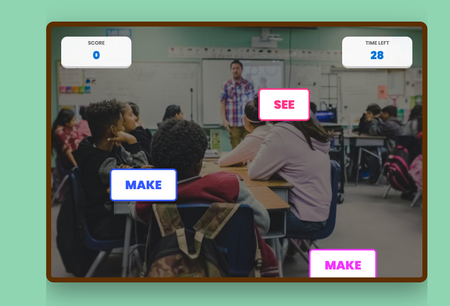
Premise English irregular verbs are like that one "eccentric" relative at the Christimas family dinner: they follow absolutely zero rules, change their entire identity without warning, and seem specifically designed to ruin your day, but after a few awkward encounters, you eventually learn their quirks and stop calling them by the wrong name. That´s why I created this demo using Code Block in Rise, to help students to learn english in a fun and gamified way. Prompt To create it, I used this prompt with Gemini: "Write HTML, CSS, y JavaScript for an excercise like call of duty to use in Rise 360 Code Block. Use blue and green and yellow as main colours. It´s a shooting game. You will have to shoot the irregular verbs that you find. If you hit a irregular verb, you win 5 points, if you hit a regular verb you lose 10 points. It´s an excercise in elearning for english students." I twisted along to way to add the background music, and later on in Rise I altered the code to change colours, fonts, timer, speed of the words appearing, etc. Course Demo You can check the course here: https://360.articulate.com/review/content/39bd6260-4647-4cd7-84c9-731a83677417/review158Views5likes0CommentsWelcome to the Respectful Workplace Behaviour Gamified Training!
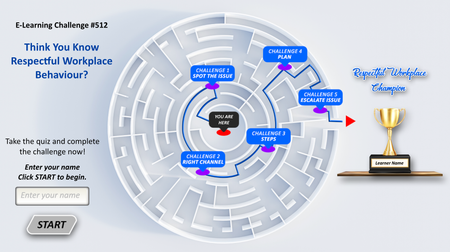
Navigate real-life scenarios where your choices shape a respectful and inclusive workplace. Learn, respond, and grow. One decision at a time. Course Key Features: Objective: Recognize and respond to disrespectful behaviour Action: Make respectful choices in workplace situations Feedback: Get instant insights on your decisions Badge: Earn the Respect Champion Badge Summary: Print your results at the end Take the quiz and complete the challenge now! https://www.swiftelearningservices.com/custom-elearning-respectful-behaviour-training/OPERATION CIPHER - Can you crack the code before time runs out?
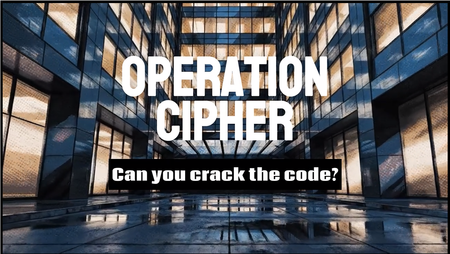
This week’s eLearning challenge was to create something using desktop folder tabs… so naturally I turned it into a covert infiltration mission. Check out what I created by clicking this link! OPERATION CIPHER Stolen intelligence is hidden inside a secure office. Learners must infiltrate the location, search the filing cabinet, locate the Operation Cipher folder, uncover hidden clues and crack the 3-number safe code before the alarm system activates. The entire experience was built in Articulate Storyline 360 using: • Interactive folder tab mechanics • A cinematic countdown timer • Layer-based scene progression • Graphic novel-inspired visual animations created using AI • First-person POV immersion • Safe code logic and trigger systems Rather than feeling like traditional eLearning, I wanted this to feel more like stepping into an interactive espionage experience. Can you crack the code before time runs out? Try it out! Check out what I created by clicking the link!209Views4likes0CommentsWordTwist: A fun code-based game
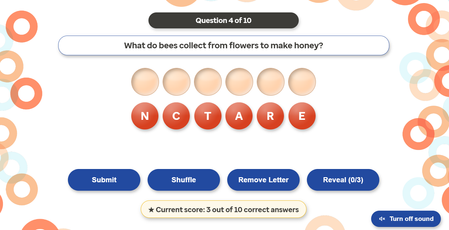
Hey everyone! I finished creating WordTwist, a lighthearted quiz game to spice up e-learning sessions. It’s built using plain HTML, CSS, and JavaScript with some help from AI—super easy to tweak and drop into existing projects. Players unscramble letters to discover key words while answering a quick question. They can shuffle letters if they get stuck, remove a mistake, or even reveal the answer (though that yields zero points). All you have to do is customize the question and answer array in the code, and voilà—instant quiz. Give WordTwist a try through this link and let me know what you think. Feel free to share any creative ways you end up using it, or suggest improvements to the game if you think of any!710Views4likes5CommentsTop-Down game mechanics in Storyline
I was fooling around with the new API and created a proof of concept for some mechanics of a top-down game. You can use the WASD keys to move the robot around. If you roll close to objects, I set a variable that allows a layer to open. Unfortunately, the built in Intersection triggers don't work when you move objects with API method, so you need it to do it through JavaScript. If you move the robot off screen to the right, it will go to the next screen in the correct position it left. Try going back higher up and see how it works. The current demo only allows you to go to slide (or room) 3 and back. I can get the coordinates of a character object and then since you know the slide size, you can trigger variables to get you to the next slide and back. I also built some logic in to prevent the robot from going too far up or too far down. On the last slide that you can get to through the menu, you will notice a demo of a platform concept. Move the oval using the keys and notice that we can simulate gravity like any game engine. I imagine if I implemented the same positional logic that we could create a simple platformer but haven't got there yet. Full disclosure: All assets are generated using ChatGPT 4.0 except for the ovals and the rectangles. 😉 Take a look here. https://360.articulate.com/review/content/6104372d-85cf-41cc-8f81-6f42e3a6c061/reviewSolved972Views4likes5CommentsRace Back To Base
Hello! Can you make it back to base before the sandstorm hits? Play now. The thing I really love about working with vectors is how scalable they are. Even the tiniest details remain crystal clear when you scale them up. I built this demo using elements from a single vector pack created by Macrovector on Freepik. To create the illusion of movement, I used PowerPoint to recolour the wheels on the Mars Rover vehicle, and isolated parts of the tyre track. I then made a GIF using these shapes. And then placed the GIF over the modified SVG image in Storyline. This allowed me to turn the motion on/off using state changes. Pretty much everything that moves in this demo is a GIF, tucked away in a state change until it's needed. Having access to high-quality, easy-to-use graphics allowed me to focus on the instructional elements and the scoring mechanic. The 'wronger' your answer, the quicker your oxygen will deplete. Even if you reach the third question, if your oxygen hits zero, you will have to start again. This is controlled by JavaScript, which adjusts the value of the variable by a set amount when triggered. var player = GetPlayer(); var penalty = 35; // Change to 45 or 55 depending on the button var battery = player.GetVar("Battery"); var elapsed = 0; var interval = 100; var steps = 10000 / interval; var amountPerStep = penalty / steps; var timer = setInterval(function() { elapsed++; battery = Math.max(0, battery - amountPerStep); if (battery === 0) { player.SetVar("Battery", 0); clearInterval(timer); } else if (elapsed >= steps) { player.SetVar("Battery", Math.round(battery)); clearInterval(timer); } else { player.SetVar("Battery", Math.round(battery)); } }, interval); The eagle-eyed among you will have also noticed that when this demo runs on a desktop, the closed captions that accompany the narration have been repositioned and have a slight 'glitch' effect as they appear. This is also achieved with JavaScript. Despite the recent improvements to the closed caption feature in Storyline, sometimes I prefer to manually override the position of the captions to better suit my layout. This code only reliably works in desktop view, though. const mobileView = window.innerWidth < 768 || window.innerHeight < 500; var storyW = 1280; var storyH = 720; var boxLeft = 850; var boxTop = 430; var boxWidth = 350; var boxHeight = 200; var captionFontSize = 20; function positionCaptions() { if (mobileView === true) { console.log("Mobile view detected - caption positioning skipped."); return; } var leftPct = (boxLeft / storyW * 100).toFixed(2) + "%"; var topPct = (boxTop / storyH * 100).toFixed(2) + "%"; var widthPct = (boxWidth / storyW * 100).toFixed(2) + "%"; const css = ` .caption-container { position: absolute !important; transform: none !important; } .caption { position: absolute !important; left: ${leftPct} !important; top: ${topPct} !important; width: ${widthPct} !important; font-size: ${captionFontSize}pt !important; transform: none !important; z-index: 1000 !important; } @keyframes glitchstutter { 0% { opacity: 0; transform: translate(-10px, 4px) skewX(-8deg); filter: blur(6px); } 8% { opacity: 0.8; transform: translate( 10px, -4px) skewX( 9deg); filter: blur(3px); } 12% { opacity: 0; transform: translate(-8px, 2px) skewX(-6deg); filter: blur(7px); } 18% { opacity: 0.9; transform: translate( 8px, 3px) skewX( 6deg); filter: blur(1px); } 22% { opacity: 0.1; transform: translate(-12px, -2px) skewX(-10deg); filter: blur(5px); } 28% { opacity: 1; transform: translate( 6px, 0px) skewX( 4deg); filter: blur(1px); } 35% { opacity: 0.3; transform: translate(-6px, 4px) skewX(-6deg); filter: blur(3px); } 42% { opacity: 1; transform: translate( 4px, -2px) skewX( 3deg); filter: blur(1px); } 50% { opacity: 0.6; transform: translate(-3px, 1px) skewX(-2deg); filter: blur(1px); } 60% { opacity: 1; transform: translate( 2px, 0px) skewX( 1deg); filter: blur(0px); } 75% { opacity: 0.95; transform: translate(-1px, 0px) skewX( 0deg); filter: blur(0px); } 100% { opacity: 1; transform: translate( 0px, 0px) skewX( 0deg); filter: blur(0px); } } .caption-glitch { animation: glitchstutter 0.6s ease-out forwards !important; } `; let style = document.getElementById('custom-caption-style'); if (!style) { style = document.createElement('style'); style.id = 'custom-caption-style'; document.head.appendChild(style); } style.textContent = css; var capEl = document.querySelector('.caption'); if (capEl) { var observer = new MutationObserver(function(mutations) { mutations.forEach(function(mutation) { capEl.classList.remove('caption-glitch'); void capEl.offsetWidth; capEl.classList.add('caption-glitch'); }); }); observer.observe(capEl, { childList: true, subtree: true, characterData: true }); capEl.classList.add('caption-glitch'); } console.log(`Captions positioned at left:${leftPct} top:${topPct} font:${captionFontSize}pt`); } document.addEventListener('DOMContentLoaded', positionCaptions); positionCaptions(); I had a lot of fun making this. It still surprises how much mileage you can get from a small number of visual assets. If you have any more questions about this demo, please ask.

Prioriza o colapsa
🚀 Esta semana participé junto con CAMPOS OROZCO ELIA PAULINA en el #ElearningChallenge diseñando una actividad interactiva con scaffolding para ayudar a los jugadores a desarrollar habilidades de priorización bajo presión. 🎮 “Prioriza o Colapsa” es un mini-juego donde los usuarios clasifican tareas que van apareciendo cada vez más rápido y con menos ayudas visuales, hasta enfrentarse al caos de un nivel final sin apoyo, a contrarreloj, y con dos tareas simultáneas. 💡 La progresión de dificultad (niveles 1, 2 y 3) promueve confianza inicial, independencia progresiva y toma de decisiones rápidas, cumpliendo los principios de chunking y fade-out de ayuda. 👉 Puedes verlo aquí: https://360.articulate.com/review/content/46cd160f-1926-46f4-8e5a-20a97c7f0466/review224Views3likes0CommentsWings or Flames - Halloween Jeopardy Game
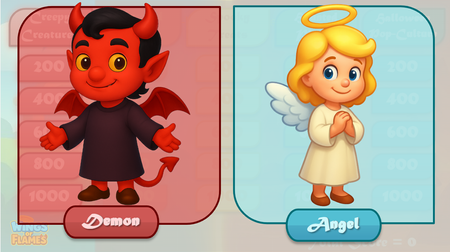
Hi Articulate Heroes! I was super excited about this week’s challenge (I love Halloween!), but time got away from me between all the spooky—and not-so-spooky—activities. My original plan was to create a full Halloween Edition of my Jeopardy-style game: new graphics, UI, questions, and sound effects (based on the same build I used for my cooking-themed game). But since the deadline arrived and my idea turned out to be a bit ambitious, I’ve only managed to complete the first category: Creepy Creatures (and it still needs some testing too). Feel free to check it out! I’m hoping to finish the rest of the game and do some proper testing by the end of the week. Happy Halloween, everyone! 🎃 Wings or Flames