icons
52 TopicsShowcase: 3D Molecular Visualiser/Manipulator
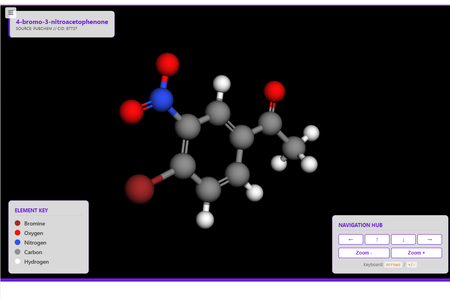
Hi everyone! I wanted to share a project I’ve been working on a 3D molecular visualiser for 4-bromo-3-nitroacetophenone for a Level 6 HE Applied Chem course, and it’s been a bit of a journey in balancing high-end aesthetics with rock-solid performance. The "Why" Behind the Build We’ve all been there: you embed a cool 3D element, and it either looks tiny on the screen or feels like you're steering a tank when you try to rotate it. For this asset (S0501b), I wanted to see if I could create a digital laboratory experience that felt "snappy" and scientifically grounded, even when tucked inside an iFrame. The Technical "Secret Sauce" I spent quite a bit of time under the hood on this one, and here are the bits I’m most excited about: Scientific Grounding: No manual models here! The engine pulls raw SDF coordinates directly from PubChem (CID 87737), so every atom and bond is exactly where it should be. Fixing the "Input Lag": If you’ve ever used WebGL, you know the keyboard can sometimes feel laggy. I built a custom Input State Filter (a little JS buffer) that syncs movement to the browser’s refresh rate. It completely killed the "overshoot" and made keyboard navigation feel instant. The "Cyber-Flora" Look: I moved away from the standard black background for a softer, pastellised #691eda (Purple) theme. It’s easier on the eyes and makes the Jmol colour-coded atoms really pop. Features at a Glance Adaptive Scaling: No more "tiny molecule" syndrome. The engine forces a zoom and a strict 700px height to keep the UI stable. Accessibility First: It’s fully navigable via mouse, touch, or keyboard (tuned with a high rotStep for precision). Performance Tweak: I used Level of Detail (LOD) geometry to make sure it runs at a smooth 60fps, even on older hardware. I'd Love Your Feedback! I’m really looking to see how this holds up across different environments. If you have a moment, I’d love for you to review and evaluate the interaction. Does the rotation feel smooth on your setup? How does the scale look in your specific VLE? Please feel free to reach out if you’re working on something similar or want to chat about the code logic behind the input filtering. I’m more than happy to share what I’ve learned! Review360444Views4likes5CommentsRise Course - 4 Parts - Story Narrative - Emotion Led
https://share.articulate.com/vostzJopZeKS567yNeR7f https://share.articulate.com/8x8DCVPCJ7uHPzrmf3AiK https://share.articulate.com/BHsxfLKPtTbKmqJNx0w3U https://share.articulate.com/Ad5ECo3j5Gr08URisxRAy Let me know your thoughts! Thanks714Views1like1CommentPractice: Visualizing Policy with Rise360
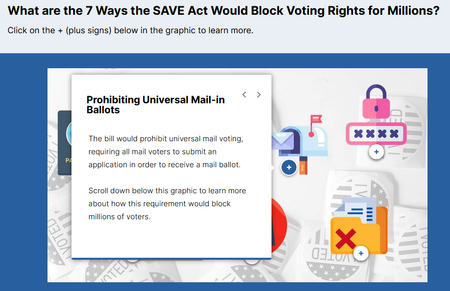
Hi there, I'm Leslie! I built this microlearning module in Rise360 because I wanted to practice creating a short, visual story with interactive elements from a text-only public policy source. 7 Ways the SAVE Act Would Block Voting Rights Government and think tank materials are text-heavy and focus on the process to create the policy or proposal, rather than who the policy impacts and what they either have the opportunity to do, or are now responsible for. I wanted to select a topic and source material that I didn't know anything about to keep my decision making to a minimum. I think visual storytelling would help people process policies and decide faster if they want to complete the call-to-action. I used Flaticons for the icon/ vectors. I created two different source attribution pages at the end of the module - one for the source material and one for the icon/ vectors used I'm unsure how to create a .story file for download. But happy to share anything I can. Thank you in advance for your feedback and comments on the design, flow, etc. While I believe in this topic and the research behind it, I realize it is political, so I hope I haven't violated and posting rules. Best, Leslie1.2KViews3likes10CommentsADDIE SPRINT
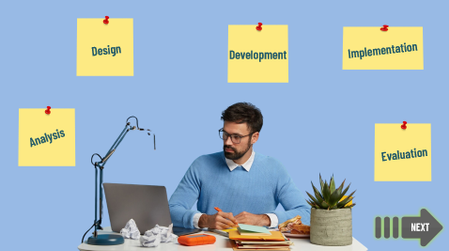
This 5‑minute microlearning module explains the ADDIE model for building effective e‑learning. The course uses audio‑visual storytelling, and an interactive drag‑and‑drop activity to help learners quickly understand how Analyze, Design, Develop, Implement, and Evaluate work together in real‑world e‑learning projects. Built in Articulate Storyline 360, the module focuses on clarity, engagement, and practical application—perfect for beginners and busy professionals. Review Here: https://360.articulate.com/review/content/44d1a951-be35-45ec-bb0d-21a79c60964e/review678Views2likes0Comments"Wait, SVGs are just code?"
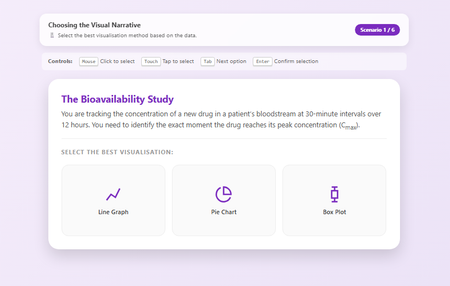
Hi everyone, I have to admit something embarrassing. I was today years old (well, 44 years old to be exact) when I properly realised that SVG files are just code. I always thought of them as "images" you have to save, host, and link to. But no, they're just text! 🤦♂️ That realisation sent me down a rabbit hole, and the result is this: a Visual Narrative Selection Tool that is completely self-contained. No external image files, no hosting headaches, just one single HTML file doing everything. 🔍 What it is: It’s a scenario-based training interaction where learners have to pick the right chart type (e.g., "Is a Pie Chart okay for time-series data?"). If they get it wrong, the feedback doesn't just say "Incorrect"—it actually shows them why using a custom SVG graph generated right there in the browser. ✨ Why I'm sharing it: This is a pure "Zero-Asset" experiment. Because the icons and graphs are all SVG code written directly into the HTML: It's impossible to break: You can't "lose" the image files because they live inside the code. It's lightweight: The whole thing is tiny. It's accessible: Fully navigable via keyboard (Tab/Enter). AI-enabled: with a strong enough visual cue, no other files are required I've shared the source code below. It’s fully commented (with my contact info hidden in a professional comment block at the top) Feel free to download, break it, and tell me what you think. And please tell me I'm not the only one who didn't realise SVGs were this powerful? RISE READY HERE600Views3likes3CommentsWorkplace Violence and Harassment – Game-Based Scenario
One of our recent projects involved developed a game-based, scenario-driven Custom eLearning Solution focused on Workplace Violence and Harassment Training. As part of our broader corporate training solutions and digital learning services, the goal was to move beyond traditional click-through compliance courses and create a learning experience where employees actively practice real-world decision-making. What we built: A scenario-driven course with 1–4 progressive levels Each level presents realistic workplace situations that require learner judgment Learners complete a knowledge check or quiz at the end of each level Successful completion unlocks a badge, reinforcing motivation and progression Why this project matters: Rather than relying on a traditional, click-through compliance approach, we designed this eLearning course to help learners practice real-world decision-making in a safe environment, supporting better recognition, prevention and response to workplace violence and harassment. Behind the scenes: Branching scenarios were designed to encourage reflection, not just right-or-wrong answers Feedback carefully crafted to explain why a response is appropriate Game mechanics were applied thoughtfully to maintain the seriousness of the topic What this project reinforced for us: When designed with intent, gamification can enhance engagement and retention, even for sensitive compliance topics. Tools used: Articulate Storyline 360 for course development Vyond for video creation Learning outcome: Participants will be able to identify, prevent and appropriately respond to workplace violence and harassment situations through practical, scenario-based decision-making. Explore the course: Click the link below to view the course. https://www.swiftelearningservices.com/our-portfolio/game-based-scenario-sample/story.html We welcome your feedback, questions and suggestions, especially around scenario design, feedback strategies and gamification for sensitive compliance topics.2.2KViews5likes6CommentsStoryline Radial Menu
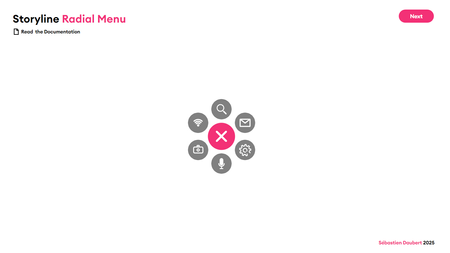
Hey community! 👋 I'm sharing a script that transforms your Storyline buttons into an animated circular menu with a cascade effect. All elements remain native Storyline objects, so they're easy to customize design-wise. Add as many icons as you want to the list, the distribution is automatic. All settings (radius, angles, duration, easing...) are at the top of the script, no need to dig through the code. Have fun and try different parameters! Storyline circular menu 1.3 | Review 360678Views4likes1CommentRise Audio Block Transcripts Video
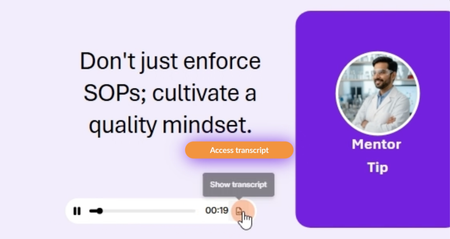
Top of the festive morning folks So, after a review of some recent content by an SME, they asked for a transcript I know the transcripts on audio are relatively new, but I've just been dumping them in without considering the learner/user not knowing they exist 🤦♂️ I think these transcripts are more natural than plonking an interactive download of a file transcript, but with that more natural feel them can feel hidden, so I've made a quick 'show me how' video Feel free to use it if you want something quick and easy, as I hope it helps learners/users find their way264Views0likes0CommentsStoryline Instant ToolTip
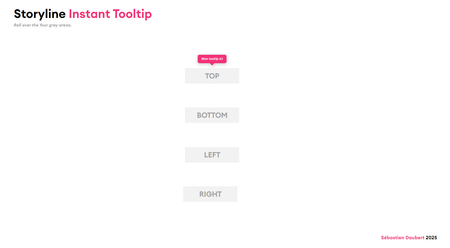
Hi everyone! I'm sharing a script to add tooltips in Storyline. Just one reference object, a quick copy-paste, and it's ready. You could use a native rollover state, but this gives you full control over the animation. Position, colors, shadow: all configurable in 10 seconds. No JavaScript skills needed, the script is designed to be easy to use and maintain.610Views5likes3CommentsThe Agency Algorithm
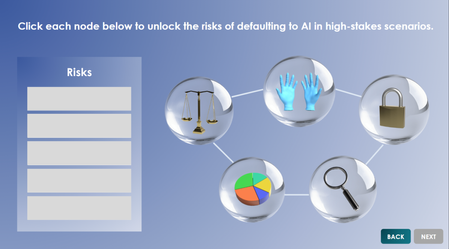
Hi all! With an academic background in both Ethics and Instructional Design, I’ve always believed learning can immerse us in thought experiments that challenge assumptions and sharpen critical thinking. The Agency Algorithm explores how AI systems leveraged in contexts like medical triage, surveillance, and beyond can reshape (and even diminish) human agency. By placing learners in these complex scenarios, my project aims to highlight the ethical stakes of algorithmic decision-making and the risks of prioritizing efficiency over empathy. I wanted to push the boundaries of eLearning aesthetics to create a modern, engaging course that asks big questions about our agency in a time of rapidly advancing technology. This project won Best Soft Skills at DevLearn last month, and I am excited to continue building sleek, mind-bending courses to get learners thinking critically! You can check it out here. I'd love to get some feedback so I can continue building on my skills as a designer and developer!495Views2likes6Comments