icons
52 TopicsUp-Updated "Reveal" codes
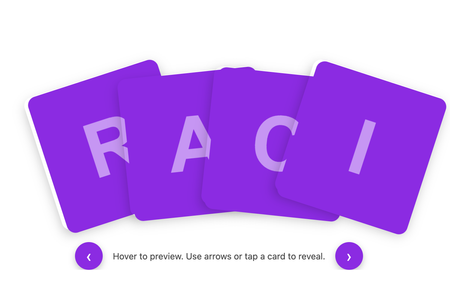
I’ve been experimenting with the original HTML code blocks included in Articulate 360’s built-in examples and wanted to share how far you can extend that base structure using GenAI to iterate and refine interactions. Starting with the default image-reveal index provided by Articulate, I used GenAI to progressively develop three new versions. I supplied my own images, created meaningful alternative text for screen readers, and introduced additional UX and accessibility improvements. Every version is fully tailorable if you want to adapt the formatting, colours, spacing or behaviour. The three examples are: Enhanced Image Reveal Grid Uses the original Articulate structure. Adds a hover zoom, a click-to-zoom state, and high-contrast purple letter tiles for accessibility. Fanned “Deck of Cards” Flip Interaction A dynamic fanned layout, more like a real card hand. Cards lift and reveal their letter on hover, flip on click, and reset if clicked again. Includes chevron navigation for easier cycling. Plain Flip Grid with Navigation A clean, accessible flip-card grid with navigation chevrons. Mirrors the deck behaviour but with a simplified layout. NOW WITH MORE EXAMPLES of what reveal styles can imagine! If you have suggestions, improvements or alternative approaches, I’d really love the feedback. And if you’d like to use or remix any part of this, feel free — I’d love to see what you create with it. Review3602.2KViews14likes13CommentsMindfulness
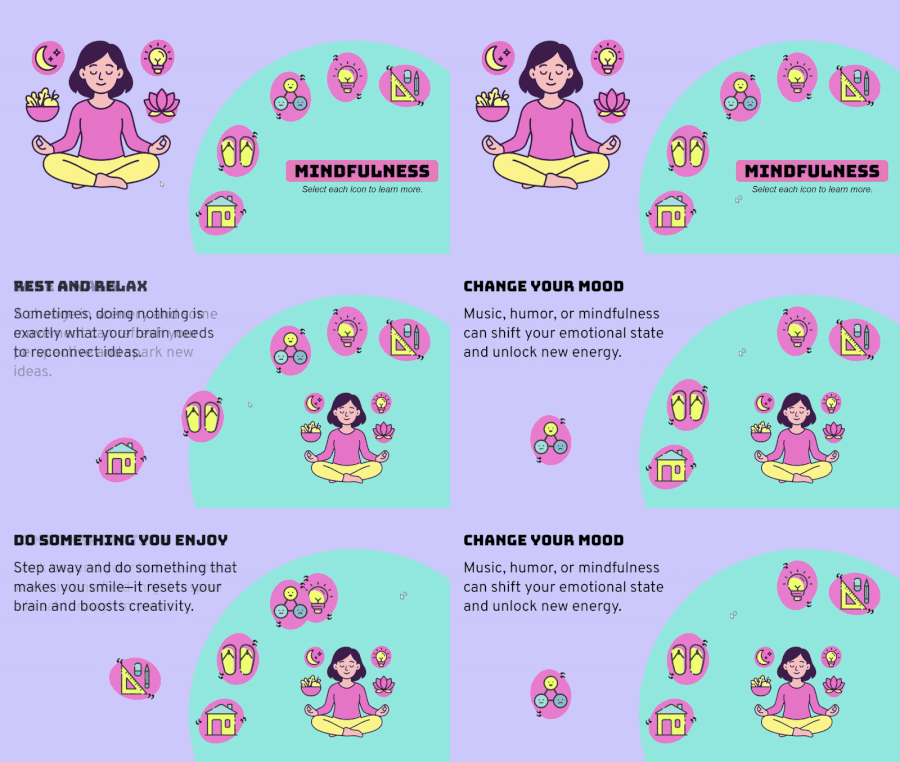
What do you do when your brain hits a wall? This project explores small, mindful actions to help you reset and reconnect. I used a soft pastel palette and flat icons to create a simple interaction where each tip gently morphs into view. The visual transitions are built around consistent layout and position changes to simulate a calm, flowing experience—no motion paths, just smooth shifts from one moment to the next. 🔗 View the Demo About Me Jayashree Ravi Curious about more e-learning innovations? Connect with me on LinkedIn to share ideas, discuss implementation techniques, or simply chat about instructional design challenges.Cooking Game (Jeopardy style + Gamifiation)
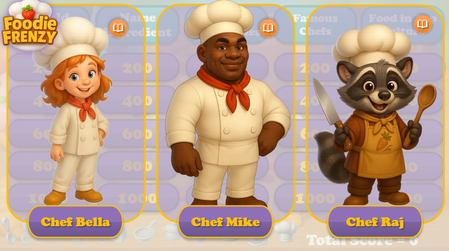
Hello Articulate Heroes! I'm excited to share my second personal project with you — a cooking-themed, Jeopardy-style game! Cooking Frienzy This project was inspired by two fantastic webinar series shared here: How to Create A Jeopardy! Style Game Gamification series I started with the "Jeopardy!" template and added the following custom features: Cooking-themed questions and answers — 5 questions across 5 categories Custom visuals — including characters, backgrounds, UI, and tokens The ability to choose one of three characters at the start of the game (and replay with a different chef assistant!) Personalized feedback and questions — with character-specific images and voiceovers A 20-second Pomodoro-style timer with a “wiped” animation Tokens awarded when the user completes a certain number of questions The characters were created using AI. Thank you for taking the time to check out the game! I’d love to hear your thoughts — feel free to share any comments or suggestions! You can check-out the game by this link: Cooking FrienzySolved2.5KViews9likes21CommentsInteractive Dynamic Shadows Script
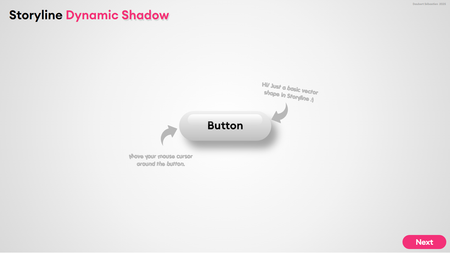
This JavaScript code automatically generates a realistic drop shadow that reacts to mouse movements, simulating a moving light source. How it works: Paste the code into an "Execute JavaScript" trigger. Add the Accessibility Text (Alt Text) Mybtnshad to any object or button. The shadow applies instantly and moves opposite to the cursor to simulate depth. Key Features: Fully customizable settings (intensity, blur, opacity) located right at the top of the script.594Views6likes5CommentsVictorian Alphabet game
A Most Curious Diversion: The Victorian Alphabet Dial Dearest Gentlefolk, Though I am tardy in submitting this humble creation, I felt compelled to share my vision nonetheless. Ever enchanted by the elegance and refinement of the Victorian aesthetic, I have embarked upon a whimsical endeavour: an interactive alphabet dial. With a gentle spin, the player shall unveil a letter accompanied by a charming illustration and a verse, each rendered in the ornate style of the age. It is my sincere hope that this modest project shall delight and amuse, and perhaps even transport you—if only for a moment—into a bygone era of beauty and imagination. * This project has also been submitted to the #522 Weekly Challenge (Dial Menus), where I hope it may find favour among fellow enthusiasts. ** The images and verses were brought forth with the assistance of artificial intelligence, yet each has been lovingly tailored and refined to suit the spirit and aesthetic of this particular work. Enchanted Alphabet588Views6likes6CommentsWorkplace Violence and Harassment – Game-Based Scenario
One of our recent projects involved developed a game-based, scenario-driven Custom eLearning Solution focused on Workplace Violence and Harassment Training. As part of our broader corporate training solutions and digital learning services, the goal was to move beyond traditional click-through compliance courses and create a learning experience where employees actively practice real-world decision-making. What we built: A scenario-driven course with 1–4 progressive levels Each level presents realistic workplace situations that require learner judgment Learners complete a knowledge check or quiz at the end of each level Successful completion unlocks a badge, reinforcing motivation and progression Why this project matters: Rather than relying on a traditional, click-through compliance approach, we designed this eLearning course to help learners practice real-world decision-making in a safe environment, supporting better recognition, prevention and response to workplace violence and harassment. Behind the scenes: Branching scenarios were designed to encourage reflection, not just right-or-wrong answers Feedback carefully crafted to explain why a response is appropriate Game mechanics were applied thoughtfully to maintain the seriousness of the topic What this project reinforced for us: When designed with intent, gamification can enhance engagement and retention, even for sensitive compliance topics. Tools used: Articulate Storyline 360 for course development Vyond for video creation Learning outcome: Participants will be able to identify, prevent and appropriately respond to workplace violence and harassment situations through practical, scenario-based decision-making. Explore the course: Click the link below to view the course. https://www.swiftelearningservices.com/our-portfolio/game-based-scenario-sample/story.html We welcome your feedback, questions and suggestions, especially around scenario design, feedback strategies and gamification for sensitive compliance topics.2.2KViews5likes6CommentsStoryline Instant ToolTip
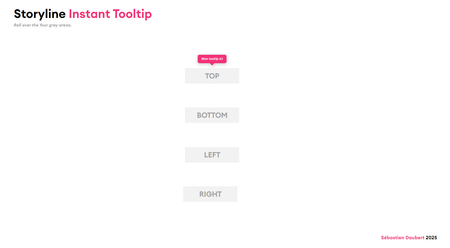
Hi everyone! I'm sharing a script to add tooltips in Storyline. Just one reference object, a quick copy-paste, and it's ready. You could use a native rollover state, but this gives you full control over the animation. Position, colors, shadow: all configurable in 10 seconds. No JavaScript skills needed, the script is designed to be easy to use and maintain.610Views5likes3CommentsShowcase: 3D Molecular Visualiser/Manipulator
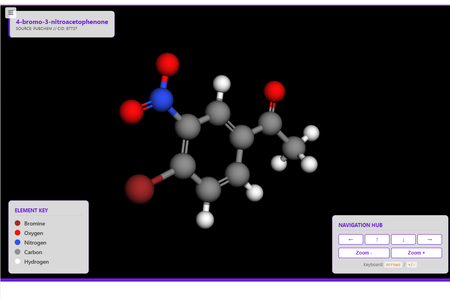
Hi everyone! I wanted to share a project I’ve been working on a 3D molecular visualiser for 4-bromo-3-nitroacetophenone for a Level 6 HE Applied Chem course, and it’s been a bit of a journey in balancing high-end aesthetics with rock-solid performance. The "Why" Behind the Build We’ve all been there: you embed a cool 3D element, and it either looks tiny on the screen or feels like you're steering a tank when you try to rotate it. For this asset (S0501b), I wanted to see if I could create a digital laboratory experience that felt "snappy" and scientifically grounded, even when tucked inside an iFrame. The Technical "Secret Sauce" I spent quite a bit of time under the hood on this one, and here are the bits I’m most excited about: Scientific Grounding: No manual models here! The engine pulls raw SDF coordinates directly from PubChem (CID 87737), so every atom and bond is exactly where it should be. Fixing the "Input Lag": If you’ve ever used WebGL, you know the keyboard can sometimes feel laggy. I built a custom Input State Filter (a little JS buffer) that syncs movement to the browser’s refresh rate. It completely killed the "overshoot" and made keyboard navigation feel instant. The "Cyber-Flora" Look: I moved away from the standard black background for a softer, pastellised #691eda (Purple) theme. It’s easier on the eyes and makes the Jmol colour-coded atoms really pop. Features at a Glance Adaptive Scaling: No more "tiny molecule" syndrome. The engine forces a zoom and a strict 700px height to keep the UI stable. Accessibility First: It’s fully navigable via mouse, touch, or keyboard (tuned with a high rotStep for precision). Performance Tweak: I used Level of Detail (LOD) geometry to make sure it runs at a smooth 60fps, even on older hardware. I'd Love Your Feedback! I’m really looking to see how this holds up across different environments. If you have a moment, I’d love for you to review and evaluate the interaction. Does the rotation feel smooth on your setup? How does the scale look in your specific VLE? Please feel free to reach out if you’re working on something similar or want to chat about the code logic behind the input filtering. I’m more than happy to share what I’ve learned! Review360444Views4likes5Comments