instructional design
167 TopicsPlanning Your Localized E-Learning Projects
In this age of globalization and multinational organizations, companies want to deliver online training that will reach worldwide audiences. The result is e-learning content that needs to be tailored specifically for each cultural group. If you’ve ever had to design or develop a multilingual e-learning course, you know firsthand that developing content for multiple languages can be a heavy lift. This is especially true if you haven’t put in place early the proper planning measures to make the process smooth and effective. This article will identify what you need to know up front (long before any development begins!) to effectively localize or tailor e-learning content for a variety of cultural audiences. Understand the concept of localization When it comes to getting a course out in multiple languages, it’s a common misconception that all you need to do is translate the written content. There’s often confusion about the differences between translation and localization. Translation is the process of translating text and words from one language to another without making any adaptations. Localization is the process of translating and adapting content for a specific culture. It often involves making changes not only to the text but also to imagery, tone, colors, currencies, and more, to account for cultural and regional differences. In many situations, simply translating the text in a course is not enough; you need to adapt the content in order for it to make sense for learners across cultural barriers. For example, let’s say you’re developing an e-learning course for a multinational delivery service. The course is for delivery staff based in the US and India on how to safely deliver packages on time. In addition to translating the text from English to Hindi, you need to adapt the content itself to take into account local driving and workplace safety laws. You should also consider updating the imagery to more accurately reflect the learner's home environment. For example, the American version of the course might show background images of busy streets in New York City. For the Indian version of the course, those could be swapped out with images of the streets of Mumbai. The two cities look very different and each have distinct architectural styles, roadways, and vehicles. Additionally, an image of a delivery vehicle in the American course might show a cube van or bicycle; the Indian version might be a tuk-tuk or a rickshaw. These changes in imagery make the course more meaningful and relevant to the learner. Plan for localization up front The key to a successful localized project is to plan every step of the localization process from the get-go. You want to keep your multicultural audience in mind from the beginning to avoid quality issues, save time, and ensure a smooth localization process. Things to consider when you’re in the project planning phase include: Identify the target markets and languages you want to localize for You need to determine early on which languages you’ll be localizing for. Keep in mind that even though your learners may speak the same language, you may need to create multiple courses to take into account regional differences. For example, a course developed in Spanish might not work for both Mexico and Spain. Why not? In addition to the many linguistic differences between Mexican and Iberic Spanish, there are regional differences that need to be considered, for example: different products, procedures, laws, technical standards, and currencies. Plan to build in one language first It’s a good idea to plan to design, develop, and deliver the course in one language BEFORE localizing the course into other languages. If you develop all of your courses in tandem, you’ll find yourself doing a lot of re-work. To illustrate: imagine a Subject Matter Expert asks you to change two paragraphs in your course. It’s a lot easier (and more cost effective!) to do it in one language than in five different languages. Once the first course is complete, you can save time by localizing your course into the other languages at the same time. Plan extra time for development and testing It might seem obvious, but you’re going to need more development time when you’re building a course in multiple languages. In addition to developing the course in the first language, you’ll need time to adapt it to every other language, which will include development, testing, and review steps. It’s a good idea to plan for the localization process by adding in extra development and testing time to your project plans and timelines. Find the right localization resources Having the right resources in place can make the translation and localization process run more efficiently and smoothly. Resources include the tools and the people you’ll bring on board for your localization process. Authoring tool When you’re going to be translating an e-learning course into multiple languages, it’s a good idea to investigate ahead of time what translation features and multilingual options are available within the authoring tool you’re using. For example, Articulate Storyline 360 offers the ability to export text for translation and then re-import it, saving lots of development time. This is good to know up front, so you can plan your project and allocate time and resources accordingly. Translators The quality and experience of your translation team will have a huge impact on the caliber of the final localized output. When it comes to working with translators, it helps to find translation professionals who have experience with your industry or subject matter. When the translation team has even a basic understanding of the content they are working with, it makes a huge difference in helping them ensure it all makes sense and works. In terms of hiring translators, your options are generally a professional agency or a single contractor or freelancer. They each come with their own set of pros and cons. Professional Agency Pros Cons They will handle all the project management for all the languages. They often offer voice-over professionals for all languages. They sometimes offer to do the translation directly in your tool of choice. The quality is often not as high. Because at a large agency the translators do not know you personally and are not that invested in your project. Also, you work with a variety of translators who may each have a slightly different style, which could be reflected in the final output. Freelancer/Contractor Pros Cons The quality tends to be higher, as usually freelancers need to provide a good service in order to maintain a good reputation, stay in business, and ensure repeated business and future contracts. It’s often cheaper to work directly with a translator because they don’t have high overhead costs to cover. Takes more time to find, hire, and manage freelancers than it does to work with an agency. They may not offer project management, voice-over services, and more. Voice-Over or Narration Professionals If your project includes narration, you’re going to need resources to narrate in a variety of languages. If you’re working with a localization agency, as noted above, they may offer narration or voice-over services. If not, you’ll need to recruit voice actors for each language. Keep in mind when you’re on the hunt for a voice actor that differences in local dialects and accents can make a huge difference to your learners. For example, Australian and New Zealand accents may sound similar to an outsider, but to the locals they are completely different! Finding the right voice for your project can take time, so account for this in your project plans, as well as the time required to record in multiple languages. QA Testers Testing and quality assurance review is an important part of creating an effective and high-quality multilingual course. During the project planning phase, identify resources for the testing and quality assurance phase of your course development. What should you look for in your testers? They should be proficient in both the original course language as well as the language they are testing, so they can compare both versions and ensure the message is consistent. The tester also needs to be a good writer, with strong spelling, punctuation, and grammar skills, so they can spot mistakes in the written content. These are just some of the things to consider when planning a localized e-learning project. Remember that up-front planning will eliminate a lot of headaches and help ensure a smoother process and better end result. What tips of your own do you have about planning for localized projects? Let me know in the comments! Follow us on Twitter and come back to E-Learning Heroes regularly for more helpful advice on everything related to e-learning. If you have any questions, please share them in the comments.1.6KViews2likes14CommentsDo’s and Don’ts of Writing Effective Multiple Choice Questions
Multiple choice questions (MCQ) are a commonly used and super-versatile question type. They can be used to assess various types of learning, from testing knowledge of basic facts and concepts to crafting thoughtful scenario-based questions. There are many possibilities with multiple choice questions, but it’s important to remember that with multiple choice questions, learners are choosing from a set of potential answers. This means the correct answer is given away in the choices. If you need a learner to recall information without any prompting or guidance, then MCQs might not be the right choice for you. Let’s take a closer look at the two parts of an MCQ: Stem: This states the problem or the question. Alternatives: This is a list of suggested choices. There are two kinds of alternatives: key: the correct or best alternative; the right answer. distractors: incorrect or inferior alternatives; incorrect choices. Whether it’s your first time writing quiz questions or you’ve been doing it for years, following are tips and guidelines you can follow to craft effective multiple choice questions: Do use plausible distractors Plausible distractors are one of the keys to writing effective MCQs. You want your incorrect choices to pose a challenge to your learners, causing them to pause and think about which answer is correct. Obviously incorrect or outrageous distractors defeat the entire purpose of your quiz, because they don’t make learners think. In fact, using them means you’re just giving away the correct answer. Coming up with plausible distractors can be quite challenging, so it might be helpful to talk with a Subject Matter Expert (SME), employee, or stakeholder who can provide crucial insights into the content. It can be helpful to identify common errors or mistakes and then incorporate that information into the distractors. It’s also a best practice to avoid “none of the above” and “all of the above” as distractors. They tend to be easy fallbacks that people use instead of crafting more meaningful, authentic distractors. The same goes for “true or false” questions; these are best avoided if you want to truly test knowledge and challenge your learner. Don’t give clues In order to make an MCQ fair and challenging, it’s best to refrain from including clues about which alternative is the correct one. Sophisticated learners may be on guard for inadvertent clues to the correct answer, such as differences in length or formatting of the alternatives. It’s therefore important that your alternatives are similar in both length and language. It’s also smart to avoid unintentionally giving away an answer to a question in another part of the quiz. Another clue learners may be on the lookout for is the use of extremes. Try to avoid using the words “never,” “always,” and “only” in your distractors. It’s also wise to steer clear of outlandish or unreasonable statements; that’s a dead giveaway of a distractor. Do balance placement of correct alternatives Correct answers (also known as “the key”) tend to be placed as the second and third option in a list of choices. Keep this in mind when you randomize your question choices. Have a mix of key placement, as first, second, and third choice. If you’re using an authoring tool that lets you randomize the order of choices (such as Articulate Storyline 360), you should go ahead and enable that feature. Don’t use negative questions The negative question asks learners to choose the answer that is incorrect; it’s one way that test designers try to challenge or “trip up” the learners. I personally think it’s best to avoid questions that are intentionally (or unintentionally!) misleading. Here’s an example of a negative question: Which of the following is not a company policy? Eating in your workspace Using the computer for personal use Taking a monthlong sabbatical Isn’t that confusing? Negative questions often lead to situations where learners have to work hard simply to decipher complicated choices and understand the question before they can even begin looking for the right answer. Do use other question types! Let’s face it: multiple choice questions tend to be overused. They are a crutch that instructional designers fall back on time and time again. Next time you’re considering using an MCQ, ask yourself: Is there a different or more original way of presenting this question? Would a matching drag-and-drop activity be more appropriate? Would a hot-spot interaction work instead? Try to think outside the box and be creative with the types of quiz questions you use. Mixing it up will also make your content more varied and interesting for your learners. Here’s a great article about Matching Question Types with the Skills You’re Testing. By following this list of do’s and don’ts, you’ll be well on your way to crafting engaging multiple choice questions with thoughtful choices that challenge your learners. Follow us on Twitter and come back to E-Learning Heroes regularly for more helpful advice on everything related to e-learning. If you have any questions, please share them in the comments.2.5KViews0likes8Comments8 Business Use Cases for Microlearning
Are you excited to try out microlearning, but unsure when to use it? Below, we outline eight common workplace situations that benefit from a short-form course. Each situation includes a sample microlearning. At the end, learn how you can customize these templates for your own company and training needs. 1. Create Organizational Alignment To hit a business target, everyone needs to be moving in the same direction. Creating that alignment starts with clear, frequent communication of the shared mission, vision, and values. Microlearning can help. The following editable template shows how you can align employees through regular executive “micro” updates: Executive Update 2. Highlight HR Information, Notices, or Reminders Educating employees about annual events like open enrollment, tax season, and compliance training is a critical function of HR teams. The problem? Important announcements often get missed when they’re embedded in long paragraphs or endless emails. Grab the following templates to see how microlearning makes HR communications more digestible and engaging: A Quick Guide To Open Enrollment Internal Company Newsletter 3. Strengthen Company Culture and DEI Initiatives Fostering an inclusive company culture is a continuous process—not a one-time effort. A series of microlearnings can support your larger culture-building and DEI efforts. Check out the following examples for ideas on how to get started: Are You an Ally? Try Taking on These 5 Roles How To Identify and Stop Using Ableist Language Gossip-Proof Your Workplace 4. Streamline Business Processes You can also use microlearning to document and streamline business processes or workflows—such as employee onboarding or performance management. Notice how the following examples make it easy for employees to work through the steps of a process independently: New Hire Pre-Hire Checklist Performance Review and Feedback 5. Increase Security Awareness Most successful data breaches, phishing attacks, and other cybersecurity incidents are caused by human error. Adding refresher microlearnings throughout the year can fortify your defenses. See an example for safeguarding against phishing attacks below: Spot the Phish 6. Enhance Employee Wellness A successful business needs thriving employees. But employee wellness training often ends up buried under competing priorities. Microlearning makes it easy for employees to fit in short breaks for self-care throughout the workday. Check out these two wellness-related microlearning examples: 3 Desk Stretches to Instantly Improve Your Day 5 Tips for Better Naps 7. Provide Quick-Reference Guides Microlearning is the perfect resource for one-off training questions: Employees can quickly find the answers they need—when they need them. Below, we’ve created templates for product and software training. But you could easily create quick-reference guides for sales, customer service, and other teams. Get To Know [Name of Product] Software Training 8. Reinforce and Assess Key Takeaways Finally, who says you have to choose between a more sizable course and microlearning? Repetition aids retention. Consider following up longer training sessions with a microlearning quiz, scenario, or summary. The examples listed below demonstrate how you might do this: Can You Recover From a Workplace Mistake? Training Refresher Wrap-Up There’s no shortage of creative ways you can use microlearning to achieve your business training objectives. The examples above are just a starter list. You might also check out submissions to one of our weekly community challenges, 40+ Microlearning Examples Created in Rise 360 #407. Interested in customizing one of these examples for your team? If you’re an Articulate 360 subscriber or trialer, you can edit all of the examples linked throughout this post by choosing the course from our Rise 360 microlearning content templates. Here’s a short video showing how to do that: What’s the latest microlearning course you’ve created? Tell us about it in the comments—and feel free to ask any questions you might have! Like this article? Subscribe to our newsletter to get the latest e-learning inspiration and insights directly in your inbox. You can also find us on LinkedIn and Twitter.4.4KViews0likes11CommentsCommunity Insights: How Support Takes You Far
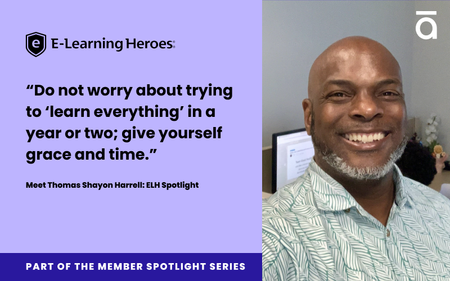
If you’ve spent time checking comments, posting examples, or asking questions in the ELH community it’s likely you’ve seen Thomas_Shayon offering advice and encouragement. This Member Spotlight highlights how Thomas’s career journey was buoyed by support, and how he pays it forward now. Given a chance Like many people in learning design, Thomas did not start out in a training role. His first opportunity to teach was while he worked as a project manager on a quality assurance team for a small auto insurance company. As many roles do, this expanded until he was teaching independent insurance agents about how to position their products to their ideal customer. This “short stint” was laying the groundwork for what would turn into a 20 year career in corporate learning ranging from nonprofits to technical training and more. Making a difference In another early training position Thomas found “great pride and joy” in what his non-profit team built and delivered to “support some of the most vulnerable folks” in his community. This ability to make a meaningful difference in the lives of those around him (kids aging out of foster care) solidified his love of teaching, and led to the next defining element of his career: receiving that support back. Senior leaders, executives, and other coworkers were crucial to Thomas’s growth, showing “what leading with your heart” truly looked like. “When I spoke, my ideas were heard, and several were implemented. When I gave critical feedback, they were humble and listened,” he shares. In addition to the interpersonal support various senior leaders offered, some also created critical opportunities for Thomas. Opportunities like regularly attending executive business strategy meetings, allowing him to weigh in on how KPI’s could be achieved with L&D initiatives, and otherwise being “empowered to do my best work ever.” The mindset The culmination of these experiences has led to a specific mindset that Thomas takes into his everyday - not exclusive to learning design, but wholly integrated in his life. The core elements are: Discover what you enjoy doing Thomas’s answer is, of course, “helping others evolve into the most excellent version of themselves at work and at home” Learn as you go “I am not a technically trained instructional designer. However, over time, I’ve read, taken online courses, earned certifications, and so on to develop the ID-specific skills needed to do the work. Do not worry about trying to “learn everything” in a year or two; give yourself grace and time.” Doubt is a monster we carry with us “Learn and embrace it sooner than later, doubt is a part of the journey; everyone deals with it. Uncouple who you are from the work that you do.” You are enough “Navigate your life and career with that fact neatly tucked into your spirit and move boldly in your life.” Paying it forward True to the people who helped shape this mindset, Thomas now offers encouragement, advice, and other support everywhere else he goes. Leading from the heart can be seen scattered across our own community: from welcoming new members, offering insight on best practices, or sharing professional examples. He’s filled the role of Peer Guide with flying colors, and ELH is made better for the care Thomas brings to our community. I’m sure his learners feel the same way. In that spirit: leave a comment below tagging someone who has helped support you, and how you can pay it forward by reviewing a project, offering advice, or welcoming someone new.358Views8likes5Comments4 Quick Tips to Make Your E-Learning Stick
Effective e-learning needs to be engaging enough that learners will want to take the time for it, and yet substantial enough for learners to recall and apply later. As such, e-learning pros are challenged to use a little creativity to persuade busy learners to pay attention to what we’re teaching them and then apply it to their jobs. That means making the information easy for them to remember later on. But how do we do that? I’ve got a few ideas to share with you, so keep on reading! 1. Make It Useful One surefire way to make something memorable is to make it useful and relevant. This means designing content that’s helpful and concise. Here are some tips to try: Start by asking questions. Instead of a tedious setup (opening titles followed by navigation, objectives, an introduction, etc.), drop your learners right into the action by asking them a thought-provoking question or giving them an engrossing scenario. If you think about it when people ask you a question, it’s pretty attention-grabbing, isn’t it? The same applies to your learners. Get them intellectually and emotionally stimulated and you’ll have them engaged right from the start. Demonstrate the value early. People are more apt to focus on information when they see that it has value in their everyday life. Try using a pre-test, a self-assessment survey, or a compare and contrast exercise to challenge your learner’s assumptions about your topic and grab their attention right away. Give them practice. It might seem obvious, but demonstrating steps with a short how-to video or a screencast is helpful, but what works even better to get people thinking and applying new knowledge is to follow it up with practice. Let learners hear from their peers. Most people pride themselves on doing good work and contributing to their teams. Hearing from folks who’ve successfully applied what they’ve learned in your training can signal that the content you’re sharing is relevant and helpful—and foster a healthy sense of competition among peers. 2. Get to the Point Sometimes the key to making your e-learning more memorable is knowing which information to emphasize first. There are many ways to approach organizing your content for learning, but one go-to is to put the most critical information front and center, followed by progressively less critical information. Structuring content in an “inverse pyramid” is an approach journalists use. It looks like this: This structure helps prioritize information and minimizes the nice-to-know details that can add unnecessary bulk to your course. Particularly for longer courses, where learners might lose steam, this approach helps you be sure that the essential information is communicated right from the start. 3. Use Analogies Analogies are great for helping learners connect new ideas with the information they already have. Making these connections, in turn, increases the chances they’ll remember what you’re sharing with them. For example, if you were trying to teach someone about how a tornado forms, you might compare it to the way water spins as it goes down the drain of a sink. Water spinning down a drain is a simple, relatable concept and a good starting point for talking about the forces of nature at work. 4. Use Visuals When it’s time to design your e-learning, think about ways you can visually present information other than a bulleted list of text. For instance, can you morph that new product info into a series of labeled graphic interactions that’s both eye-catching and inviting for learners to explore? Can you turn those dos and don’ts into an interactive scenario with realistic characters and an immersive background? If you’ve enjoyed these tips and want to learn more about how people absorb information, don’t miss this fascinating interview with Julie Dirksen, founder of Usable Learning and author of Design for How People Learn. What are your tried-and-true tips for making e-learning that sticks? Share your thoughts with me in a comment below. I’d love to hear what’s been working for you! New to e-learning? Sign up for our E-Learning 101 email course, a series of expertly curated articles that'll get you up to speed with course development.489Views0likes6CommentsTranslate Freely with Articulate Localization—No Sign-Up Needed
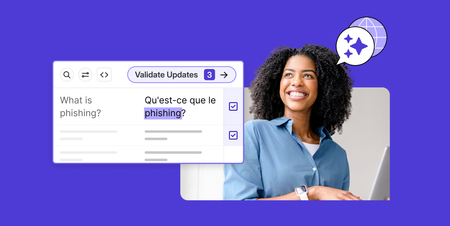
If you work with a global audience, you’ve likely run into the time consuming task of translating content. Even if you haven’t had to translate a course yourself, you’ve almost certainly heard how time, energy, and knowledge intensive the process is. Add in needing to shift things for regional context? You may as well ask for the moon. Fortunately for the stars of e-learning, Articulate Localization is now available to all users! There is no sign-up required. Users can instantly translate content and share it directly with language validators within Rise and only pay when you are ready to publish. You no longer have to hope someone will understand the difference between a work function and a party, or has the time to correct every instance a translation tool replaces “logged in” with something about timber. 🌍No Global Audience? One in five people in the United States, and nearly half of Canada is multilingual. The chances of your audience benefiting from localization is significant, and goes up with every new learner. Still not sure if localizing your course is the right decision? Check out this article with three simple questions to help. You can also review our recent case study about Global-First approaches. “If you have one course in multiple languages, it means you are connecting people even inside your own corporation.” 🔎The Details How to Get Started and What is the Cost? Getting started with Articulate Localization is simple: you can instantly access it within Rise without any required sign-up! While localization typically begins at $5,000 per year, we strongly encourage you to contact our sales team for pricing customized to your specific needs. Need help with buy in? Don’t just take our word for it. Customer case studies show the ease, utility, and advantages of localization in action. 👟Get started localizing your courses today! Log into Articulate to get instant access to Localization. Start an Articulate 360 trial to try Localization—no credit card required.347Views2likes0CommentsHow I Built This: I Developed an Award-Winning Ethics Course
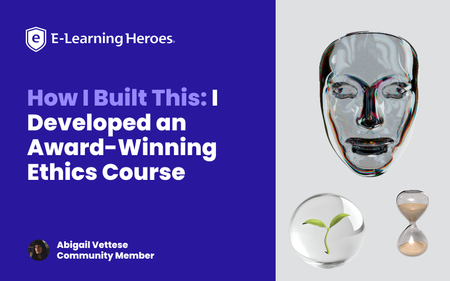
Why I Built This: When I first learned about branching scenarios, something clicked for me that I hadn’t seen other eLearning developers execute: visually compelling, philosophically rich thought experiments. I studied Moral Philosophy in my undergrad and became obsessed with ethical dilemmas. Naturally, I decided to build an ethics course about technology. Think The Trolley Problem, only I wanted to pose questions about the growing reliance on AI and its implications by employing Instructional Design strategies. An opportunity came up through my Master’s program to attend DevLearn and compete in DemoFest, so it was time to start building my concept. I designed and developed a course in Storyline called The Agency Algorithm that confronts learners with issues regarding three main topics: algorithmic warfare (The Armory), AI assisted resource allocation (The Triage Garden), and surveillance (The Mask Archive). The Experience & Design Intent: A quick walkthrough of the multi-room experience. The Agency Algorithm is a multi-room interactive learning experience that blends instructional design, game-like mechanics, and philosophical inquiry. It immerses learners in ethically complex scenarios by leveraging branching logic, and integrating experiential aesthetics with conceptual depth. My primary goal with this project was to encourage critical reflection on the role of technology on human agency and autonomous choice. The concept itself was pretty clear to me, but I wanted to push the limits of Storyline visually, so I acquired a number of 3D assets from Adobe Stock, some of which I further modified in Adobe Dimension. I wanted the visuals to anchor the learner in a unique environment that did not feel reminiscent of traditional eLearning, and rather create space to explore and feel like a participant in something unfolding. There aren’t often black and white answers to ethical questions, and branching scenarios are an excellent way to illustrate this while offering learners a safe place to experiment and think through various outcomes based on their decision making. Visual Worldbuilding/Making It Not Feel Like eLearning: Initially, I intended to hand draw assets myself to really hone in on the human vs AI dynamic, but quickly realized the time I’d have to accomplish this was dwindling. While I drafted a few loose concepts in my journal, I ultimately decided to stick with digital assets. While I landed on 3D assets largely due to time constraints, the outcome is reminiscent of an old experimental video game or some sort of immersive idea gallery. As an artist, I often approach my work from a minimalist lens so this project was a fun way to really add some artistry that corporate training often doesn’t have room for. Variables, Multi-state objects, Cue points, and other mechanics: I relied heavily on multi-state objects to create hover states, “tip” cards, text labels, and more, for example in the circuits with definition reveals. I enjoyed building the “loading” effect in the Mask Archive, although it was a bit clunky and took a lot of trial and error! I learned a lot along the way and used a cue point on an orb with a glow effect beneath the mask and used triggers to cause the effect to work. The course overall has a few hundred triggers (slide, object, and variable triggers) and somewhere around 40 variables (mostly T/F variables). What I learned: I think it is important that we don’t hand-hold learners through every learning experience. I want users to think through complex challenges and autonomously choose and feel like a true agent in the process of acquiring knowledge. A lot of eLearning makes it too easy for the learner and we lose engagement when we undermine the intelligence of our audience. I learned SO much about how to leverage Storyline in new ways. I am still a relatively new user to the tool, so this project allowed me to freely explore and be guided by curiosity. Link to my portfolio: https://www.abigailvettese.com/1.4KViews12likes7CommentsComfortable with Studio 360 but Curious About Storyline 360? This Article Is for You
Note: We're ending support for Studio 360, Replay 360, and Peek 360 on December 31, 2026. Learn more. When I talk to Studio 360 users, they often tell me that they’ve been wanting to give Storyline 360 a try, but feel too intimidated. Sound familiar? I get it. Change can be scary. But thanks to the PowerPoint-like interface and the easy-import feature, the transition from Studio 360 to Storyline 360 is super-smooth. And since Storyline 360 is included in your Articulate 360 subscription, you can start using it right away—at no additional cost. Still on the fence? Take a peek at some of the things Studio 360 users appreciate most when they start using Storyline 360. 1. Creating Interactions That Reduce Cognitive Load When you’re building a course in PowerPoint, it can be hard to find ways to cut down on the amount of on-screen text—and reduce the cognitive load—so learners can focus. In Storyline 360, slide layers make it easy to create click-and-reveal interactions that let learners view content in smaller, more digestible, chunks. For example, instead of a slide like this: You can create an interaction like this: Click here to compare the two versions Not only does this second version feel less overwhelming, but presenting each point one at a time invites learners to interact, increasing the likelihood that they’ll remember the content. 2. Converting Static Slides into Engaging Interactions With PowerPoint, it can be hard to find ways to get learners to interact with your course beyond clicking the Next button. With Storyline 360, you can put learners in the driver’s seat by converting static slides into engaging interactions in just a few clicks, thanks to the Convert to Freeform feature. For example, let’s say you’re creating a course on sun safety. You might have a slide that looks something like this: It’s informative, but not interactive. Now let’s see how you could use that same content to create a lean-forward interaction that’s sure to captivate your audience: Click here to compare the two versions Put yourself in your learner’s shoes. Which version would you find more interesting and engaging? My money’s on the drag-and-drop interaction. 3. Designing Nonlinear Courses Building a single course for a target audience with varying knowledge and skill levels can be a real challenge. One way to ensure you meet everyone’s needs is by building a nonlinear, or branched, course. You can do this by creating a menu that allows learners to navigate the course content freely or by designing a choose-your-own-adventure-style course where the learner’s path through the course changes depending on their actions. Building nonlinear courses in PowerPoint can be extremely challenging. But with Storyline 360, it’s a snap. You can easily see and make changes to the flow of your courses by simply dragging your slides in Story View, as shown in the GIF below. The ability to create nonlinear courses is just one example of how building your courses in Storyline 360 allows you to quickly and easily deliver a more personalized experience to your learners. And the more personalized the experience, the more relevant the course will feel to your learners—making them more likely to remember and apply the concepts to their jobs. Want more tips on personalizing your courses? Check out this article: 3 Ways to Personalize Your E-Learning Courses. 4. Building Custom Navigation That’s Intuitive With Storyline 360, you have total control over the learner experience. You can turn virtually any object into a custom button that behaves the way learners expect it to—making navigation intuitive. Let me explain. When you’re navigating the web, how do you know that an object is clickable? If you pay close attention, you’ll notice a couple of visual cues. For example, when you hover your mouse over a clickable object, the cursor changes from an arrow to a hand. There’s also usually a slight change to the formatting of the object itself—the fill color might change to a slightly lighter or darker hue. These visual cues help you navigate the website and find what you’re looking for. You can do the same thing in your e-learning courses to ensure your learners never feel lost. Check out the GIF below to get a better idea of what that experience can feel like: Click here to explore the interactive version With easy-to-use features like states and triggers in Storyline 360, you can make any object clickable in just a few seconds. And because these objects will behave just like learners expect them to, they’ll be able to focus on the course content—instead of trying to figure out where to click. The Bottom Line Importing your Studio 360 courses into Storyline 360 is fast and easy. And with Storyline 360’s PowerPoint-like interface, the learning curve is almost nonexistent. What do you have to lose? Give it a try today! Here are some resources to help get you up and running: Tips for Importing Microsoft PowerPoint and Articulate Presenter Content into Storyline 360 Storyline 360 tutorial videos Storyline 360 training webinars Storyline 360 user guide Want to try Storyline 360, but don’t have Articulate 360? Start a free 30-day trial, and come back to E-Learning Heroes regularly for more helpful advice on everything related to e-learning. If you have any questions, please share them in the comments.277Views0likes0CommentsMade by Members: On-boarding New Team Members
This month we’re spotlighting submissions across several eLearning Challenges that, when combined together, make an onboarding experience. These examples show how a variety of techniques can create memorable and easily referenced guides to simplify the fire hose of information that accompanies onboarding. Mix and match these examples for your specific use case if you’d like to give it a try, and be sure to comment below with what inspired you! A Blueprint for Day One and Beyond by SMcNicol Designed as a leave behind for after an interview, this course shows not only what an interviewee could use as a pitch for their first months in a job, but a clean and organized method for general 30/60/90 day plans. 💡Inspiration to take: How to use what Shannon describes as an “AI assisted workflow” to tailor plans and content Layered descriptions of not only what a process looks like, but concrete tactics for success Who is behind the scenes? By Kate_Golomshtok A bright example of vector image use, this submission shows a quick and memorable way to introduce different team roles. This approach makes it easy to understand the division of responsibilities in complex teams or projects. 💡Inspiration to take: Vector images that clarify tool use and positions for projects that could be confusing at first glance An “insider” approach to content presentation that includes field specific lingo Data Security Training by BrilliantTeams Submitted as part of the accordion interaction challenge, this submission shows how to make compliance training into an easily referenceable tool. New team members can easily dig down into more detail, while keeping high level information such as common initialisms above the fold. 💡Inspiration to take: Compliance training is notoriously a slog, so use engaging interactions to break up detail heavy content Stack information with the rationale behind it to help contextualize the “why” of procedures Meet the Team by AsweniGD Just what it says on the tin, this team introduction is a new team members’ dream for understanding organizational flow, titles, and personalities. Between the color coded org chart and detail on responsibilities this would help new hires understand who to ask what, when. 💡Inspiration to take: The morph transition makes for a clean transition from contextualized visuals to greater detail information Embrace color coded visuals to leave more room for what Ash describes as “human centered” introductions 🏅 Want to Be Featured Next? We’re always looking to highlight inspiring examples from the community, and your work could be next! Here's what we look for in a standout submission: A downloadable .story file or link to your Rise course so others can explore, adapt, and learn from your build. A clear explanation of what you built, how it works, and what makes it unique. Behind-the-scenes insight into your process, techniques, tools, or challenges you tackled. Purposeful design, whether it’s solving a problem, teaching a concept, or experimenting with a new approach. Bonus: Share your ideas for how your design is widely applicable beyond the specific example. Got something cool to share? Post it in Share Examples, and you might see it featured in an upcoming roundup!657Views1like0Comments