sliders
3 TopicsPokémom: Who Moved In? 🏡🌱
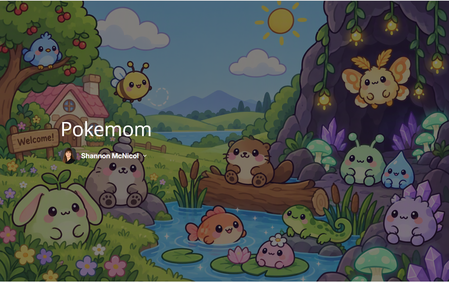
Confession: I've been playing a lot of Pokopia lately. In it, you fix up the land, decorate and creatures move in. So when this week's challenge asked us to use sliders for exploration, my brain went straight to "what if the slider fixed up the land?" 😄 Meet Pokémom, a habitat field guide with 12 original critters across three habitats: Meadow Pond Cave Each one starts out empty and lifeless. As you drag the slider, the habitat comes back one piece at a time (grass, water, crystals, glowing vines), and each time a new critter pops in with a sparkle because it finally found what it needs. 🐸✨ Why a slider? A row of buttons would have shown the same content, but a slider lets you watch the habitat build. That gives you the story of cause and effect for free: add the reeds and the shy newt shows up. Drag it back and he's gone. You learn it by doing it. How it came together: 🎨 I made all the art in Copilot: the backgrounds, the habitat pieces and every critter on its own. 🤖 Claude was my co-creator. It wrote the slider and layering code. 📦 Everything runs in a single Rise 360 Code Block, uploaded as a zip. My favorite trick: Every critter and habitat piece is its own layer on top of one background, so nothing shifts as you slide. The meadow really does look like it's coming back to life. It's also keyboard and screen reader friendly, and there's a field guide tracker so you can try to spot all 12. 🏆 👉 Pokemom Who's your favorite critter? Mine changes every five minutes, but Lanternmoth might be winning. 🦋💛E-Learning Challenge: Scuba Diver
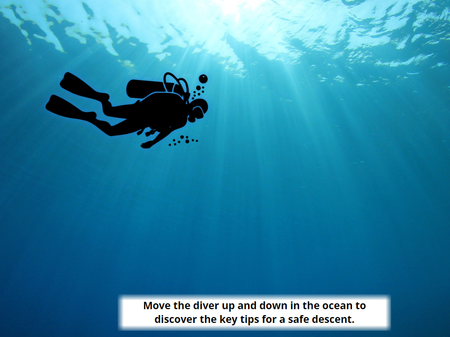
Hello! This was my first attempt at creating an interaction in Articulate Storyline, having previously focused mainly on developing content with the Articulate 360 AI tools. I enjoy scuba diving so thought I'd create an activity around this topic! The activity reminds scuba divers about the key principles of a safe descent. Learners move a slider to guide the diver down through the water, revealing safety tips as they descend. Moving the slider back up causes the tips to disappear, allowing learners to explore the content interactively at their own pace. Sources - I used Canva for the diver icon and the background image, I used Pixabay sounds for the underwater sound. E-Learning Challenge (Scuba Diver) Link!Bridgnorth Cliff Railway
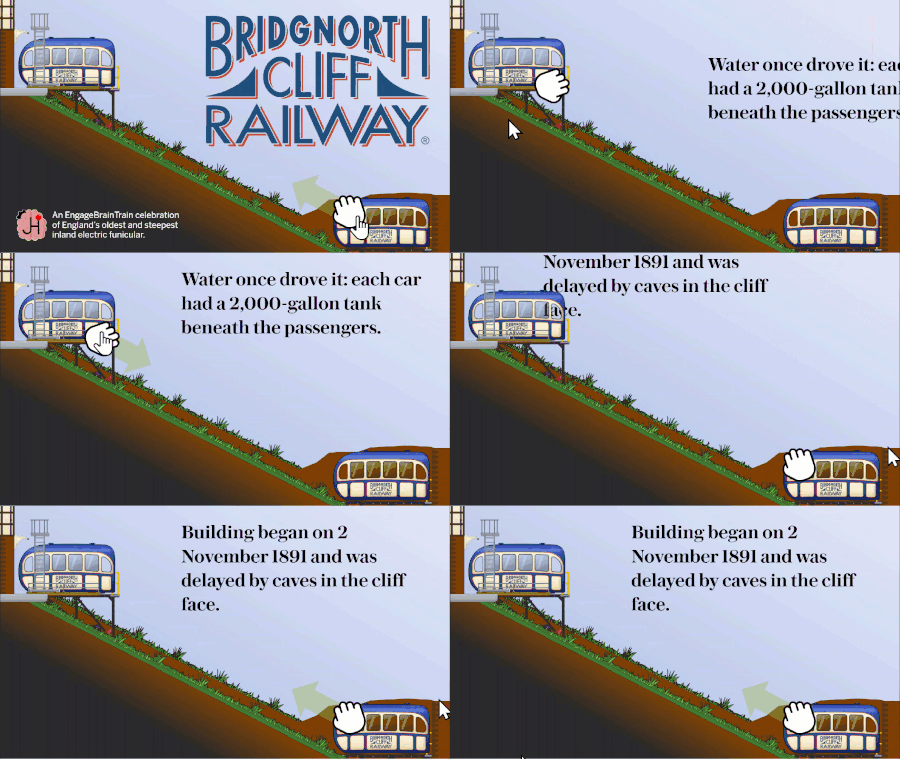
Hello! For this week's challenge, I have have built a demo based on a local tourist attraction: Bridgnorth Cliff Railway. Both trains and the 'grab' icon are customised sliders set to a 27 degree angle, with the thumb replaced by an image. I first used this technique way back in Challenge 336 (Digital Magazines), which featured an angled slider that looked like the elevator on the Eiffel Tower. In this demo, there are three sliders all tied to the same variable. But the train sliders run in opposite directions, mimicking how a fernicular railway works in real life. bottom and ascends when Train_Position decreases top and descends when Train_Position decreases. Each time the text box displaying the facts about the railway leaves the slide, some JavaScript generates another fact to replace it. There are 24 facts, presented in groups of 6. The facts always appear in a random order, and will never repeat during a draw of 24. Ride the rails here: https://bit.ly/elhc573 If you have any more questions about this demo, just ask.