Forum Discussion

Vanessa-RS23
1 year agoCommunity Member
Adjusting Quiz Score for Screencast Test
Hi everyone!
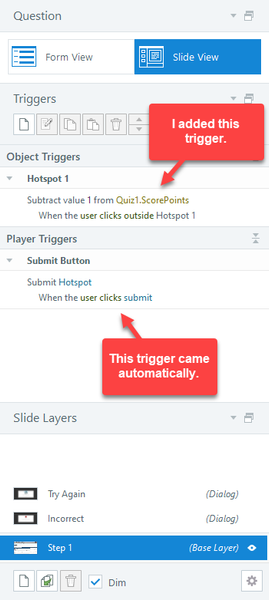
For a recent project, I inserted a screen recording made in Storyline via the step-by-step "Test" scene, which comes ready-made with a final Quiz Results slide and both a Success and F...

elizabeth
1 year agoPartner
Hi Vanessa!
Interesting situation! I wouldn't try adjusting the Quiz1.ScorePoints since as you said, if you give unlimited attempts, eventually they have to get it right and so they'll always get 100%. I think your approach to create a new IncorrectClicks variable is probably the same approach I would take. Knowing that they'll always see the "success" layer on the results slide, I think I'd do something like this:
- Create IncorrectClicks variable
- Add 1 to IncorrectClicks when the timeline starts on each "try again" layer
- On the Results Slide/Success layer (which every learner will see), remove the points and the percentage, and instead just have a generic "You've completed the simulation. You clicked in the incorrect spot %IncorrectClicks% times."
- You could then have a "try simulation again" button that only shows if IncorrectClicks > whatever amount.
I made a quick sample with a PPT simulation and have attached it here!
Related Content
- 5 months ago