Forum Discussion
AI Assistant Image Generation for Icons

Hi Katie!
This is a cool idea, and I'd love to hear more about the icons you're looking to create. What style are you looking for, specifically?
In general, you'll want to include the word "icon" in your image prompt. You may also want to play around with the image styles, as some of them would work better for icons than others. I would recommend Vector Blues, Editorial, and Minimalist.
I generated a few sample icons using the AI Assistant image generation feature, and here's what I came up with:
Description: Icon of a laptop inside of a circle with a white background
Style: Vector Blues
Description: Line art icon of a microphone inside of a circle with a white background
Style: Editorial
If you can share more about the icons you're trying to create or attach a screenshot of sample icons you like, I can hopefully help you achieve what you're looking for!

Hi! I found this post searching "vector blues." There is now an option on the vector blues image generator to return to the "legacy model" generator. Is the legacy model going to continue to be offered indefinitely? The new generator's images don't suit my use cases and I use vector blues whenever I use the AI image option. I'm afraid Articulate will stop offering the old model in time, and I want to put in a plug for keeping the old one!
- LucianaPiazza6 months agoStaff
Hello ErikaShaffer,
Thanks so much for explaining how important Vector Blues and the legacy model are to your workflow. We don’t have any updates to share at this time about long-term plans for the legacy generator, but I understand your reason for reaching out. I have shared your feedback with the team.
If you’re open to it, I’d love to learn more about your experience and what specifically isn’t working for you with the new generator. I’m happy to pass that context along to the team.
Thanks again for sharing your feedback with us!
- ErikaShaffer6 months agoCommunity Member
Hi, LucianaPiazza
Thanks for your reply! The characters on the legacy model are more expressive. Our courses are often lighthearted, so the cartoony characters in the legacy model come in handy for eye candy and calling out important text.
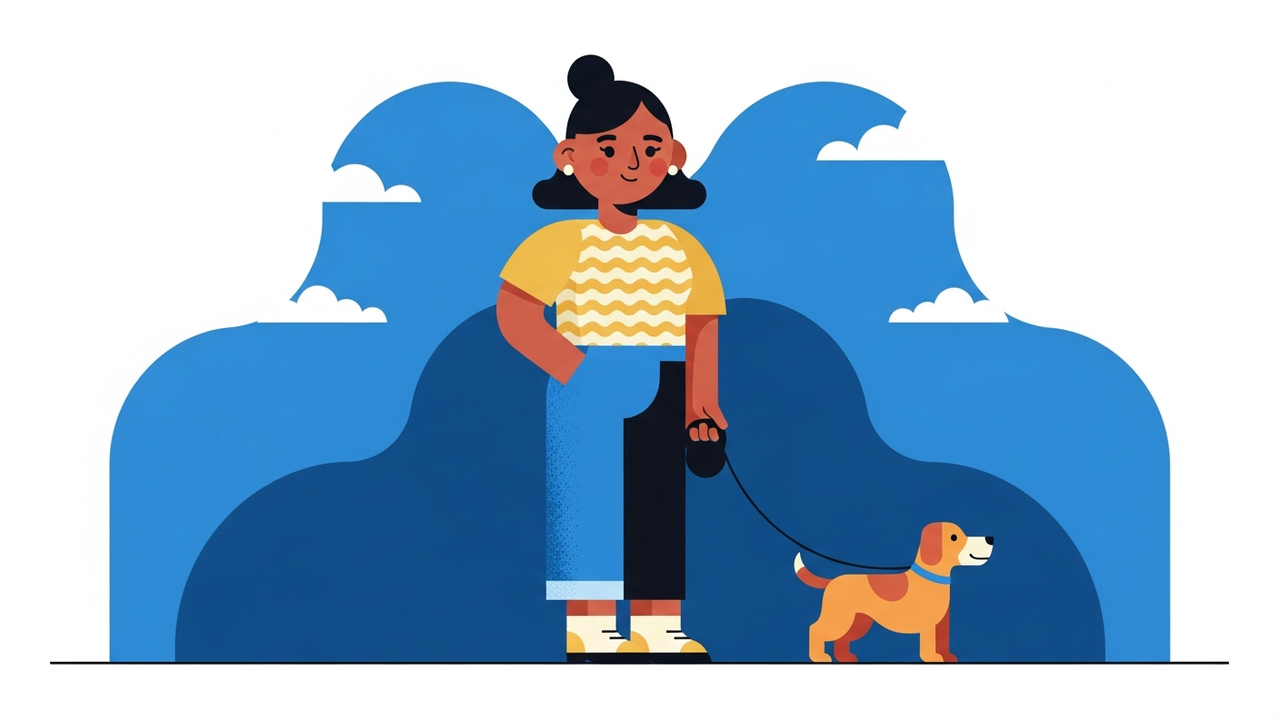
Here's an example of the difference when I ask the generator "woman with brown skin holding dog on leash" I get these results:
Legacy:New:
While the new model produces a visually appealing image, the characters don't show much expression. The legacy model, to me, produces warmer characters.
Thanks for passing this on!
Erika- LucianaPiazza6 months agoStaff
Hello ErikaShaffer,
Thank you for providing these specific examples in both models! I've shared them with the team.
I understand you're looking to have more specific expressions in the new model. I am successful when sharing the specific expression needed (ex., light-hearted expression) in the description details.
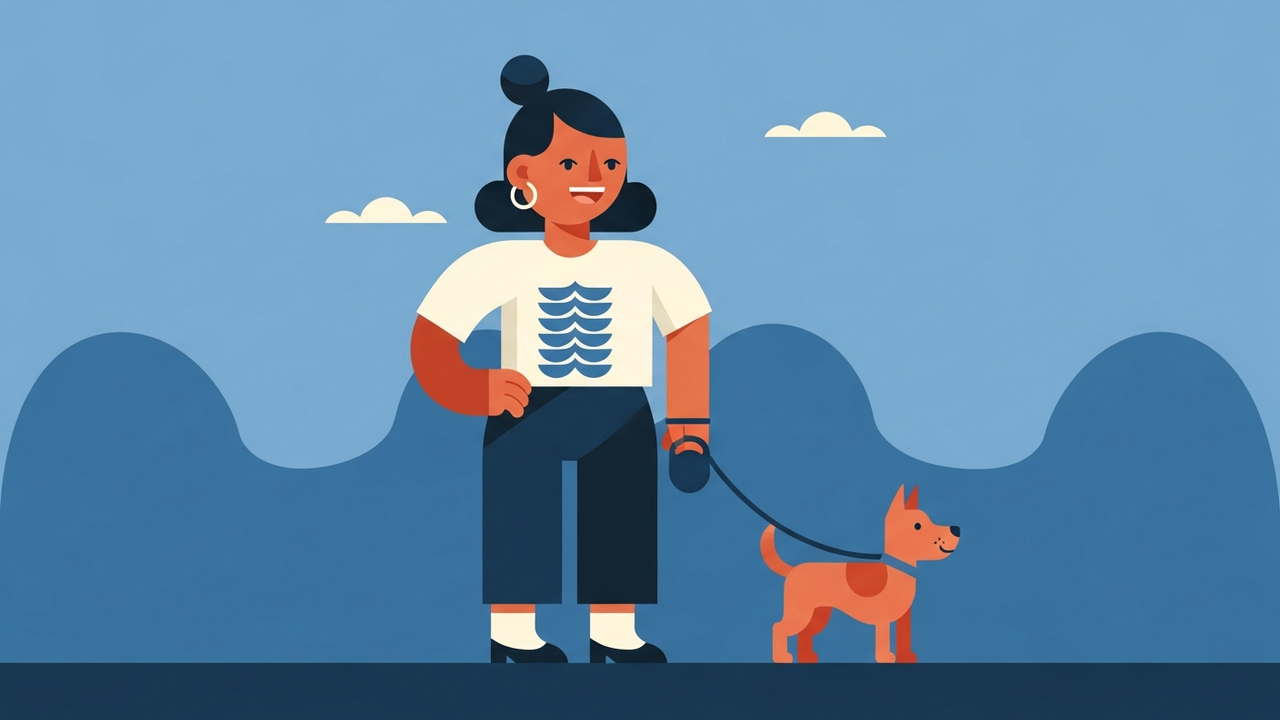
Here's a closer look at this in action!
Please let me know if adding more details to your prompt improves your experience using the new model. Happy to learn more about your experience!
