Forum Discussion

Prakash_IQMD
1 year agoCommunity Member
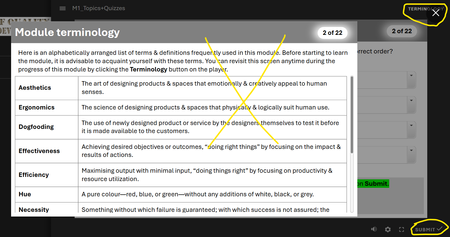
Can turn off only default glossary button, not customized glossary button, in quizzes...
Hi people,
In an SL project that contains a lightboxed glossary (terminology) slide, topics, and quizzes, I am unable to turn off the customized glossary in the quiz section. While the def...

JudyNollet
1 year agoSuper Hero
As Michael said, you can't turn off custom tabs in Storyline. At least, there's no built-in way to do that.
I think a JavaScript solution for this may have been posted before. You'll have to search the community to find it.
Or here's another option:
- Create a T/F variable to track whether the glossary should be hidden. Keep the default value of False.
- Add a layer to the Glossary slide that completely covers the base. Put a warning message on that layer. (For example: "The Glossary is not available during the quiz.")
- Add a trigger to the Glossary slide that shows the layer when the timeline of the slide starts with the condition that the variable = True. Include an "Else" statement that hides the layer.
- Add a trigger at the beginning of the quiz that changes the variable to True.
- Add a trigger after the quiz that changes the variable back to False.
It’s worth the effort to learn about variables and trigger conditions, because they provide the real power in Storyline. Here’s more information:
- This post provides an overview of variables. It also links to numerous resources. The Value of Variables | Articulate - Community
- The User Guide section about triggers includes info about conditions. Storyline 360: Working with Triggers | Articulate - Community
Related Content
- 9 months ago
- 3 months ago
- 2 years ago