Forum Discussion

Change the Background Color for Process Block in Rise
Hi,
I can no longer change the background color on the Process Block template in Rise.
Please Help!
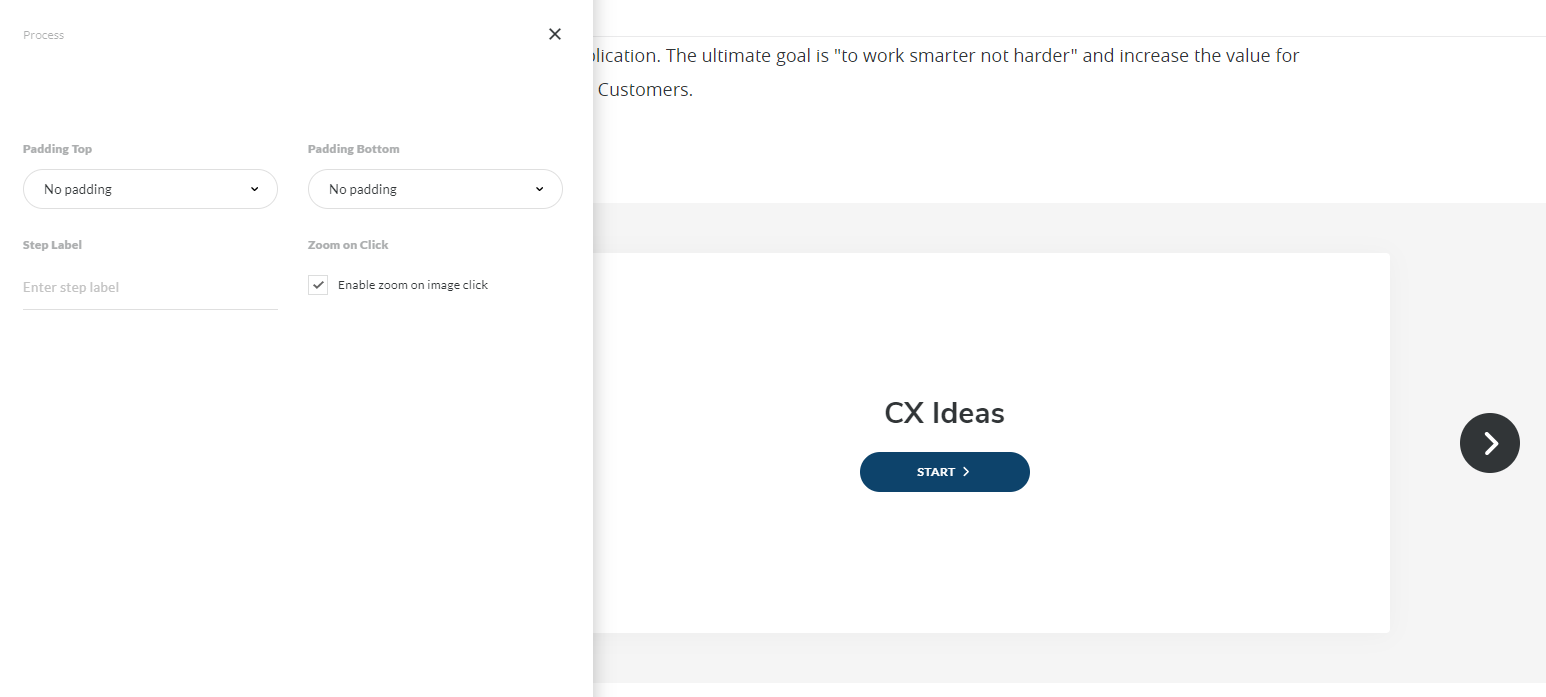
Good news, everyone! You can now customize the Process block interaction with distinctive color and image backgrounds using enhanced block settings! Check out the new feature, and let us know what you think!

126 Replies
- YanValdes-aea53Community Member
+1000000 Don't really understand why this block is the only one that doesn't have this feature.
- VanessaRodri974Community Member
Been two years and no updates.
- MicahWeedman-6aCommunity Member
The reason this block isn't customizable like the others is, I'm guessing, because of the progress bar. I've always just figured this was one of the many trade-offs we commit to for a inherently responsive program, and generally, if not choosing a background color is what saves me from quadruplicating everything in SL, then I can be happy with that.
THAT said, I think the progress bar in the process block isn't intuitive at all and is odd looking. I suppose if the average learner took lots of Rise modules that involved the process block they might see it for what it is. But to me it just looks like borders that are out of whack, and I suspect a different background color would just highlight that, and I can't be sure without some testing, but I'd be surprised if users are marking the progress through the process block with the shifting borders.
So: I vote for redesigning the progress tracker in the process block.
- TerriMiddleton-Community Member
Woah, I've never noticed those at the far left and right of the screen. (Now I can't unsee them and they bug the heck out of me, so thanks for that! LOL) I assume that's what you are referring to. If I've never noticed them then the average learner won't either!
- LouiseLindopCommunity Member
+1
- EricEtkinCommunity Member
It's crazy we can't edit this color. Please stop adding "new" features and take the time to resolve outstanding silliness like this.
- MicahWeedman-6aCommunity Member
It appears to be on the roadmap:
Enhanced Block Settings
Seamlessly edit your blocks with a new, consolidated toolbar for faster, easier authoring. Intuitive controls let you fine-tune padding and make your blocks stand out with distinctive backgrounds.
Rise 360
- AaronWalker-0c3Community Member
Yeah, this is rubbish! However, if you want to change the colour to combine it with another section, you could always change the colour of the extra sections to match the process block.
I think the HEX code for the process block colour is #f5f5f5
- CarliCockrellCommunity Member
I have to be real here; not having control over this block color is causing work-arounds for organizations that are seriously unscalable. Is this going to be fixed soon? Where can I follow the roadmap?
- MicahWeedman-6aCommunity Member
What kind of work arounds have you come up with?
- LauraMcMurphy-bCommunity Member
Still a problem 2 years on...please let us edit the process block background colour. (And while you're at it, let us add images to the background please!!)
- TerriMiddleton-Community Member
Articulate Staff posted this workaround, which really isn't feasible IMO. You have to export the project then search for each process block in the CSS, edit the color there, then rezip the project. If you make any updates to the course, you have to redo this hunt and find process.
https://community.articulate.com/discussions/rise-360/change-the-background-colour-for-a-process-block#reply-853309 - ChrisMatthews-fCommunity Member
+1










Related Content
- 3 months ago
- 3 months ago
- 2 years ago