Forum Discussion

KeithTrodden-48
1 year agoCommunity Member
Customising review feedback
Hi,
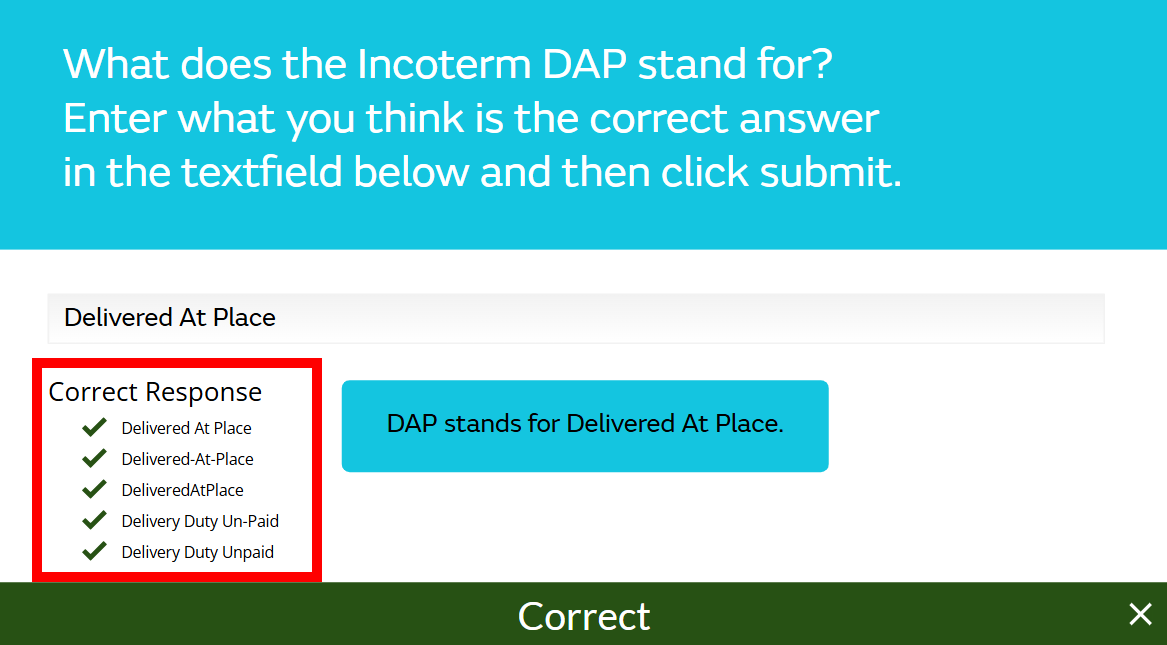
I have produced this e-learning module with a quiz at the end. When I complete the quiz and go through the review section, I get a number of slides with review feedback (see the attached). Howe...




Nedim
1 year agoCommunity Member
You could go to the Feedback Master > Review Layout and draw a colored shape beneath the feedback text to cover everything in the Review layer, except the feedback text.
Alternatively, you can do the same on each individual Review layer to cover only the parts you don’t want to be visible.
Related Content
- 2 years ago
- 1 year ago
- 9 months ago