Forum Discussion

Dividers - Too much space/padding

Hello daodn,
You'll want to ensure you're just exporting the divider image in PowerPoint, with no additional white spaces at the top or bottom. Please refer to my previous screenshot here for your reference on what the exported image should look like:
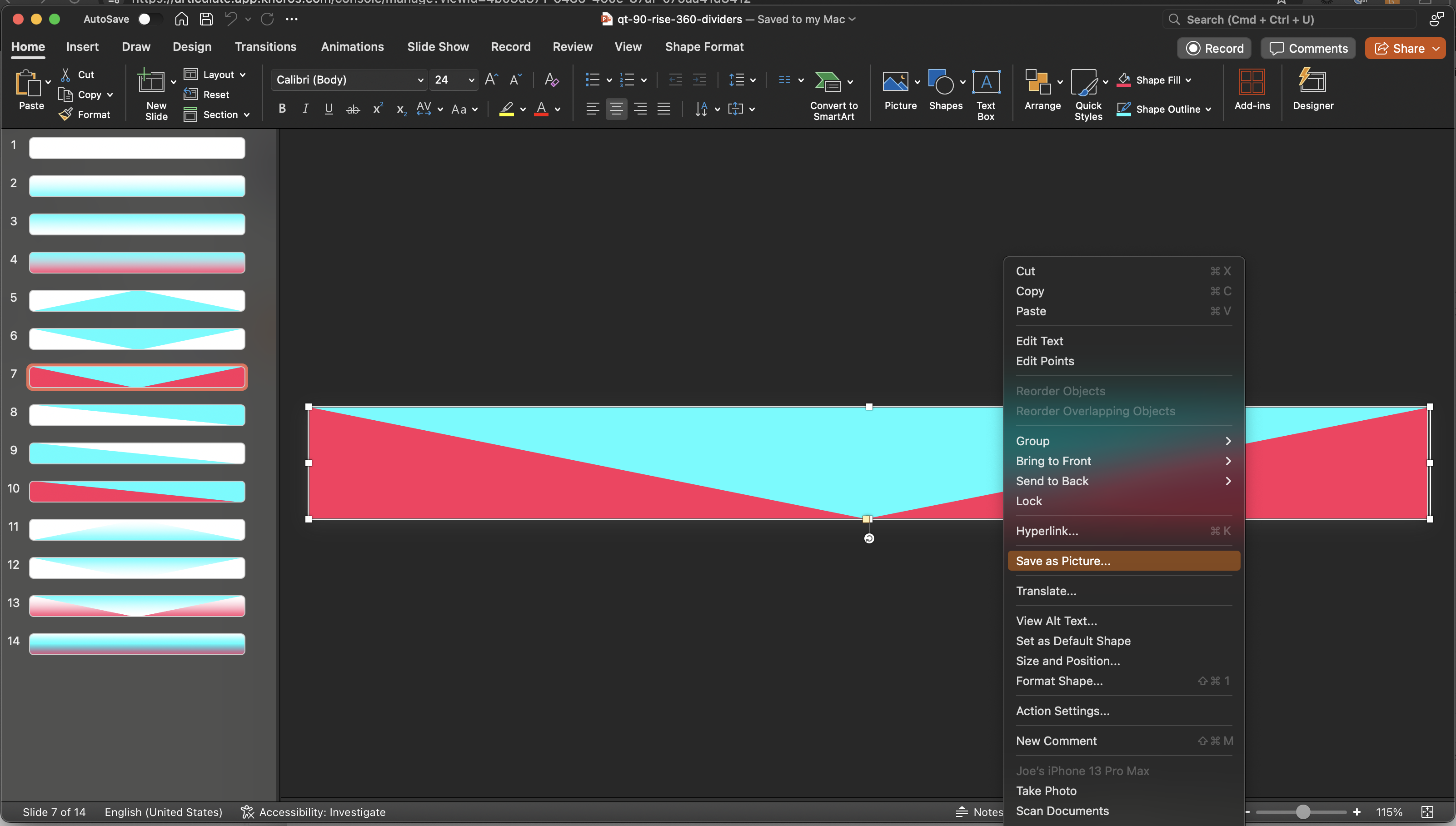
Note the absence of any white spaces at the top or bottom. It's just the actual image of the divider graphic being exported. You can create a Peek 360 recording of how you export your divider images from PowerPoint so we can compare your method with ours and see if anything needs to be changed.
Thank you, Jose! Let me try this and get back to you. Thanks again for your time.
- daodn8 months agoCommunity Member
Hi again, Jose -- I think I got it!
I had to zoom in on your screenshot and saw that you right-clicked on the objects in PowerPoint and selected Save as Picture. This worked. Thank you again for your time! 👍- JoseTansengco8 months agoStaff
You are most welcome!
Related Content
- 7 months ago
- 5 months ago
- 2 years ago